Introduction
What CertiReplica is
CertiReplica keeps master data the same across SAP Business One companies. Items, business partners, price lists, payment terms, G/L accounts and other master data are read from one company, the source, and written to one or more other companies, the targets.
Three things set the way it works:
- You see every change before it is written. A simulation shows, record by record and field by field, what a rule would do. Nothing is written by a simulation.
- You see every change after it was written. CertiReplica keeps the value before and the value after for every field it wrote, and a write can be rolled back.
- Nothing is installed in SAP Business One. CertiReplica reaches each company through that company's Service Layer only. There is no add-on, no stored procedure, no user-defined table and no database user. Its own data lives in one folder on the server it runs on, or, if you prefer, in a database on Microsoft SQL Server.
CertiReplica runs as one Windows service with its own web app. People open it in a browser and sign in with a CertiReplica account, which is not an SAP Business One user.
What CertiReplica may write in a company is decided by SAP Business One itself. For each company you enter one dedicated SAP user. Every replicated change appears under that user in SAP's change log, and the authorisations of that user are the limit of what CertiReplica can read and write. Companies names the two small exceptions.
What CertiReplica is not
- It does not replicate documents. Orders, invoices, deliveries and journal entries are outside its scope. It replicates master data and setup data.
- It never deletes a record. When a source record is removed, the target record is reported for a decision or put on hold. See Removed records.
- It does not copy what belongs to one company. Stock, balances, costs and dates of change never travel. Fields that usually belong to one company, such as the number series, the house bank and G/L accounts on an item, are left alone unless a rule names them.
- It adds nothing to SAP Business One's own windows. There is no panel or button on the item or business partner window. A record is looked up in CertiReplica instead, on the screen Find a record, whose address can be kept as a link. See Comparing companies and finding a record.
This version has been proven on SAP Business One 10.0 on SAP HANA. CertiReplica uses only the Service Layer and nothing in it depends on the database type, but companies on Microsoft SQL Server and other localisations have not yet been proven on a real system. Simulate before you rely on it there.
How it works
For every record and every target company, CertiReplica does the same eight things in the same order.
- Read. The record is read from the source company.
- Filter. The rule's conditions are checked for this target. A record that does not pass is left alone.
- Find the counterpart. CertiReplica looks for the same record in the target. It first uses a link from an earlier replication or a mapping. Without a link it looks for the same code. For objects that SAP Business One numbers itself, such as item groups, it looks for the same name.
- Shape. CertiReplica works out what the rule wants the target to hold. Fields the rule leaves out are dropped. Constants, copies and templates are filled in.
- Translate references. Every field that points at another record, such as the item group, the price list or the preferred vendor, gets the target's own key. When the referenced record is missing in the target, the rule decides: match it, create it first, use a fixed value, leave it empty, or hold the record with a sentence that says what is missing.
- Compare. The result is compared with the target, field by field and row by row. CertiReplica remembers what it wrote last time, so it can tell a value the source changed from a value someone changed in the target.
- Write. Only what differs is sent. In a simulation, the differences are reported and nothing is sent.
- Read back. The target record is read again. CertiReplica remembers what SAP Business One really holds, and keeps the before and after of every field in the history.
How changes are noticed
An automatic rule needs nothing in the company. Objects that carry a date and time of change, such as items and business partners, are asked about once a minute what changed since the last look. Small setup tables, such as item groups or payment terms, are read whole and compared.
A rule can also be scheduled: it then looks for changes at the times of day you set, and not in between. Or it can be manual, and run only when someone starts it. See Rules.
Comparing two companies
A simulation shows what a rule would do to the records you name. A comparison takes the same look at every record a rule covers, and also lists what only the target has. It writes nothing. See Comparing companies and finding a record.
Two-way rules
A rule can be two-way. The same eight steps then run in both directions over one link. CertiReplica remembers what each company held when the two last agreed. For every field it can tell three cases apart: only the source changed it, only the target changed it, or both did. Only the last case is a conflict. See Two-way replication.
Removed records
A record that was removed in the source is noticed too, about every fifteen minutes for automatic rules, at each of its times for a scheduled rule, or when someone asks. Its counterpart in the target is reported for a decision or put on hold, as the rule says. See Removed records.
The words we use
| Word | Meaning |
|---|---|
| Company | One SAP Business One company database, reached through its Service Layer. |
| Landscape | A set of companies that belong together, such as Production or Test. A rule never crosses landscapes. |
| Source company | The company whose records are the original for a rule. A rule only reads it, unless the rule is two-way. |
| Target company | A company that receives the records of a rule. One rule can have many targets. |
| Object | A kind of master data, such as items or business partners. |
| Rule | Which object goes from which company to which companies, which records, which fields, and what happens when the two sides disagree. |
| Link | The knowledge that a record of one company and a record of another are the same thing. |
| Mapping | A link a person made, or that the automatic mapping made. On screen, all links are listed under Mappings. |
| Reference | A field that points at another record, such as the item group of an item. |
| List | Rows inside a record, such as the addresses of a business partner or the prices of an item. |
| Simulation | What a rule would do, without writing anything. |
| Held | A record that waits because something is missing. The message says what. On screen the status is called Parked. |
| Conflict | A record whose target was changed by someone since the last replication, waiting for a decision. |
| Snapshot | What CertiReplica knows the target to hold for the fields a rule governs. It is what makes a change in the target recognisable. |
| On hold | A record that SAP Business One treats as inactive. Items and business partners can be put on hold. |
| Set aside | A person's decision not to replicate a waiting record. The target is not changed. |
| Roll back | Putting back the values a write overwrote. |
Who does what
CertiReplica has three roles. A Viewer reads everything and can simulate a rule, but changes nothing. An Operator also runs rules, decides about waiting records, maps records and tests whether CertiReplica can sign in to a company. An Administrator also sets up companies, rules, notifications, the licence and people, and can pause the background work. The first person to open a new installation creates the first administrator. The full table of what each role may do is in People.
How this manual is organised
- Installation and First steps take you from the setup program to the first replicated record.
- Companies, Rules and Mappings describe the setup.
- Activity describes the daily work: what happened, what waits, and what you can decide.
- Comparing companies and finding a record describes the two screens that answer how far apart two companies are, and where one record is in the others.
- Two-way replication and Removed records cover the two special cases.
- Notifications, Licence and People cover the rest of the setup.
- Troubleshooting is organised by what you see on the screen.
- Objects and Settings reference are for looking things up.
Installation
CertiReplica is installed on one Windows server by one setup program, CertiReplica-Setup-0.1.0.exe. It needs no database server and no .NET installation, and nothing is installed in SAP Business One. The same setup program upgrades an installation and changes its settings later.
What you need
| Requirement | Detail |
|---|---|
| A Windows server | Windows Server 2019 or later, 64-bit. Windows 10 or 11 is enough for a trial. 2 GB of free memory and 1 GB of disk are plenty. |
| A way to the Service Layer | The server must reach the Service Layer of every company over HTTPS, usually on port 50000. It does not need to be the SAP server itself. |
| An SAP Business One user per company | A dedicated user, for example replica, so that every replicated change is traceable in SAP's change log. The authorisations of this user decide what CertiReplica can write. Not a superuser; an Indirect Access licence; only the authorisations its rules need. See Companies, The dedicated SAP user. |
| Administrator rights on the server | Needed to install the Windows service. Using CertiReplica afterwards needs none. |
The companies can be on any mix of servers, on-premise or hosted. Each company only needs a Service Layer address that the CertiReplica server can reach.
Install
-
Copy
CertiReplica-Setup-0.1.0.exeto the server and start it. Windows asks whether the program may make changes to the device. Check that the publisher it names is CERTICONS LLC, and answer Yes. -
Setup shows what it is going to ask. Press Next.
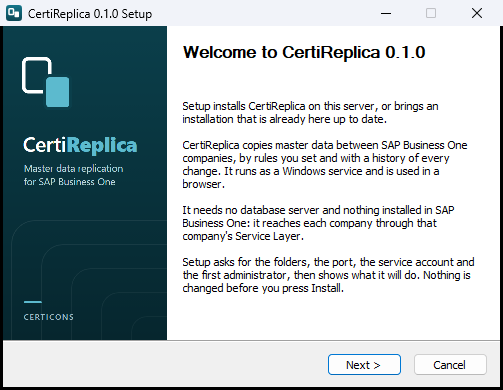
The first page of Setup.
- Licence agreement. Read the agreement to its end. Only then can the box I have read the licence agreement and I accept its terms be ticked, and only then does Next work. Save a copy... saves the agreement as a file. Setup also installs it, in the
docsfolder of the program.
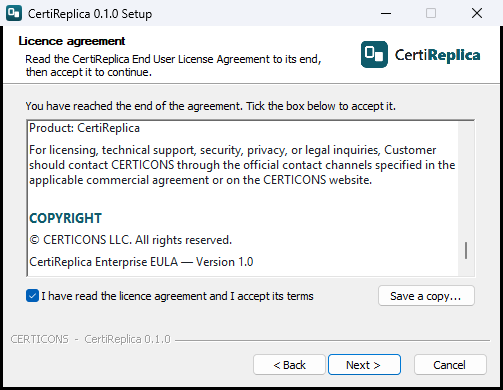
The licence agreement, read to its end and accepted.
- Folders. Choose where the program and the data go, or keep what is proposed.
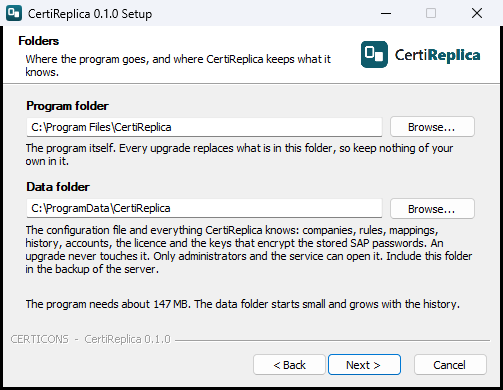
The two folders of an installation.
| Field | Meaning | Proposed |
|---|---|---|
| Program folder | The program itself. Every upgrade replaces what is in this folder, so keep nothing of your own in it. Setup refuses a folder that already holds other files. | C:\Program Files\CertiReplica |
| Data folder | The configuration file and everything CertiReplica knows: companies, rules, mappings, history, accounts, the licence and the keys that encrypt the stored SAP passwords. An upgrade never touches it. Include it in the backup of the server. | C:\ProgramData\CertiReplica |
If the data folder already holds a configuration from an earlier installation, Setup says so and uses it, together with the data in it.
- Address. CertiReplica is used in a browser. Choose its port and who can reach it.
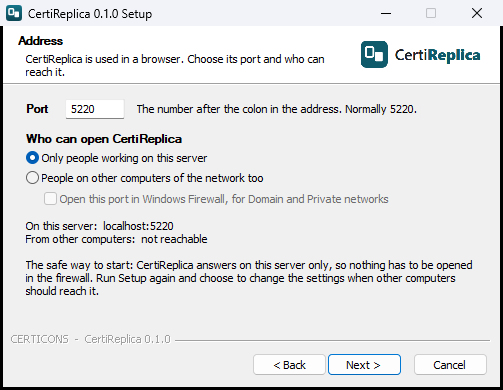
The port, and who can open CertiReplica.
| Field | Meaning | Proposed |
|---|---|---|
| Port | The number after the colon in the address. If another program on the server already uses the port, Setup says so when you press Next and proposes the next one. | 5220 |
| Only people working on this server | CertiReplica answers on the server only. Nothing has to be opened in the firewall. The safe way to start. | Chosen |
| People on other computers of the network too | CertiReplica also answers to other computers. People sign in with a password, so the connection should be encrypted: the next page asks how. | |
| Open this port in Windows Firewall, for Domain and Private networks | Only with the second choice. Setup makes a firewall rule named CertiReplica that lets other computers reach this port of this program. It is not made for networks Windows treats as Public. | Ticked |
The page shows the address on this server and the address from other computers as you choose.
- Encryption. Choose how the connection between the browser and CertiReplica is protected.
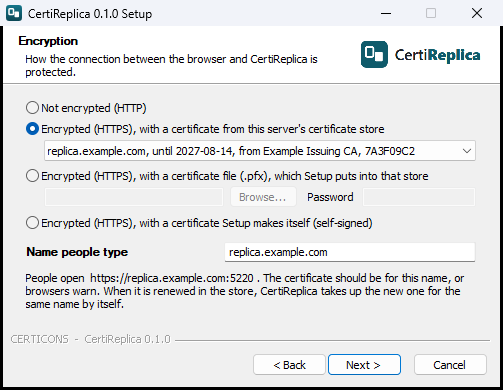
No encryption, or HTTPS with one of three kinds of certificate.
| Field | Meaning | Proposed |
|---|---|---|
| Not encrypted (HTTP) | Nothing is encrypted. Right when CertiReplica answers on this server only, because nothing travels over the network then. With other computers, choose it only on a trusted internal network, or when a reverse proxy in front of CertiReplica adds HTTPS. | With Only people working on this server |
| Encrypted (HTTPS), with a certificate from this server's certificate store | The list shows the certificates the server has that are valid today, have their private key and are meant for a server: the name, the last day, who issued it, and the start of its thumbprint. This is the choice for a certificate from your own certificate authority or a public one. | With other computers, when the store has one |
| Encrypted (HTTPS), with a certificate file (.pfx) | A file that holds the certificate with its private key, and the Password of the file. Setup puts the certificate into the server's certificate store, where its key cannot be exported again, and CertiReplica uses it from there. Setup tries the password when you press Next. The password is given to Windows once and kept nowhere. | |
| Encrypted (HTTPS), with a certificate Setup makes itself (self-signed) | Setup makes a certificate for the name below, for the server's own names and for localhost, valid for two years. The connection is encrypted at once, but browsers warn until the certificate is trusted on the computer. Meant for a start: replace it later on this page by one from a certificate authority. |
With other computers, when the store has none |
| Name people type | The name in the address, for example replica.example.com, without https:// and without the port. CertiReplica chooses its certificate by this name, and the shortcuts open it. The certificate should be for this name, or browsers warn. Picking a certificate from the list fills in the name it is for. |
The name of the certificate picked, otherwise the server's full name |
Whichever certificate you choose, Setup gives the account the service runs as the right to use its private key. See The certificate below for what happens when it is renewed.
- Windows service. CertiReplica runs as a Windows service: it starts with the server and restarts itself after a failure.
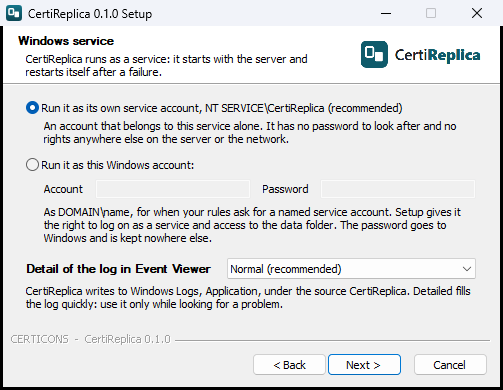
The account the service runs as, and the detail of its log.
| Field | Meaning | Proposed |
|---|---|---|
| Run it as its own service account | The account NT SERVICE\CertiReplica. It belongs to this service alone, has no password to look after, and has no rights anywhere else on the server or the network. |
Chosen |
| Run it as this Windows account | For when your rules ask for a named service account. Enter the Account as DOMAIN\name and its Password. Setup gives the account the right to log on as a service and access to the data folder. The password goes to Windows and is kept nowhere else. A group managed service account, whose name ends in $, has no password to enter. |
|
| Detail of the log in Event Viewer | Normal, Warnings and errors only, or Detailed, for finding a problem. Detailed fills the log quickly: use it only while looking for a problem. | Normal |
- First administrator. Enter the Name and the Password you will sign in to CertiReplica with, and the password again. The password needs at least 10 characters. Show the passwords shows what you typed.
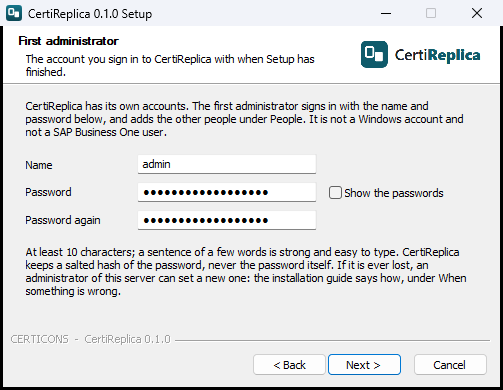
The account you sign in with when Setup has finished.
This is an account of CertiReplica. It is not a Windows account and not an SAP Business One user. CertiReplica keeps a salted hash of the password, never the password itself. Because Setup creates this account, a new installation is never open to whoever reaches its address first.
- Shortcuts. Choose whether Setup makes a CertiReplica icon on the desktop and a CertiReplica folder in the Start menu. Both are made for everyone who signs in to the server, and open CertiReplica in the default browser. The Start menu folder also holds the user manual, the installation guide, the licence agreement and the uninstaller.
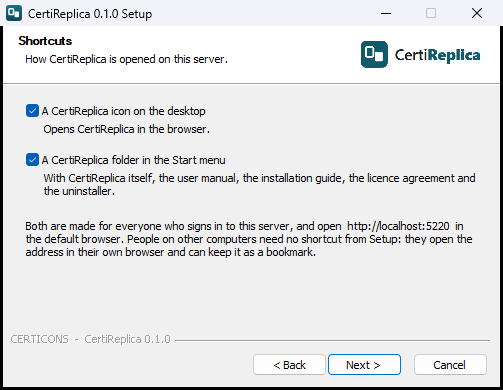
The shortcuts Setup can make.
- Ready. Setup lists everything it is going to do. Nothing has been changed so far. Press Back to change something, or Install.
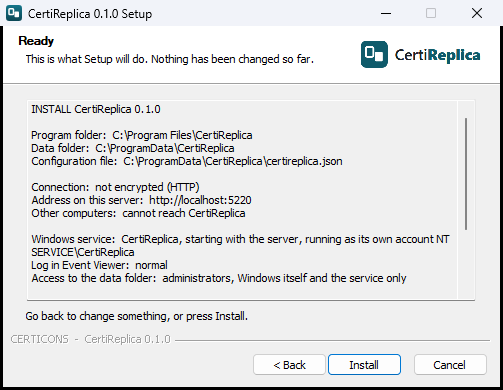
What Setup is going to do, before it does anything.
- Setup installs, starts the service and waits until CertiReplica answers. The last page names the address. Leave Open CertiReplica now ticked and press Finish.
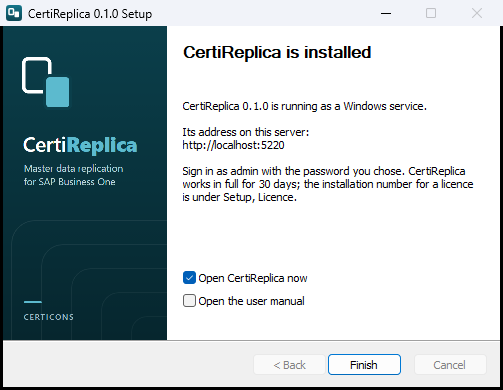
Setup has finished, and CertiReplica is running.
If something did not work, the last page says so instead, and where to look. Setup writes everything it does to Setup.log in the data folder, with each problem marked PROBLEM.
What Setup does
- It copies the program to the program folder, and the installation guide and the licence agreement to its
docsfolder. - It creates the configuration file
certireplica.jsonin the data folder, with the address, the data folder and the detail of the log you chose. - It registers the Windows service CertiReplica. The service starts with the server, shortly after Windows itself, and restarts itself one minute after a failure.
- It restricts the data folder to administrators, Windows itself and the service, because the folder holds the encrypted SAP passwords and their keys.
- It protects the program folder, so that only an administrator can change the program a service runs.
- With HTTPS: it takes the certificate from the store, imports it from the file or makes it, and gives the service account the right to use its private key.
- It creates the first administrator.
- It makes the firewall rule and the shortcuts, if you asked for them.
- It enters CertiReplica under Installed apps, with its uninstaller.
- It starts the service and waits until CertiReplica answers.
Setup never touches an SAP Business One company. No password is written to a file or to Setup's log.
First start
- On the server, open CertiReplica: with the desktop icon, from the Start menu, or at the address Setup named, for example
http://localhost:5220. - Sign in with the name and password of the first administrator.
- You see the Dashboard. Continue with First steps.
CertiReplica works in full for 30 days from its first start without a licence. See Licence for what happens after that and how to install a licence.
Running Setup again
Start the setup program on a server where CertiReplica is installed, and it offers two things.
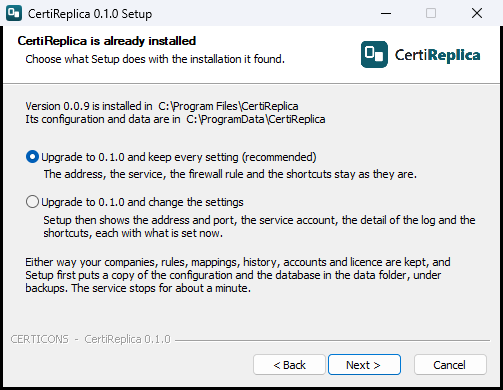
Setup found an installation.
| Choice | What it does |
|---|---|
| Upgrade to 0.1.0 and keep every setting (recommended) | Replaces the program and nothing else. The address, the certificate, the service, the firewall rule and the shortcuts stay as they are. With HTTPS, Setup gives the service account the private key of the certificate again, which is what a certificate needs after another program renewed it. With the same version as the one installed, the choice reads Repair 0.1.0 instead of Upgrade to 0.1.0: it puts the program files back as they should be. |
| Upgrade to 0.1.0 and change the settings | Also shows the Address, Encryption, Windows service and Shortcuts pages, each with what is set now. What you change there is applied: the port and who can open CertiReplica, the firewall rule, HTTP or HTTPS and the certificate, the service account, the detail of the log, the shortcuts. |
Either way:
- Your companies, rules, mappings, history, accounts and licence are kept.
- Before the program is replaced, Setup puts a copy of the configuration file, the database and the keys in the data folder, under
backups, in a folder named with the date and time. Delete old copies there when you no longer need them. - The service stops for about a minute. Records that should have been replicated in that minute are picked up when it starts again.
- CertiReplica brings its own data up to date when the new version starts.
To go back to an earlier version, run the setup program of that version. It warns that the installed version is newer and asks before it goes on. If the newer version had already started, also restore the data folder from a backup taken before, because the newer version may have changed the data.
Unattended installation
The setup program can install without showing a page, for example from a deployment tool. Run it as administrator:
CertiReplica-Setup-0.1.0.exe /S /ACCEPTEULA /ADMIN=admin
| Switch | Meaning | Example |
|---|---|---|
/S |
Install without pages. | |
/ACCEPTEULA |
Says that the licence agreement is accepted. Required with /S. |
|
/PORT= |
The port. | /PORT=5220 |
/ACCESS= |
local for this server only, network for other computers too. |
/ACCESS=network |
/FIREWALL= |
With /ACCESS=network: 1 makes the firewall rule, 0 does not. |
/FIREWALL=1 |
/HTTPS= |
none for HTTP, or HTTPS with a certificate: store for one in the server's certificate store, pfx for a certificate file, self for one Setup makes. Without it, HTTP. |
/HTTPS=store |
/HOSTNAME= |
With HTTPS: the name people type in the browser. Without it, the server's full name. | /HOSTNAME=replica.example.com |
/CERT= |
With /HTTPS=store: the thumbprint of the certificate. Without it, the certificate for the name is used. |
/CERT=7A3F09C2... |
/CERTPIN= |
With /HTTPS=store: 1 keeps exactly this certificate instead of taking up a renewed one. |
/CERTPIN=1 |
/PFX= |
With /HTTPS=pfx: the certificate file. |
/PFX="D:\Install\replica.pfx" |
/DATADIR= |
The data folder, on a new installation. | /DATADIR="D:\Data\CertiReplica" |
/ACCOUNT= |
The Windows account the service runs as. Without it, the service's own account. | /ACCOUNT=CONTOSO\svc-replica |
/LOGLEVEL= |
Information, Warning or Debug. |
/LOGLEVEL=Information |
/ADMIN= |
The name of the first administrator. Without it no administrator is created, and the first person to open CertiReplica is asked to create it. | /ADMIN=admin |
/DESKTOP=, /STARTMENU= |
1 or 0: the desktop icon and the Start menu folder. |
/DESKTOP=0 |
/MODE= |
On a server where CertiReplica is installed: upgrade keeps every setting, change also applies the other switches. Without it, upgrade. |
/MODE=change |
/D= |
The program folder. It must be the last switch and is written without quotation marks. | /D=D:\Apps\CertiReplica |
Passwords are never given as a switch, because every program on the server can read the switches of another. Setup reads them from the environment of the program that starts it:
| Environment variable | Meaning |
|---|---|
CERTIREPLICA_ADMIN_PASSWORD |
The password of the first administrator, with /ADMIN=. |
CERTIREPLICA_SERVICE_PASSWORD |
The password of the service account, with /ACCOUNT=. |
CERTIREPLICA_PFX_PASSWORD |
The password of the certificate file, with /HTTPS=pfx. |
In PowerShell, for example:
$env:CERTIREPLICA_ADMIN_PASSWORD = Read-Host 'Password for the first administrator'
Start-Process .\CertiReplica-Setup-0.1.0.exe '/S /ACCEPTEULA /ADMIN=admin' -Wait
Remove-Item Env:CERTIREPLICA_ADMIN_PASSWORD
Setup checks everything before it changes anything, exactly as the pages do, and ends with a number:
| Ends with | Meaning |
|---|---|
0 |
CertiReplica is installed and answers. |
2 |
Nothing was installed or changed. The reason is the last line of CertiReplica-Setup.log in the temporary folder of the account that ran Setup (%TEMP%). |
3 |
CertiReplica is installed but does not answer. The reason is in Event Viewer; what Setup did is in Setup.log in the data folder. |
4 |
CertiReplica is installed and answers, but a step did not work. It is marked PROBLEM in Setup.log in the data folder. |
The configuration file
Almost everything is set up in the web app. The file certireplica.json in the data folder, C:\ProgramData\CertiReplica\certireplica.json unless you chose another folder, holds only what the service needs before the web app exists.
| Setting | Meaning | Example |
|---|---|---|
Urls |
The address CertiReplica listens on. http://localhost:5220 can be opened on this server only. http://*:5220 lets other machines in, not encrypted. https://*:5220 lets them in over an encrypted connection and needs a certificate. |
https://*:5220 |
Https → Certificate → HostName |
Only with https://. The name people type in the browser. CertiReplica answers with the certificate for this name that is valid now and lasts longest, one from an authority before a self-signed one. |
replica.example.com |
Https → Certificate → Thumbprint |
Empty to follow renewals. Filled, exactly this certificate is used, whatever else is in the store. | |
Https → Certificate → Store, Location |
The Windows certificate store the certificate is in. My is the store shown as Personal; LocalMachine is the server's own. |
My, LocalMachine |
Https → Certificate → MadeBySetup |
The thumbprint of a certificate Setup made itself, so that it can be removed again. Do not change it. | |
Data → Folder |
Where CertiReplica keeps its database file and the keys that encrypt stored passwords. It must stay outside the program folder, which is replaced on every upgrade. | C:\ProgramData\CertiReplica\data |
Data → Store |
Where the rules, mappings, history, accounts and the licence are kept. File: in the file certireplica.db in the data folder. SqlServer: in a database on Microsoft SQL Server. Do not change it by hand on an installation that holds data; see Keeping the data on SQL Server below. |
File |
Data → ConnectionString |
Only read when Store is SqlServer: how the database is reached. |
Server=SQL01;Database=CertiReplica;Integrated Security=true;Encrypt=true |
Logging → LogLevel |
How much is written to the Windows event log. Information is the normal level. Use Debug only while looking for a problem with your supplier. |
Information |
The easy way to change the address, the port, the certificate or the detail of the log is to run Setup again and choose the second of its two offers, ... and change the settings. Setup then also corrects the firewall rule and the shortcuts, and gives the service account the certificate's private key.
To change the file by hand, open it in Notepad started as administrator, save it, and restart the service:
Restart-Service CertiReplica
The file must stay valid JSON. Lines whose name starts with // are explanations and are ignored. Setup keeps an address you wrote by hand as long as you choose to keep every setting.
Letting other machines in
After a default installation CertiReplica answers on the server only, over HTTP. To let people open it from their own machines:
- Start Setup. On a server where CertiReplica is installed already, choose to change the settings.
- On the Address page, choose People on other computers of the network too and leave Open this port in Windows Firewall ticked.
- On the Encryption page, choose HTTPS and a certificate, and enter the Name people type.
- Give people the address the last page of Setup names, for example
https://replica.example.com:5220. - Enter that address under Notifications, Mail server, Address of CertiReplica. Messages then end with a link that opens Activity at the right address. See Notifications.
The firewall rule is made for the network profiles Domain and Private. If Windows treats the server's network as Public, other computers still cannot connect: correct the profile of the network, which is the better fix, or widen the rule CertiReplica in Windows Defender Firewall.
People sign in with a password. Without HTTPS it travels over the network unprotected, so plain HTTP for other computers is for a trusted internal network only.
A reverse proxy is still possible, for example IIS with the URL Rewrite and Application Request Routing modules and your certificate bound to the site, forwarding to http://localhost:5220. CertiReplica then stays on Only people working on this server and Not encrypted (HTTP), and the proxy does the encryption.
The certificate
With HTTPS, CertiReplica answers with a certificate from the Windows certificate store of the server, the store shown as Personal under Certificates (Local Computer) in certlm.msc. It never reads a certificate from a file, so no certificate password is kept anywhere.
Which certificate is used. The one for the Name people type that is valid today and lasts longest. A certificate from a certificate authority goes before a self-signed one, and of self-signed ones the one Setup made goes first. What you pick in Setup is always what is used: if the store holds another certificate for the same name that would go first, Setup pins the one you picked by its thumbprint and says so in its log. When it starts, CertiReplica writes the certificate it answers with to the Windows event log, unless the detail of the log is set to warnings and errors only.
When the certificate is renewed. Put the renewed certificate into the same store, for the same name. CertiReplica looks in the store every ten minutes and takes up the new one by itself, without a restart. One thing is needed: the account the service runs as must be allowed to use the new certificate's private key, because a renewed certificate has a new key. Two ways:
- Run Setup again and keep every setting. It gives the service account the key.
- Or by hand: in
certlm.msc, right-click the certificate, All Tasks, Manage Private Keys, add the service account (NT SERVICE\CertiReplicaunless you chose another) with Read.
A program that renews certificates for you can usually run a command afterwards. The command that does the same as Setup, for a certificate that is in the store, is:
& 'C:\Program Files\CertiReplica\app\CertiReplica.Api.exe' --configure --config 'C:\ProgramData\CertiReplica\certireplica.json' --certificate store --certificate-host replica.example.com --service-account 'NT SERVICE\CertiReplica'
When the certificate is about to end. From 30 days before its last day, CertiReplica reports it once a day: on the Dashboard under Last problem, in the Windows event log, and to the people who are told about problems under Notifications. The message names the certificate and its last day. An expired certificate is still answered with, because a warning in the browser is better than no way in.
Replacing a self-signed certificate. Get a certificate for the name people type from your certificate authority, put it into the server's store or keep it as a .pfx file, run Setup, choose to change the settings and pick it on the Encryption page. Once a certificate from an authority for the same name is in the store, CertiReplica prefers it by itself.
Making a self-signed certificate trusted. Until then, browsers warn everyone. To stop the warning on a computer, open CertiReplica there, view the certificate in the browser and save it as a file, then put that file into Trusted Root Certification Authorities of that computer. In a domain, a group policy can do this for all computers. Trust only a certificate you have compared with the one on the server: its thumbprint is in the configuration file under MadeBySetup and in Setup's log.
One exact certificate. To use exactly one certificate and never another, give its thumbprint: in the configuration file under Thumbprint, or with /CERT= and /CERTPIN=1. A renewed certificate is then not taken up by itself.
Keeping the data on SQL Server
CertiReplica keeps its own data in one file and needs no database server. If you would rather have that data backed up and watched with your other databases, it can live in a database on Microsoft SQL Server instead. Nothing else changes: the screens, the rules and the way CertiReplica reaches SAP Business One are the same. This is a step after installation; Setup does not ask about it.
This is about CertiReplica's own data only. It has nothing to do with the database of your SAP Business One companies, which CertiReplica never opens.
What you need:
- A database on SQL Server, empty, created by your database administrator, for example
CertiReplica. CertiReplica makes its tables in it; it does not create the database. - A sign-in that may create tables in that database. The best choice is the Windows account the CertiReplica service runs as, with
Integrated Security=true: then no password is kept anywhere. If the service runs as its own service account,NT SERVICE\CertiReplica, give the sign-in to that account when SQL Server is on the same server. When SQL Server is on another machine, the service signs in there as the server's computer account (DOMAIN\SERVERNAME$), so give it to that.
To move the data:
- Stop the service:
Stop-Service CertiReplica. - In PowerShell started as administrator, run the program with the configuration file and the connection:
& "C:\Program Files\CertiReplica\app\CertiReplica.Api.exe" --config "C:\ProgramData\CertiReplica\certireplica.json" --use-sql-server --connection "Server=SQL01;Database=CertiReplica;Integrated Security=true;Encrypt=true"
- Read the answer. It says how many rows were copied, from where to where, and that the configuration file now names the new place.
- Start the service:
Start-Service CertiReplica, sign in, and check that your companies, rules and history are there. - Keep the old file
certireplica.dbin the data folder until you have seen that everything is there. Then remove it.
What to know:
- Everything is copied, with its numbers: companies, rules and their versions, mappings, the records in Activity, the history, accounts, notifications, the licence and the installation number. The licence keeps working.
- Nothing is overwritten. The data is only copied into an empty database. If the database already holds data, the program says "… already holds data" and changes nothing.
- The configuration file is changed last, and only when the copy succeeded. If anything goes wrong, the answer ends with "Nothing was changed in the configuration file." and CertiReplica starts as before.
- A connection with a password does not belong on the command line, where other programs on the server can read it. The program refuses it there. Put it in the environment variable
CERTIREPLICA_STORE_CONNECTIONfor this one command and leave--connectionout:
$env:CERTIREPLICA_STORE_CONNECTION = "Server=SQL01;Database=CertiReplica;User Id=certireplica;Password=…;Encrypt=true"
   & "C:\Program Files\CertiReplica\app\CertiReplica.Api.exe" --config "C:\ProgramData\CertiReplica\certireplica.json" --use-sql-server
   Remove-Item Env:CERTIREPLICA_STORE_CONNECTION
The connection, with its password, is then written to certireplica.json, which only administrators and the service can read. With Integrated Security there is no password to keep.
- The keys stay in the data folder. The keys that encrypt the stored SAP passwords are not in the database. Back up the data folder as before, and the database with SQL Server's own backup.
- To go back to the file, stop the service and run the same program with --use-file-store. The file must not hold data: move the old certireplica.db away first.
- SAP HANA is not offered as a place for CertiReplica's own data. Reaching HANA needs SAP's own client library, which cannot be shipped with CertiReplica.
If the service does not start afterwards, the event log says why, for example "CertiReplica cannot start: The database CertiReplica on SQL Server SQL01 could not be opened". See Troubleshooting.
Checking that it runs
The address /api/health, for example https://replica.example.com:5220/api/health, answers {"status":"ok","version":"0.1.0"} whenever CertiReplica is running. It needs no sign-in and says nothing else. Setup uses it after starting the service; a monitoring tool can use it too.
Backup and restore
Back up the data folder, C:\ProgramData\CertiReplica unless you chose another. It holds everything CertiReplica knows: the companies, the rules, the mappings, the history of every change, the accounts, the licence, and the keys that encrypt the stored SAP passwords.
If the data is kept on SQL Server, the data folder still holds the configuration file and the keys, and everything else is in the database. Back up both: the folder as described here, the database with SQL Server's own backup. The copy Setup makes before an upgrade covers the folder only, not the database.
To back up:
- Stop the service (
Stop-Service CertiReplica), copy the folder, and start the service again (Start-Service CertiReplica). - Or use a backup tool that takes a snapshot of the folder while the service runs.
To restore on the same server:
- Stop the service.
- Put the folder back.
- Start the service.
To restore on another server:
- Stop nothing yet: first put your backup where the data folder of the new server will be, for example
C:\ProgramData\CertiReplica. - Run Setup on the new server and give it that folder as Data folder. Setup says that it found a configuration there and uses it, with the companies, rules, history, accounts and licence in it.
- Enter the SAP passwords again under Companies and the mail password under Notifications. The keys that encrypt stored passwords only work on the server they were created on. Everything else is as it was.
The installation number stays the same after a restore, so the licence keeps working.
After changes in SAP Business One
| What changed | What to do |
|---|---|
| A user-defined field was added to a company | Restart that company's Service Layer. A Service Layer that started before the field existed does not list it, and can refuse every change to that table with "Could not commit transaction". |
| A user-defined table or object was created in a company | Restart that company's Service Layer. A Service Layer only serves the tables and objects that existed when it started, and answers "Service Not Found" for the others. |
| The SAP user's password was changed | Enter the new password on the company in CertiReplica. |
| The Service Layer certificate was replaced | Enter the new thumbprint on the company. |
Remove
- Open Settings, Apps, Installed apps, find CertiReplica and choose Uninstall. Or choose Uninstall CertiReplica in its Start menu folder.
- The page What to remove asks about the data. Leave Also delete the configuration and all data empty to keep the data folder: the rules, the history, the accounts, the stored passwords and the licence are then still there if you install again and give Setup the same data folder. Tick the box to delete them too. Setup asks once more, because this cannot be undone.
- Press Uninstall.
The uninstaller removes the service, the firewall rule Setup made, the shortcuts and the program. A certificate Setup made itself is removed together with the data, and stays when the data stays; a certificate from your certificate authority is never removed. Without pages, as administrator:
"C:\Program Files\CertiReplica\Uninstall.exe" /S
keeps the data, and /S /REMOVEDATA deletes it too.
SAP Business One is never touched. The records CertiReplica replicated stay in the target companies as ordinary master data.
First steps
This chapter takes about an hour. At the end, one item has been replicated from a head office company to a branch company, and you have seen every screen you need for daily work.
The example uses these values. Replace them with your own.
| What | Example |
|---|---|
| Source company | HQ, the head office |
| Target company | BR1, the first branch |
| Service Layer of both | https://sapserver:50000/b1s/v1 |
| Company databases | SBO_HQ and SBO_BR1 |
| Dedicated SAP user | replica |
| Item | A00001 |
Use a test landscape or a copy of your companies for this first hour if you have one.
Before you start
- CertiReplica is installed and the service is running. See Installation.
- In each of the two companies, an SAP Business One user
replicaexists and you know its password. It is set up as Companies, The dedicated SAP user describes: in the source company it may read items and the setup data items refer to, in the target company it may create and change them. - From the CertiReplica server, the Service Layer of both companies can be reached.
Step 1: Sign in
- Open CertiReplica in a browser: on the server with the desktop icon or the Start menu, or at its address, for example
http://localhost:5220. - The screen Sign in appears. Enter your Name and Password and press Sign in. On a new installation these are the name and password of the first administrator, which you entered in Setup.
- If CertiReplica was installed without pages and without a first administrator, the screen Create the first administrator appears instead. Enter a Name, a Password of at least 10 characters, and the same password under Password again. Press Create the administrator. This screen is shown only once, to the first person who opens CertiReplica, so open it right after such an installation.
The name and password are those of your CertiReplica account. They are not your SAP Business One user.
You now see the Dashboard. With no companies yet, it says Start by adding companies.
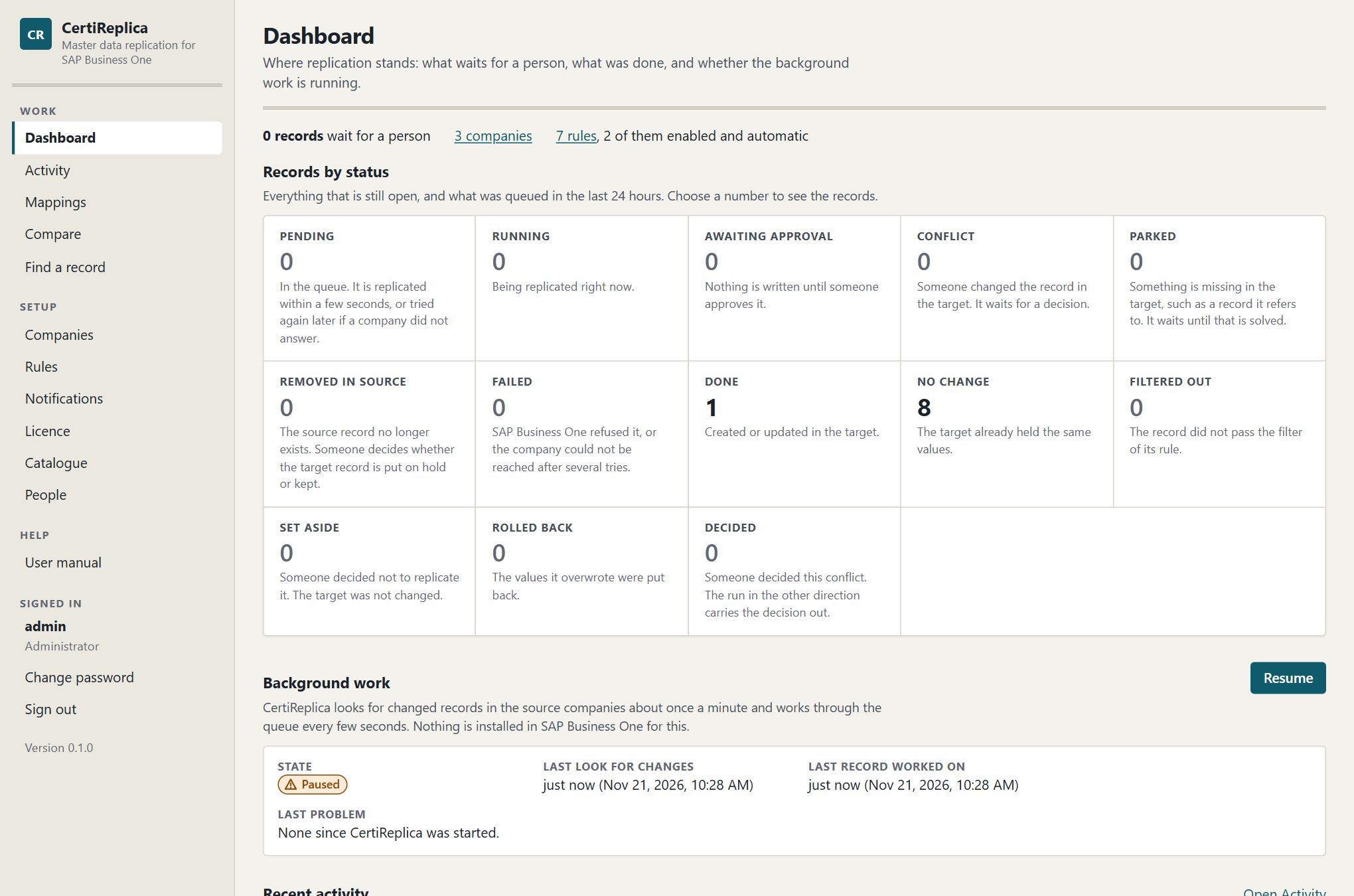
The Dashboard: records by status, the state of the background work, and recent activity.
The navigation on the left has two groups. Under Work are Dashboard, Activity and Mappings. Under Setup are Companies, Rules, Notifications, Licence, Catalogue and, for administrators, People.
Step 2: Add the source company
- Open Companies and press Add a company.
- Fill in the form:
| Field | Enter |
|---|---|
| Code | HQ |
| Name | Head office |
| Service Layer address | https://sapserver:50000/b1s/v1 |
| Company database | SBO_HQ |
| SAP user | replica |
| Password | the password of replica in this company |
| Certificate thumbprint | leave empty for now |
| Landscape | Production, or Test if these are test companies |
| Active | ticked |
- Press Add the company.
CertiReplica answers: "Company HQ was added. Test the sign-in to make sure CertiReplica can reach it."
Step 3: Test the sign-in
- In the row of
HQ, press Test sign-in. - Read the answer under the company's name.
When everything is right, the answer is:
Sign-in works. Signed in to SBO_HQ as replica.
When the certificate is not trusted
A Service Layer that still has the self-signed certificate it was installed with is refused. The answer then starts with Sign-in failed and contains this sentence:
This machine does not trust the certificate of HQ's Service Layer. Either have this machine trust it, or check that it is your server's certificate and enter its SHA-256 thumbprint on the company: 3F2A…
The long row of letters and digits at the end is the thumbprint of the certificate the server presented.
- Check that this thumbprint is the one of your server's certificate. Your SAP system administrator can read it from the certificate on the server.
- Press Change in the row of
HQ. - Paste the thumbprint into Certificate thumbprint and press Save the changes.
- Press Test sign-in again.
With a thumbprint entered, CertiReplica accepts that one certificate and no other. Do not enter a thumbprint you have not checked: the check is what tells your server from another machine that answers in its place.
When the sign-in is refused
The Service Layer refused the sign-in to SBO_HQ as replica: …
The SAP user, its password or the company database is wrong, or the user is locked in SAP Business One. Press Change, correct the entry, and test again. Other answers are explained in Troubleshooting.
Step 4: Add the target company
Repeat steps 2 and 3 for the branch: Code BR1, Name Branch 1, Company database SBO_BR1. Use the same Landscape as for HQ. A rule can only join companies of one landscape.
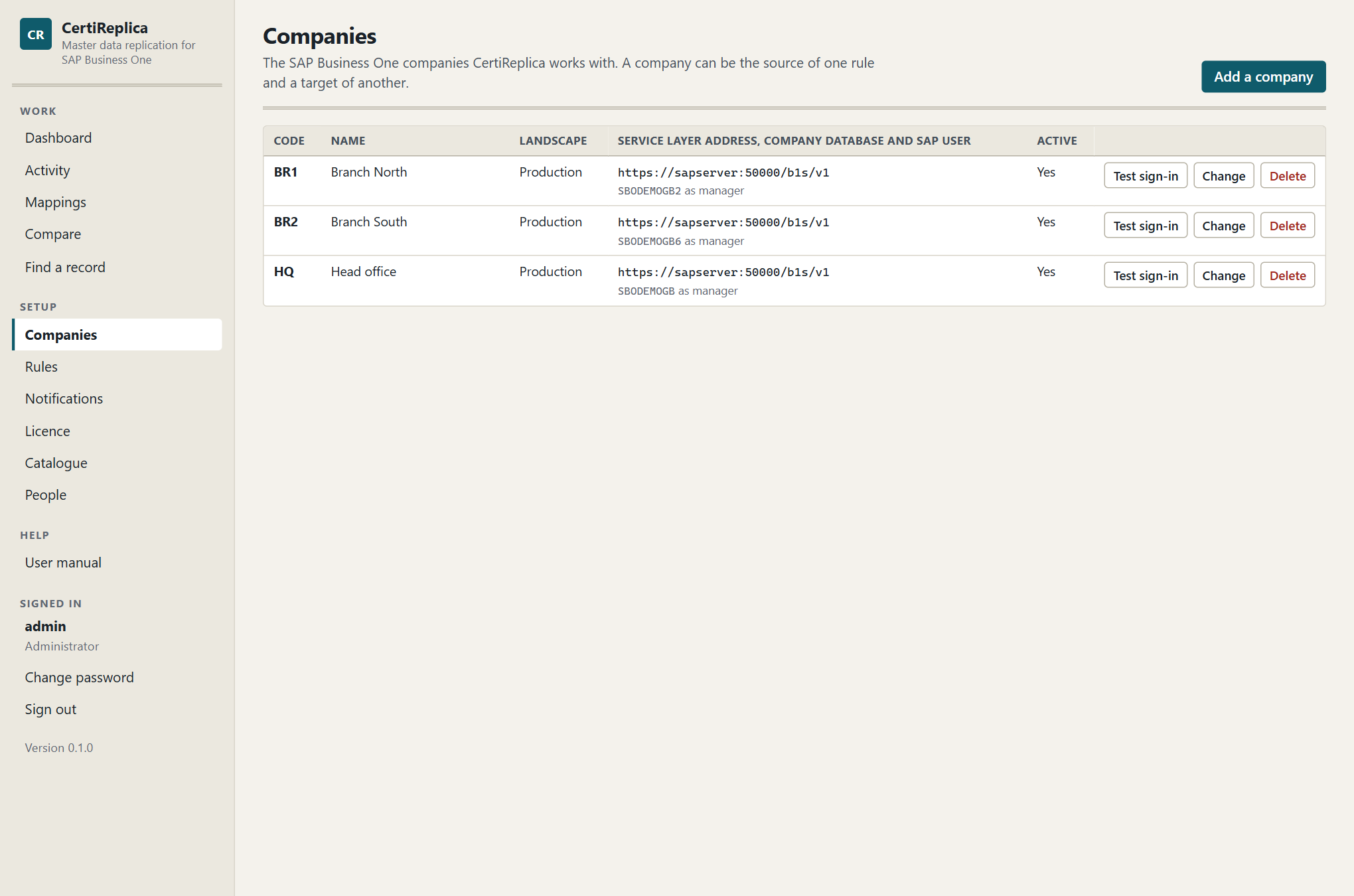
The Companies screen with the head office and a branch, and the result of a sign-in test.
Step 5: Create a first rule for items
- Open Rules and press New rule.
- In the section Basics, enter:
| Setting | Choose |
|---|---|
| Name | Items from head office to the branches |
| Object | Items |
| Source company | HQ |
| Target companies | tick BR1 |
| Enabled | leave unticked for now |
| What to replicate | Create and update |
| When to replicate | Manual |
- Leave everything else as it is. A new rule starts with careful settings: All fields, Missing references set to Match, else hold, Key in the target
{key}, When the target was changed set to Source wins, and Direction One way.
As soon as the object and the source company are chosen, the section Fields reads one item from HQ and lists its real fields, user-defined fields included. You do not need to change anything there now.
You do not need to save the rule to simulate it.
Step 6: Simulate
- Scroll to the section Simulate, or press Simulate in the bar at the top of the editor.
- Under Records to simulate, enter
A00001. - Press Simulate.
A simulation only reads from SAP Business One. No record is created or changed in any company, and nothing is queued.
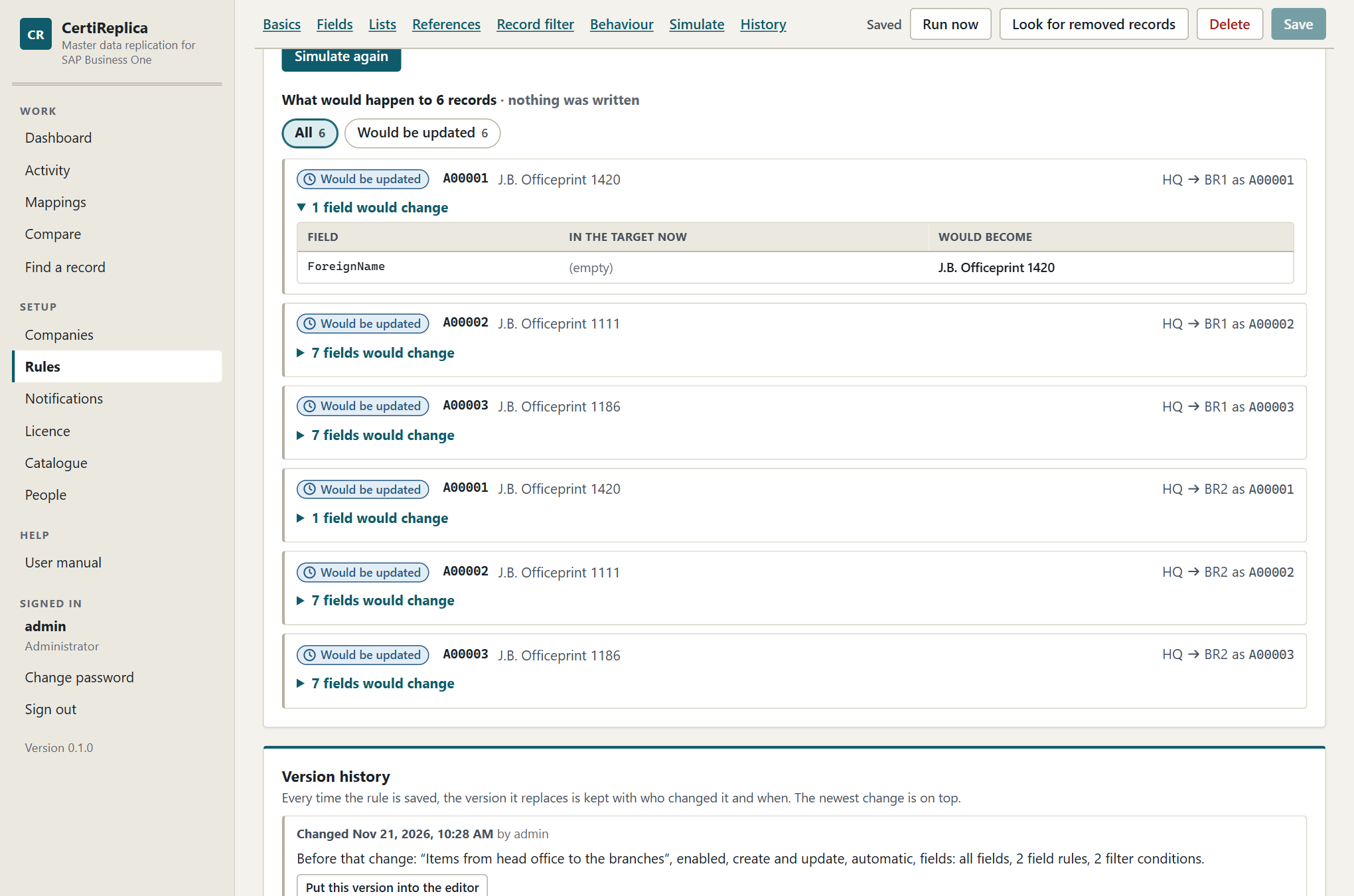
The result of a simulation: one card per record and target, with the fields that would change.
Step 7: Read the simulation
The result has one card per record and target. Each card starts with a coloured word that says what would happen, then the record's key and name, then the way it would travel, for example HQ → BR1 as A00001.
For a first item, expect one of these three results.
Would be created. The item does not exist in BR1 and a run would create it. Open the line that says how many fields would change to see each field with its value In the target now and what it Would become. Check the values you care about most: the name, the item group, the prices.
Parked. Something the item refers to is missing in BR1. The card says what, for example:
Item groups: 'Printers' (104) of HQ has no counterpart in BR1. Map it under Mappings, or set ‘Missing references’ to ‘Create it’.
You have two ways forward:
- If the branch should get the same item groups and manufacturers as the head office, go to the section References and set Missing references to Create it. Simulate again. The card now lists, under Would be created first, because this record refers to them, what would be created before the item.
- If the branch already has its own item group that means the same, say so under Mappings. See Mappings.
Some objects are never created by CertiReplica, whatever the rule says. Tax groups, currencies, dunning terms and payment methods are mapped only. If BR1 uses the same tax group codes as HQ, they are matched by themselves. If not, map them once under Mappings.
A message about missing fields. If HQ has user-defined fields that BR1 lacks, the card says:
BR1 does not have 3 field(s) the source has, so they were left out: U_Brand, U_Colour, U_Season. A rule for user-defined fields can create them in BR1. If they exist there already, restart its Service Layer, which reads its field list when it starts.
This does not stop the item. The fields are left out and named. You can decide later whether the branch should get them.
Change the rule and press Simulate again as often as you like. Continue when the card says Would be created and the fields are what you expect.
Step 8: Run for one record
- Tick Enabled in the section Basics.
- Press Save at the top of the editor. The rule now has a number, and CertiReplica says: "The rule was saved. It is enabled and manual: it replicates when someone chooses Run now."
- Press Run now.
- In the dialog, read what the run will do. Under Only these records, enter
A00001. - Press Run 1 record and write to BR1.
CertiReplica answers: "1 record queued for BR1. They are written within the next seconds." Press Follow them in Activity.
If you leave Only these records empty, every item of HQ that passes the rule's filter is queued. Do that only after you have simulated a larger number of records.
Step 9: Look at Activity
Activity lists one line per record and target, newest first. The screen refreshes by itself every few seconds.
- Find the line for
A00001. Its status is Pending for a moment, then Done, with the message "Created as 'A00001'." - Click the line to open the record.
- Read the detail. It shows the fields that were written with their value Before and the value Written. If the rule created an item group or a manufacturer on the way, they are listed under Created first, because this record refers to them.
- Open the item in SAP Business One in
BR1and check it. In its change log, the change is recorded under the userreplica.
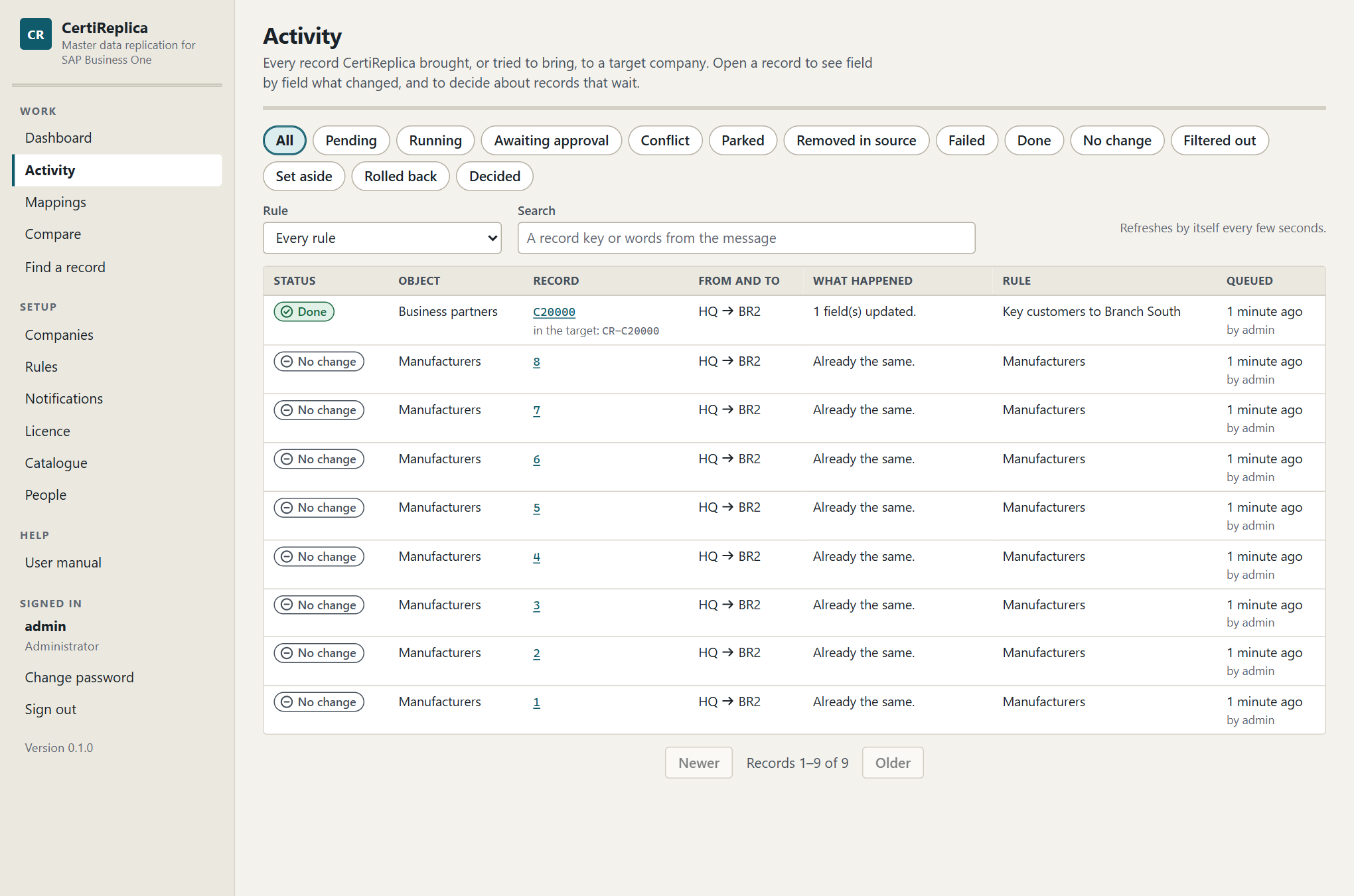
Activity after the first run: the record is Done, with what happened in one sentence.
Now run the same record again: Rules, Run now, A00001. The new line in Activity has the status No change and the message "Already the same." CertiReplica compared the two records and sent nothing.
Where to go from here
- Load the rest. Simulate a larger number of items by leaving Records to simulate empty and setting How many records to 100. When the result is what you expect, press Run now and leave Only these records empty.
- Make the rule automatic. Set When to replicate to Automatic and save. From then on, an item that is created or changed in
HQis picked up within about a minute. An automatic rule only picks up what changes from now on, so load the existing items once with Run now. - Decide what the branch owns. Field rules, lists and the conflict setting decide what the branch may keep for itself. See Rules.
- Tell people. Add a notification so that someone is told when a record fails or waits for a decision. See Notifications.
- Add people. Give your colleagues their own accounts. See People.
Companies
A company in CertiReplica is one SAP Business One company database, reached through its Service Layer. A company can be the source of one rule and a target of another. Nothing is installed in the company, and adding it to CertiReplica changes nothing in SAP Business One.
Open Companies under Setup. The list shows each company's Code, Name, Landscape, its Service Layer address with the company database and SAP user, and whether it is Active.
Only an administrator can add, change or delete companies. An operator can test the sign-in. A viewer can read the list.
Adding a company
- Open Companies and press Add a company.
- Fill in the fields described below.
- Press Add the company.
- Press Test sign-in in the row of the new company.
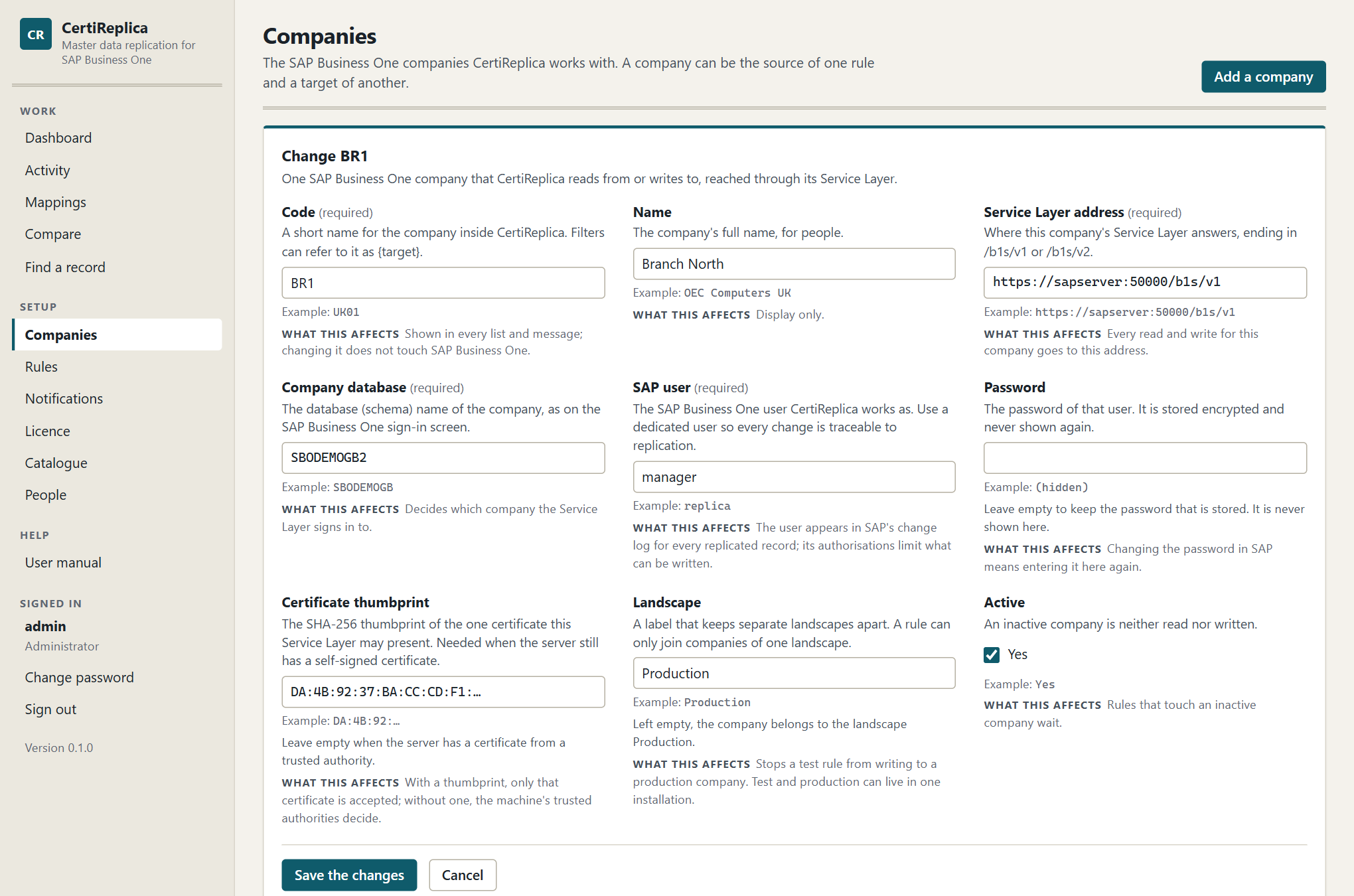
The form for a company, with the description and an example under every field.
The fields of a company
Code
A short name for the company inside CertiReplica, for example HQ or BR1. It is shown in every list and in every message. Two companies cannot have the same code.
The code is CertiReplica's own. Changing it does not touch SAP Business One. It matters in one more place: a record filter can refer to it as {target}, so that a field on a record decides which companies receive it. If you plan to use that, choose codes you can enter on the records, and do not change them afterwards. See Rules.
Name
The company's full name, for people, for example Head office. It is for display only. If you leave it empty, the code is used.
Service Layer address
Where this company's Service Layer answers, ending in /b1s/v1 or /b1s/v2, for example https://sapserver:50000/b1s/v1. Every read and every write for this company goes to this address.
The address must start with https://. The CertiReplica server must be able to reach it; the people who use CertiReplica do not.
Company database
The database (schema) name of the company, as on the SAP Business One sign-in screen, for example SBO_HQ. It decides which company the Service Layer signs in to. Check it carefully when one server holds several companies: this name alone decides which of them CertiReplica reads and writes.
SAP user
The SAP Business One user CertiReplica works as, for example replica. See The dedicated SAP user below.
Password
The password of that user. It is stored encrypted, with a key only this server can use, and is never shown again.
When you change a company later, leave Password empty to keep the stored one. When the password is changed in SAP Business One, enter the new one here.
Certificate thumbprint
The SHA-256 thumbprint of the one certificate this Service Layer may present, for example DA:4B:92:…. See The certificate thumbprint below. Leave it empty when the server has a certificate from a trusted authority.
Landscape
A label that keeps separate landscapes apart, for example Production or Test. A rule can only join companies of one landscape. If you leave it empty, the company belongs to the landscape Production. See Landscapes below.
Active
An inactive company is neither read nor written. See Inactive companies below.
Testing the sign-in
Press Test sign-in in the row of a company. CertiReplica signs in to the company's Service Layer with the stored user and password and says in one sentence how it went. The answer stays under the company's name while the screen is open.
| Answer | Meaning |
|---|---|
| Sign-in works. Signed in to SBO_HQ as replica. | The address, the company database, the user and the password are right. |
| Sign-in failed. The Service Layer of HQ at … could not be reached. … | The server did not answer, or its certificate was not accepted. The rest of the sentence says which. |
| Sign-in failed. The Service Layer refused the sign-in to SBO_HQ as replica: … | The server answered and refused the user, the password or the company database. The text after the colon is SAP Business One's own reason. |
Test the sign-in after adding a company, after changing its password or its thumbprint, and whenever records of that company fail. What to do about each answer is in Troubleshooting.
Landscapes
Use one landscape name per environment. Typical names are Production and Test.
A rule never crosses landscapes. In the rule editor, only companies of the source company's landscape can be ticked as targets, and a rule that would join two landscapes is not saved:
HQ belongs to the landscape 'Production' and BR1 to 'Test'. A rule never crosses landscapes.
This is what lets test and production live in one installation. You can build and simulate a rule between test copies of your companies, and it cannot write to a production company by mistake.
When to use it:
- Enter the copies of your companies that you use for testing with the landscape
Test. - Enter the real companies with the landscape
Production. - Build each rule in the test landscape first. When it does what you want, create the same rule between the production companies.
What to watch for: upper and lower case make no difference in a landscape name, but spelling does. Test and Testing are two landscapes. When you type in the field, the landscapes that already exist are offered.
The dedicated SAP user
CertiReplica signs in to each company as one SAP Business One user. Create a user that is used for nothing else, for example replica, in every company.
Why a dedicated user:
- Traceability. The user appears in SAP's change log for every replicated record. With a dedicated user, everyone can tell a replicated change from a change a person made.
- Control. The authorisations of this user are the limit of what CertiReplica can read and write. CertiReplica has no other way into the company: no database user and no add-on. SAP Business One itself enforces this, with two exceptions that are named under The authorisations it needs below.
The names of windows, fields and authorisations in this section are those of SAP Business One 10.0 in English. In another version or language they can differ slightly.
Setting the user up
Do this in every company, signed in to SAP Business One as a superuser. Only a superuser can set the authorisations and the password options of another user.
- Under Administration → Setup → General → Users, add a user with the same user code in every company, for example
replica, and a name that says what it is, for exampleCertiReplica replication. - Leave Superuser unticked. See Not a superuser below.
- Give it a long, random password that no person uses, and tick Password Never Expires. See The password below.
- In the licence administration, assign it an Indirect Access licence and no other.
- Under Administration → System Initialization → Authorizations → General Authorizations, set everything for this user to No Authorization. Then give it what The authorisations it needs below names, and nothing more.
- Enter the user and its password on the company in CertiReplica and press Test sign-in.
- Before the first real run, check the setup as described in Checking the setup below.
The licence
Give this user an Indirect Access licence in SAP Business One. It is the licence type meant for a user through which another program works, and it is all CertiReplica needs.
The user needs both: the licence and the authorisations. In SAP Business One the licence is the outer limit, and an authorisation never gives more than the licence allows.
Not a superuser
- A superuser has full authorisation for everything in the company, and SAP Business One does not let you limit it. With a superuser, the authorisations are no longer a limit on what CertiReplica can write.
- SAP Business One expects a superuser to hold a Professional licence. The dedicated user does not need to be one: a standard user with the authorisations below is enough.
- For the same reasons, do not enter
manageror the user of a person on a company in CertiReplica, not even "for the start". The change log then no longer tells replicated changes from a person's changes, and the user's password is changed by its owner without CertiReplica knowing.
The authorisations it needs
SAP Business One knows three levels: Full Authorization (see and change), Read Only (see) and No Authorization. Start from No Authorization for everything. Which level the user then gets depends on the part the company plays in your rules:
| The company is | The objects its rules replicate | The objects those records refer to |
|---|---|---|
| A source only | Read Only | Read Only |
| A target | Full Authorization | Read Only. Full Authorization for an object whose Missing references setting in the rule is Create it. |
| A source and a target, or part of a two-way rule | Full Authorization | As for a target |
SAP Business One holds the user to these authorisations, for reading as well as for writing. Without the authorisation for an object, even reading a record of it is refused, with the answer "The logged-on user does not have permission to use this object."
Two objects are an exception. Item groups and industries can be read, created and changed by every user who can sign in, whatever its authorisations. This is how SAP Business One 10.0 answers through the Service Layer, and CertiReplica cannot change it. What limits CertiReplica for these two is its own rules: it only writes what a rule tells it to.
Give the authorisations only for the objects the rules of that company really use. Everything else stays at No Authorization: sales and purchasing documents, payments, journal entries, inventory transactions, reports, and system initialisation. CertiReplica never touches them.
The list of authorisations in SAP Business One generally follows its main menu. The table names the place of each object in that menu; look for the authorisation at the same place.
| Object in CertiReplica | Where it is in SAP Business One |
|---|---|
| Items | Inventory → Item Master Data |
| Item groups | Administration → Setup → Inventory → Item Groups. Not needed for CertiReplica: see the exception above. |
| Manufacturers | Administration → Setup → Inventory → Manufacturers |
| Units of measure | Administration → Setup → Inventory → Units of Measure |
| Unit of measure groups | Administration → Setup → Inventory → Unit of Measure Groups |
| Warehouses | Administration → Setup → Inventory → Warehouses |
| Shipping types | Administration → Setup → Inventory → Shipping Types |
| Customs groups | Administration → Setup → Inventory → Customs Groups |
| Price lists | Inventory → Price Lists → Price Lists |
| Bills of materials | Production → Bill of Materials |
| Business partners | Business Partners → Business Partner Master Data |
| Business partner groups | Administration → Setup → Business Partners → Customer Groups and Vendor Groups |
| Payment terms | Administration → Setup → Business Partners → Payment Terms |
| Sales employees and buyers | Administration → Setup → General → Sales Employees/Buyers |
| Territories | Administration → Setup → General → Territories |
| Industries | No menu entry of their own: they are kept from the Industry field of Business Partner Master Data. Not needed for CertiReplica: see the exception above. |
| G/L accounts | Financials → Chart of Accounts to read; Financials → Edit Chart of Accounts to create and change |
| Projects | Administration → Setup → Financials → Projects |
| Cost centres | Financials → Cost Accounting → Cost Centers |
| Distribution rules | Financials → Cost Accounting → Distribution Rules |
| Customer equipment cards | Service → Customer Equipment Card |
| User-defined fields | Tools → Customization Tools → User-Defined Fields - Management |
| User-defined tables | Tools → Customization Tools → User-Defined Tables - Setup |
| User-defined objects | Tools → Customization Tools → Objects Registration Wizard |
| Rows of a user-defined table, records of a user-defined object | Tools → User-Defined Windows, or the object's own menu entry |
| Special prices for business partners | Inventory → Price Lists → Special Prices → Special Prices for Business Partners |
| Discount groups | Inventory → Price Lists → Special Prices → Discount Groups |
| Resources | Resources → Resource Master Data |
| Resource groups | Administration → Setup → Resources → Resource Groups |
| Employees | Human Resources → Employee Master Data |
| Departments, branches of employees | No menu entry of their own: they are kept from the Department and Branch fields of Employee Master Data. |
| Exchange rates | Administration → Exchange Rates and Indexes |
| Currencies, tax groups, dunning terms, payment methods | Administration → Setup → Financials and → Business Partners and → Banking. These are Mapped only: CertiReplica reads them to translate references and never writes them, so Read Only is enough in every company. |
What to watch for:
- Prices. A rule for items that replicates the prices writes into price lists. If SAP Business One refuses the prices, give the user the authorisation for the price lists as well.
- User-defined fields. This authorisation allows changing the structure of the company database. Give it only in a company that is the target of a rule for the object User-defined fields, and take it away again when the fields have been created, if the rule does not stay in use.
- A new rule. Before you add a rule for another object, or set Missing references to Create it for an object, give the user the authorisation in the companies concerned. When a rule is deleted and no other rule needs an authorisation, take it away.
- SAP Business One messages. A notification sent as an SAP Business One message is sent through the same user of the company you choose.
The password
- Long, random, and nobody's. Nobody signs in to SAP Business One as this user. Keep the password where your organisation keeps such passwords. CertiReplica stores it encrypted and never shows it again.
- Tick Password Never Expires on the user. Otherwise the password policy of the company lets it expire, and from that day every record for the company fails at sign-in.
- Change it on purpose instead. On a date you plan, and whenever someone who knew it leaves: change the password in SAP Business One, then at once on the company in CertiReplica. Press Change, enter the new Password, press Save the changes and then Test sign-in.
- Leave unticked any option that asks for a new password at the next sign-in. CertiReplica cannot answer that question, and the sign-in fails.
What to watch for: SAP Business One locks a user after a number of failed sign-ins, set in the company's password policy. While a company in CertiReplica holds a wrong password, every try counts. If the sign-in is refused, correct the password on the company, check in SAP Business One that the user is not Locked, and press Test sign-in.
Other settings that can limit this user
- Branches. In a company that works with multiple branches, assign the user to every branch whose records the rules read or write.
- Data ownership. In a company that uses data ownership, make sure it does not hide from this user the business partners or items the rules handle.
Checking the setup
A simulation reads both companies and writes nothing. It shows that the user can read: a user without any authorisation for an object is stopped there already, and the record is shown as held with SAP Business One's answer. It does not show that the user may write. To check both before the first real run:
- Work in the Test landscape, with copies of your companies in which the user is set up in the same way. See Landscapes above.
- Press Test sign-in for every company.
- Simulate each rule. A simulation that lists the records shows that the user can read them in both companies.
- Press Run now for each rule and enter one or two keys under Only these records.
- Open Activity. A missing authorisation shows as Failed, with SAP Business One's own answer after the colon. Give the user the authorisation that answer names, then press Try again.
- When every rule has written a record, set the user up in the same way in the production companies.
What happens when something is missing
- If the user lacks an authorisation, SAP Business One refuses to read or to write the record. The record appears in Activity as Failed, with SAP Business One's own answer, "The logged-on user does not have permission to use this object.", followed by the name of the SAP user and where to give the authorisation. Nothing is written half. See Troubleshooting.
- If the user is locked or its password has expired, every record for that company fails at sign-in.
- Add a notification for Failed records and for Problem in the background work, so that neither goes unnoticed. See Notifications.
The certificate thumbprint
CertiReplica only talks to a Service Layer over HTTPS, and it checks the server's certificate.
- Without a thumbprint, the trusted authorities of the CertiReplica server decide. A certificate issued by an authority the server trusts is accepted. A self-signed certificate is refused.
- With a thumbprint, only the certificate with exactly that thumbprint is accepted, whoever issued it.
A Service Layer that still has the self-signed certificate it was installed with therefore needs a thumbprint. You do not have to look for it: the refusal names it.
- Add the company and leave Certificate thumbprint empty.
- Press Test sign-in. The answer says that this machine does not trust the certificate and ends with the SHA-256 thumbprint the server presented.
- Check that this is the thumbprint of your server's certificate.
- Press Change, paste the thumbprint into Certificate thumbprint, and press Save the changes.
- Press Test sign-in again.
Enter the thumbprint whole: 64 characters, digits and the letters A to F. Colons and spaces between them do not matter.
When the certificate of the Service Layer is replaced later, the sign-in fails with:
The server presented another certificate than the one HQ accepts (SHA-256 thumbprint …). If the server's certificate was replaced, check that this is the new one and enter its thumbprint on the company.
Check the new thumbprint and enter it on the company. Until then, records for that company wait and are tried again.
Inactive companies
Untick Active to switch a company off without losing its setup. An inactive company is neither read nor written.
When to use it:
- A company is being upgraded or restored and must not be written for a while.
- A branch is not live yet. Add it inactive and switch it on when it goes live.
- The licence covers fewer companies than you have entered. Only active companies count.
What happens to rules that touch an inactive company:
- Records for that company are not written. Each one says "BR1 is set inactive in CertiReplica." and is tried again later, with growing waits between the tries.
- If the company stays inactive longer than these tries last, the records end as Failed. When the company is active again, open them in Activity and press Try again, or run the rule.
- The other targets of the same rule are not affected. Each target is compared and written on its own.
In the rule editor, an inactive company is marked as inactive in the lists of source and target companies.
Changing a company
- Press Change in the row of the company.
- Change what is needed. Leave Password empty to keep the stored password.
- Press Save the changes.
- Press Test sign-in.
A change takes effect at once. The service does not need to be restarted.
Deleting a company
- Press Delete in the row of the company.
- Confirm with Delete the company.
CertiReplica forgets the company and its stored password. Nothing is changed in SAP Business One: the records that were replicated stay in the company as ordinary master data.
A company that a rule still uses cannot be deleted. CertiReplica names the rules:
The company is used by: Items from head office to the branches. Change or delete those rules first.
If you only want to stop replication to a company for a while, make it inactive instead, or untick it as a target in the rules.
Companies and the licence
A licence names the number of companies that may be active at the same time, sources and targets together. During the trial period there is no limit.
When the licence has no room for one more active company, saving the company is refused:
The licence covers 3 active companies, and 3 are active already. Save BR4 as inactive, switch another company off, or install a licence for more companies.
See Licence.
Rules
A rule says which master data goes from which company to which companies, which records and fields travel, and what happens when the two sides disagree. Everything CertiReplica writes, it writes because of a rule.
Open Rules under Setup. The list shows each rule's Name, Object, source and targets, When to replicate, What to replicate, and whether it is Enabled. Press New rule to create one, or Open to change one. An operator can press Run now in the list. Compare opens the comparison of the rule's source with its targets, which writes nothing; see Comparing companies and finding a record. A viewer sees View and can read and simulate a rule. For a scheduled rule the list also says when it runs next, for example "Scheduled · next Nov 23, 2026, 7:30 AM".
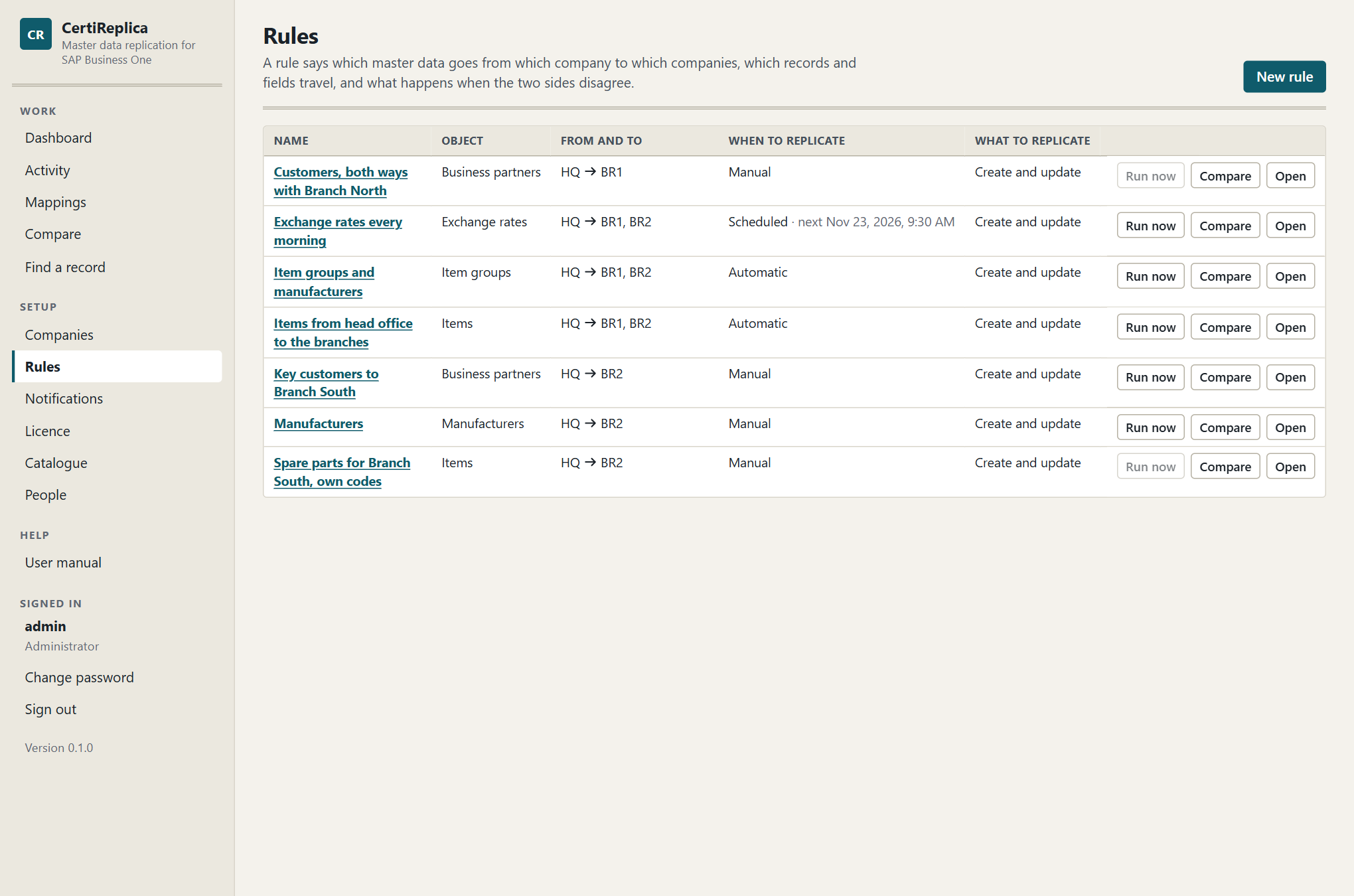
The Rules screen: one line per rule, with its source, its targets and whether it is enabled.
The rule editor
The editor is one long screen with these sections, in this order: Basics, Fields, Lists, References, Record filter, Behaviour, Simulate and, for a saved rule, Version history. The bar at the top jumps to a section and holds the buttons Run now, Look for removed records, Delete and Save.
Every setting on the screen carries its own description, an example, and a line What this affects. This chapter adds when to choose what.
Things to know before you start:
- Nothing is written by editing. A rule writes only when it runs: by itself if it is automatic and enabled, or when someone presses Run now.
- A simulation uses the screen, a run uses the saved rule. You can simulate changes you have not saved. Run now is not available while the editor says Unsaved changes.
- A saved change takes effect at once. The next record that is worked on uses the new version. No restart is needed.
- Unsaved changes are protected. If you leave the screen with unsaved changes, CertiReplica asks Leave without saving?
Basics
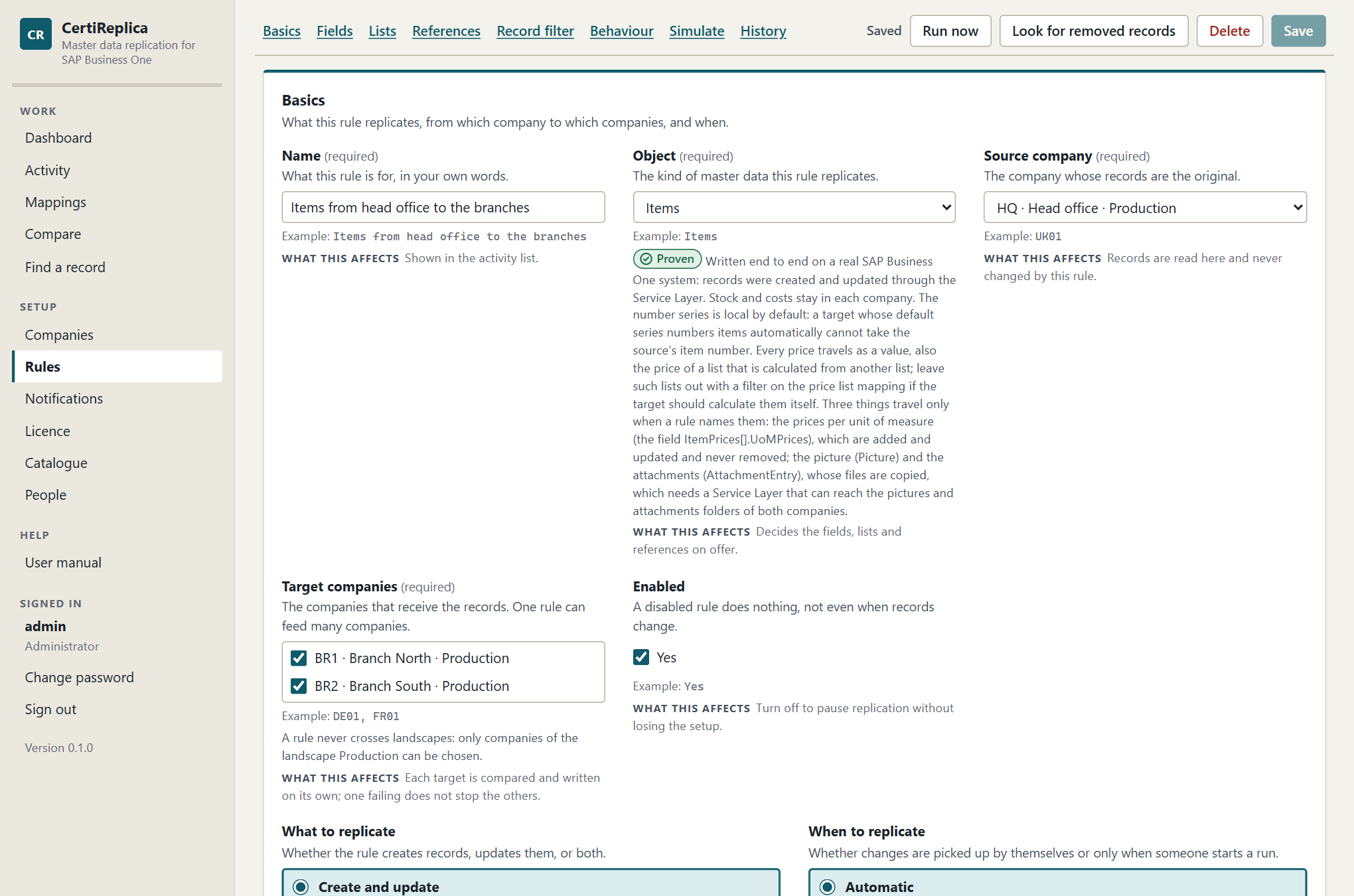
The Basics section: name, object, source and target companies, and when the rule replicates.
Name
What this rule is for, in your own words, for example Items from head office to the branches. The name is shown in Activity next to every record, so choose one that tells rules apart.
Object
The kind of master data this rule replicates, for example Items. The object decides which fields, lists and references the other sections offer. Under the field, CertiReplica shows whether the object is Proven or Preview, and what you should know before replicating it. See Objects.
Objects that are mapped only, such as tax groups, cannot be chosen: they are never replicated.
At the end of the list, under User-defined tables, are two choices for what a company defined itself: Rows of a user-defined table and Records of a user-defined object. Choose one, and a second field, Name of the table or object, asks which. See Rules for user-defined tables below.
If you change the object of a rule, the list settings and reference settings that do not apply to the new object are dropped.
Source company
The company whose records are the original, for example HQ. Records are read here and never changed by this rule, unless the rule is two-way.
Target companies
The companies that receive the records, for example BR1 and BR2. One rule can feed many companies. Each target is compared and written on its own; one failing does not stop the others.
Only companies of the source company's landscape can be ticked. A company cannot be its own target.
Enabled
A disabled rule does nothing, not even when records change. Untick it to pause replication without losing the setup. A new rule starts disabled.
If an automatic rule is disabled while records are still queued for it, those records end as Set aside with the message "The rule was disabled before this record was replicated."
What to replicate
| Choice | What it does | When to choose it |
|---|---|---|
| Create and update | Missing records are created, existing ones are brought up to date. | The usual choice. |
| Create only | Missing records are created; records that exist are never touched again. | The target takes over a record once it exists. For example, the branch receives new customers and maintains them itself from then on. |
| Update only | Existing records are brought up to date; nothing is created. | The target decides itself which records it carries. For example, the branch creates the items it sells, and the head office keeps their descriptions current. |
A record the rule does not apply to is left alone, and the reason is given: "It does not exist in BR1 and the rule only updates." or "It already exists in BR1 and the rule only creates." A simulation shows such a record as Skipped; in Activity it has the status No change.
When to replicate
| Choice | What it does | When to choose it |
|---|---|---|
| Automatic | CertiReplica notices new and changed records by itself, about once a minute. No trigger, stored procedure or add-on is installed in the company. | Day-to-day replication once the rule does what you want. |
| Manual | Records are replicated only when someone starts a run. | A first load, and rules you run after a review. |
| Scheduled | CertiReplica looks for new and changed records at the times you set, and not in between. | Companies that should only receive changes at night or outside working hours, and objects that are read slowly, such as exchange rates. |
What to watch for with Automatic: for objects that carry a date and time of change, such as items and business partners, the first look only notes where the source stands. Records that existed before are brought over by a run. So the usual order is: simulate, Run now for the first load, then switch to Automatic. Small setup tables, such as item groups, are read whole and compared, so an automatic rule brings their existing records over by itself.
Scheduled: days and times
With Scheduled, two more settings appear under the choice.
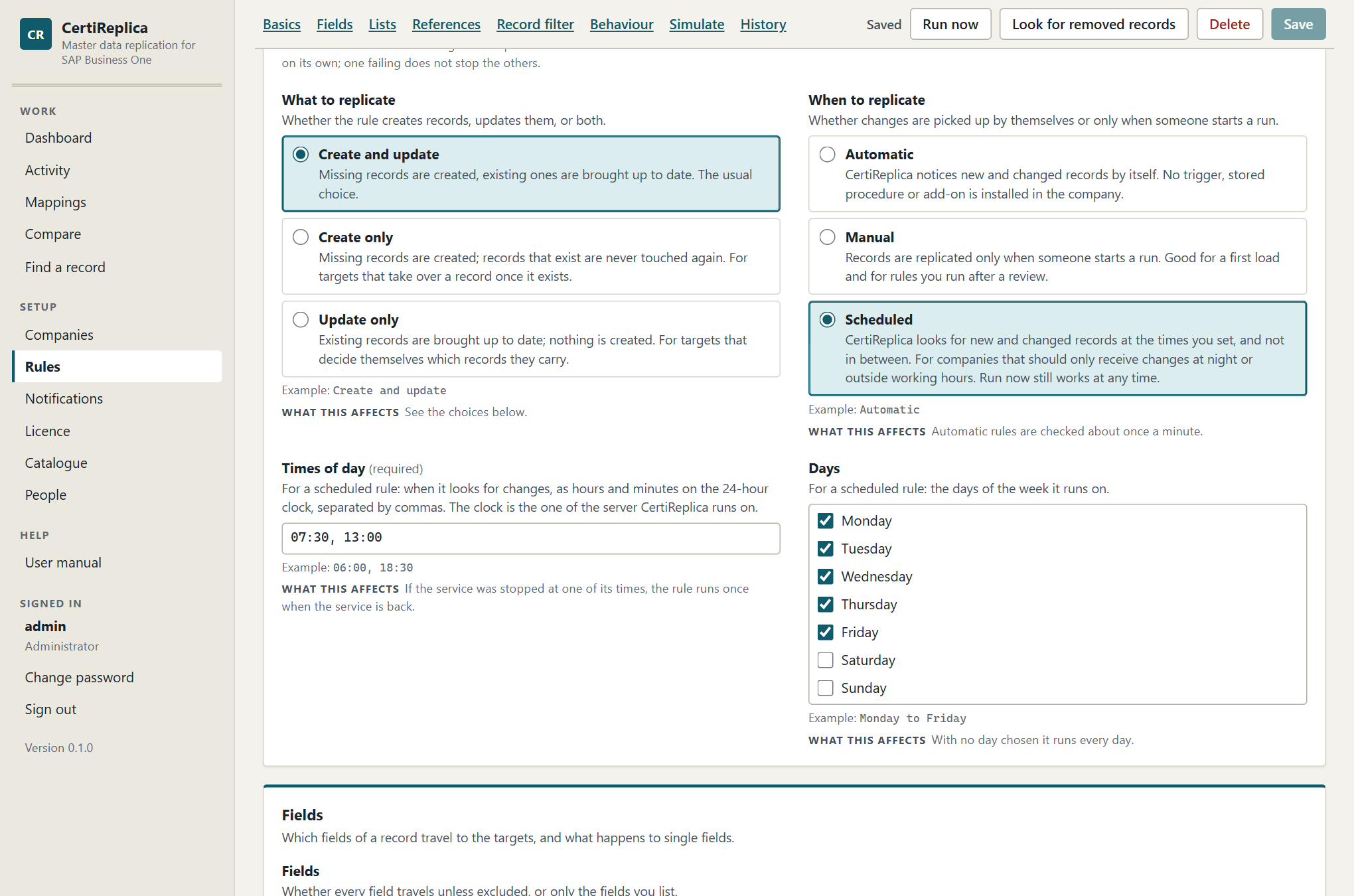
A scheduled rule: the times of day it looks for changes, and the days of the week.
| Setting | What to enter |
|---|---|
| Times of day | One or more times as hours and minutes on the 24-hour clock, separated by commas, for example 06:00, 18:30. A scheduled rule needs at least one. |
| Days | The days of the week the rule runs on. With no day ticked it runs every day. |
What to know:
- The clock is the server's. The times are those of the server CertiReplica runs on, not of your browser and not of the SAP server.
- At each time the rule does what an automatic rule does all day. It looks for what changed since it last looked and queues those records. Unless When the source record is removed is Do nothing, it also looks for removed records then. A two-way rule looks at its targets too.
- The first time only notes where the source stands, as with an automatic rule. Bring existing records over with Run now.
- A missed time is made up once. If the service was stopped over one or several of the rule's times, the rule runs once when the service is back, not once for each time missed.
- Run now works at any time, also between the times.
- The Rules list shows the next time after the rule's When to replicate. A rule that is not enabled has no next time.
- Saving a time that is not one is refused: "'25:00' is not a time of day. Write it as hours and minutes on the 24-hour clock, for example 06:00 or 18:30."
Fields
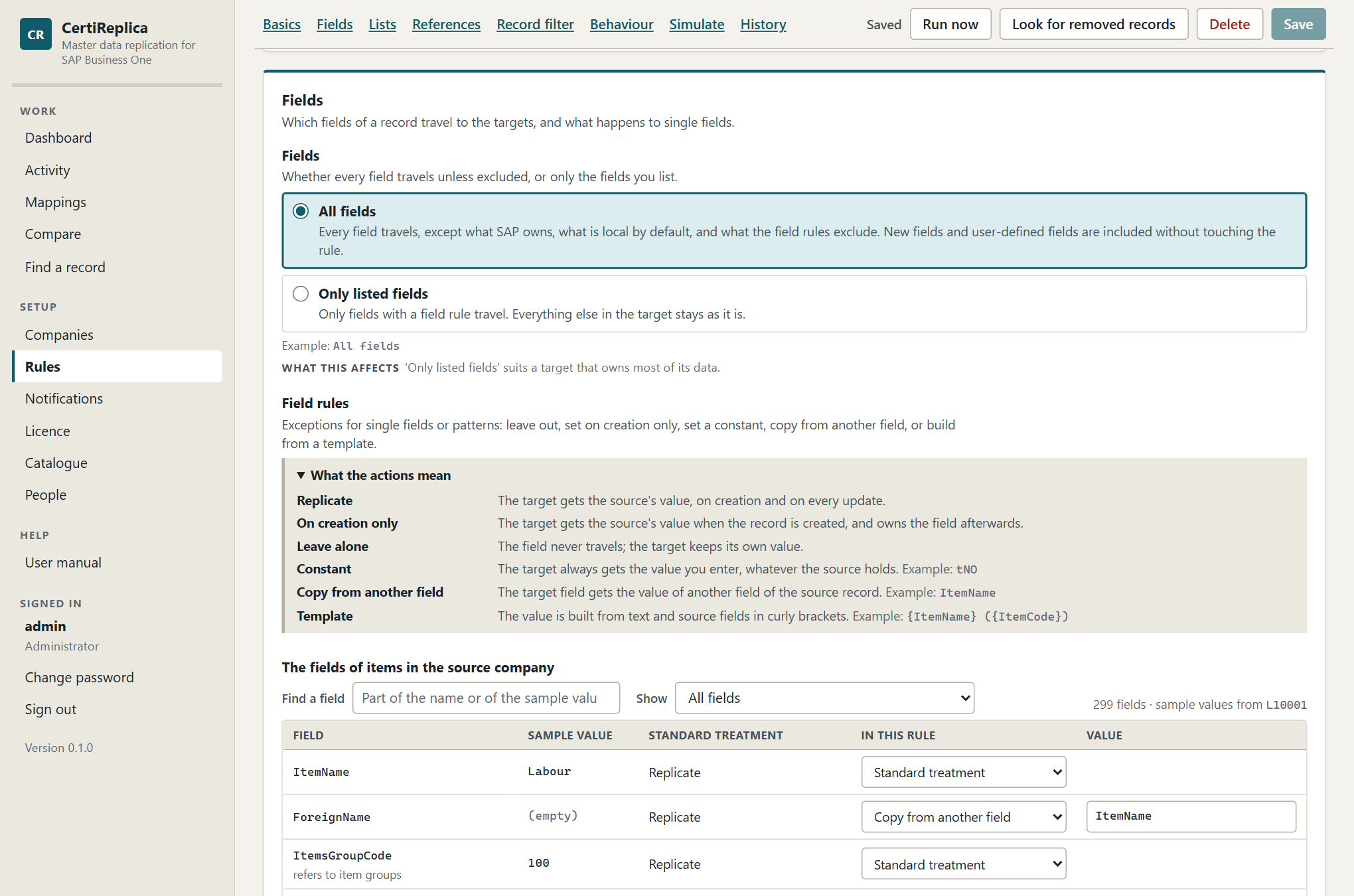
The Fields section: the real fields of the source company with their sample value, standard treatment and the rule's own treatment.
Fields: all or only listed
| Choice | What it does | When to choose it |
|---|---|---|
| All fields | Every field travels, except what SAP owns, what is local by default, and what the field rules exclude. New fields and user-defined fields are included without touching the rule. | The source owns the record and the target should hold the same. |
| Only listed fields | Only fields with a field rule travel. Everything else in the target stays as it is. | The target owns most of its data and the source corrects a few fields, for example the name and the item group. |
The table of fields
When the object and the source company are chosen, CertiReplica reads one record from the source company and lists its real fields, user-defined fields included. The sample values come from that record; its key is shown above the table.
| Column | What it shows |
|---|---|
| Field | The field's name as the Service Layer knows it. A field of a list is written with the list's name, for example ItemPrices[].Price. Fields that refer to another object say so. |
| Sample value | The value in the sample record. It shows how values of this field are written, for example tYES and tNO for a yes/no field. |
| Standard treatment | What a rule does with the field when you say nothing. |
| In this rule | Your own treatment for this field, or Standard treatment. |
| Value | The constant, the field to copy from, or the template, where the action needs one. |
Use Find a field to search by name or sample value, and Show to list only user-defined fields, only fields with a rule of their own, or only the fields of one list.
The standard treatment is one of these:
| Standard treatment | Meaning |
|---|---|
| Replicate | The field travels on creation and on every update. |
| On creation only | SAP Business One refuses to change this field once a record is in use, for example whether an item is managed by serial numbers. It is sent when the record is created only. |
| Local by default | The field usually belongs to one company: the number series, the default warehouse, G/L accounts, the house bank. It is left alone unless a rule names it. |
| Owned by SAP Business One | Stock, balances, costs, dates of change. Never sent, whatever a rule says. The table says "A rule cannot change this." |
| Identifies the row | The field tells one row of a list from another, such as the price list of a price row. It always travels with its row. |
With Only listed fields, a field without a rule of its own does not travel, whatever its standard treatment says.
Three parts of a record that only travel when a rule names them
Three fields stand for more than a value. Each is Local by default, and travels when you give it a field rule with the action Replicate.
| Field | What it stands for | How it travels |
|---|---|---|
ItemPrices[].UoMPrices on items |
The prices per unit of measure inside the price of one price list. The table of fields shows it as "A list inside each row". | With its price row, as one value. Unit prices are added and updated in the target. A unit price only the target has is left alone, and none is ever removed. The price list and the unit of measure are translated like any other reference. |
Picture on items |
The file of the item's picture. | The file itself is copied from the source's pictures folder to the target's, and the target then names it in the record. A picture is taken to be the same picture when its file has the same name; a new picture under the old file name is not noticed. An item that loses its picture in the source keeps it in the target. |
AttachmentEntry on items, business partners, resources and employees |
The files attached to the record. | Files the target does not have yet, by file name, are copied and attached. The target keeps what it has besides; nothing is ever removed. A simulation lists the file names. |
What to know about the files:
- The Service Layer hands out and takes the files. It can only do so when the pictures and attachments folders of the company (Administration, System Initialization, General Settings, Path) can be reached from the server the Service Layer runs on. When they cannot, SAP says so and CertiReplica passes it on: "The Service Layer of BR1 cannot reach the folder the file is in". See Troubleshooting.
- A file that cannot be read or stored does not fail the record. The record's values are written, the message says which file was not copied, and the file is tried again with the next run.
- A rollback does not take copied files away again. See Activity.
Field rules
A field rule is an exception for one field or for every field a pattern covers. Choose the action under In this rule.
| Action | What it does | Example |
|---|---|---|
| Replicate | The target gets the source's value, on creation and on every update. | Make a local field travel: DefaultWarehouse → Replicate. |
| On creation only | The target gets the source's value when the record is created, and owns the field afterwards. | SalesPersonCode on business partners: the branch may reassign the customer later. |
| Leave alone | The field never travels; the target keeps its own value. | U_* → Leave alone. |
| Constant | The target always gets the value you enter, whatever the source holds. | U_Origin → Constant HQ. |
| Copy from another field | The target field gets the value of another field of the source record. | ForeignName → Copy from another field ItemName. |
| Template | The value is built from text and source fields in curly brackets. | ItemName → Template {ItemName} ({ItemCode}). |
Patterns and rules typed by hand
Under the table, Add a pattern or a rule by hand adds a line where you type the field or a pattern yourself. A star stands for any run of characters: U_* covers every user-defined field of the record, ItemPrices[].* every field of the price rows.
For each field, its own rule wins. Without one, the longest pattern that covers it wins. In the table of fields, a field that is covered by a pattern says so, for example "Covered by U_*: Leave alone".
Field names are case-sensitive. If you type a name the source company does not have, the line is marked Not a field of the source company.
Worked examples
Leave out every user-defined field, except one.
- Press Add a pattern or a rule by hand.
- Under Field or pattern, enter
U_*. Leave the action at Leave alone. - In the table of fields, find
U_Brandand choose Replicate under In this rule.
Every user-defined field of the record now stays in the source, except U_Brand, because a field's own rule wins over a pattern.
Set a constant. The branches should always be able to see where a record came from.
- Find
U_Originin the table and choose Constant. - Under Value, enter
HQ.
Enter a constant the way the Sample value column writes values of that field. A yes/no field takes tYES or tNO. A constant may be left empty, to send an empty value.
Copy from another field. The branch prints the foreign name, and the head office wants it to equal the item name.
- Find
ForeignNamein the table and choose Copy from another field. - Under Value, enter
ItemName. The field offers the fields of the record as you type.
Build a value from a template. The branch should see the head office's item number in the description.
- Find
ItemNameand choose Template. - Under Value, enter
{ItemName} ({ItemCode}).
Item A00001 named Laser printer arrives in the target as Laser printer (A00001). A name in curly brackets is a field of the source record itself; a name the record does not have gives nothing.
Let the target own most of its data.
- Set Fields to Only listed fields.
- In the table, choose Replicate for
ItemNameandItemsGroupCode.
Only these two fields travel. With only listed fields, a list such as the prices travels only when one of its fields has a field rule, for example ItemPrices[].Price → Replicate.
What to watch for:
- A constant, a copy or a template also fills a field the source record did not carry.
- Copy from another field and Template need a value. Without one the rule is not saved: "The field rule for ForeignName needs a value."
- For objects that SAP Business One numbers itself, a record is found in the target by the name the rule gives it. A template on the name field therefore also decides which target record is the counterpart. A rule that renames on the way never takes over a record of the target's own.
- In a two-way rule, constants, copies and templates are not written back. See Two-way replication.
Lists
A record can carry lists: the addresses and contact persons of a business partner, the prices and bar codes of an item. Each list travels in its own way. The section shows one line per list of the object.
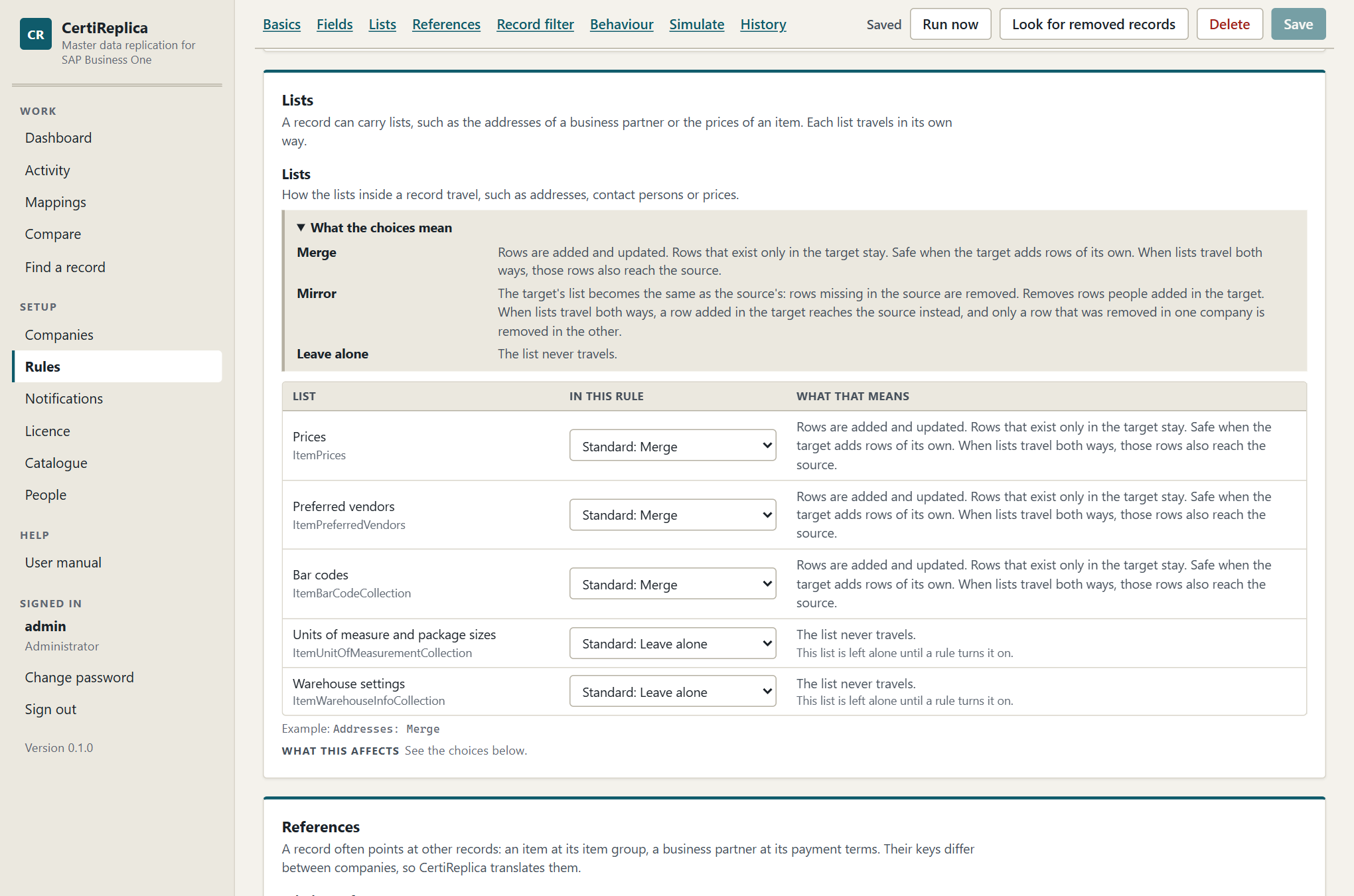
The Lists and References sections: how each list travels and what happens when a referenced record is missing.
| Choice | What it does | When to choose it |
|---|---|---|
| Merge | Rows are added and updated. Rows that exist only in the target stay. | Safe when the target adds rows of its own, for example its own delivery addresses. |
| Mirror | The target's list becomes the same as the source's: rows missing in the source are removed. | The source is the only place where the list is maintained. |
| Leave alone | The list never travels. | The target owns the list. |
Without a choice of your own, a list follows its standard: Merge, with two exceptions.
- Some lists are left alone until a rule turns them on, such as the bank accounts and payment methods of a business partner, or the warehouse settings of an item. The Objects chapter names them.
- With Only listed fields, a list travels only when one of its fields has a field rule.
How rows are matched: a row of the source and a row of the target are the same row when the fields that identify them are equal, for example the address name and type, or the price list. Upper and lower case make no difference: "Ship To" and "Ship to" are one row. For lists whose rows carry a number in SAP Business One, CertiReplica also remembers which target row each source row became. A contact person that is renamed in the source is therefore followed, not created twice.
What to watch for:
- Mirror removes rows people added in the target. Simulate first; rows that would be removed are listed with their content and an empty Would become.
- A row that a mirrored list removed is put back by a rollback, with a new row number. See Activity.
- A list inside a row, such as the quantity steps of a special price's period or the prices per unit of measure of an item's price, travels with its row whatever the list's choice is: its rows are added and updated, never removed.
- Fields that name a row of a list, such as the default contact person or the default bill-to address of a business partner, only travel when that list travels.
- The default payment method of a business partner travels only together with the list of payment methods: turn both on, or neither.
- In a two-way rule, lists travel from the source only unless Lists travel both ways is on. With it, Merge and Mirror work in both directions and Mirror no longer removes a row that is new in the target. See Two-way replication.
References
A record often points at other records: an item at its item group, a business partner at its payment terms. Their keys differ between companies, so CertiReplica translates them. This section decides what happens when a referenced record has no counterpart in the target.
How a reference is translated
For every field that refers to another record, CertiReplica looks in this order:
- A fixed treatment in the rule: Fixed value, Leave empty or Same value, unchecked.
- A link: a mapping, or a record replicated or matched earlier.
- A record in the target with the same code or, for objects SAP Business One numbers itself, the same name. When one is found, CertiReplica remembers it as Matched.
- If nothing was found and the rule says Create it, the referenced record is replicated first.
- Otherwise the record is held, with a sentence that says what is missing.
Rows that SAP Business One ships in every company, such as "- No Manufacturer -", are the same everywhere and need no translation.
Missing references
The treatment for every referenced object that has no reference rule of its own.
| Choice | What it does | When to choose it |
|---|---|---|
| Match, else hold | Use the mapped record; without a mapping, a record with the same code or name. If none is found the record is held with a message that says what is missing. | You want nothing created that you did not ask for. A good start for every new rule: the simulation shows what is missing. |
| Create it | A missing referenced record is replicated first, then the record that needs it. An item brings its item group and manufacturer along. | The targets should get the same setup data as the source. |
| Leave empty | The reference is left empty in the target. | The target fills the field itself, or does not use it. |
| Same value, unchecked | The source's value is sent as it is. | Only for landscapes where the codes are known to be identical. CertiReplica does not check that the target knows the value. |
Reference rules
A different treatment for one referenced object. The table lists every object this object refers to. As above follows Missing references.
In addition to the four choices above, a reference rule offers Fixed value: every record gets the target value you enter, for example the item group 101. Choose it for a target that books everything on one group or account. The value is the key of the record in the target companies and is needed.
Objects marked Mapped only, such as tax groups, currencies, dunning terms and payment methods, can never be created in a target, so Create it is not offered for them. See the mappings opens the mappings of that object.
Example: an items rule for the branches.
| Referenced object | In this rule | Why |
|---|---|---|
| Item groups | Create it | Branches use the head office's groups. |
| Manufacturers | Create it | The same. |
| Business partners | Leave empty | The preferred vendor of the head office is not a vendor of the branch. |
| Price lists | Match, else hold | Branches have their own price lists, mapped once. |
| G/L accounts | Fixed value 400000 |
Only relevant if a rule makes the account fields travel. |
What "Create it" creates
- If an enabled rule exists for the referenced object between the same two companies, that rule decides how the record is created: its field rules, its lists, its references. Its filter and its approval setting are not applied, because the record is needed.
- Without such a rule, the referenced record is copied as it is, and its own missing references are created too.
- A chain of more than six records that each need another one created first is not followed. The message asks you to replicate that object with a rule of its own.
What to watch for: a referenced record is created when the record that needs it is written. With Approve before writing, nothing is created while the record waits: the waiting record lists what would be created first, and that happens when it is approved.
What a held record says
Item groups: 'Printers' (104) of HQ has no counterpart in BR1. Map it under Mappings, or set ‘Missing references’ to ‘Create it’.
For an object that is mapped only:
Tax groups: 'S1' of HQ has no counterpart in BR1. Tax groups depend on each country's law, so they are mapped between companies and never copied. Map it under Mappings.
How to resolve a held record is described in Mappings.
Record filter
Conditions a source record must meet to be replicated. Without conditions, every record of the source is replicated. Conditions are checked by CertiReplica; no SQL is involved.
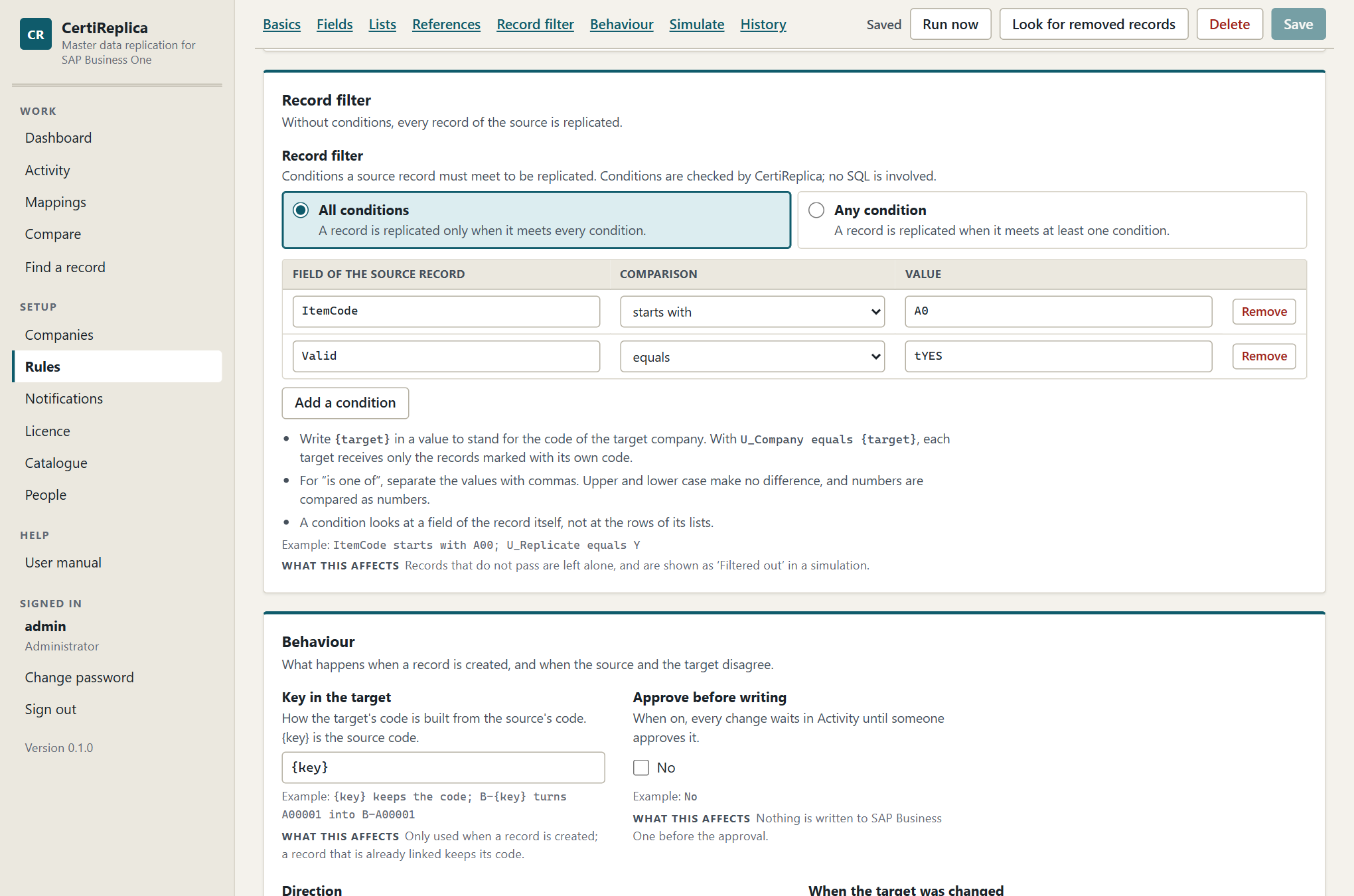
The Record filter and Behaviour sections: conditions on the source record, and what happens when the two sides disagree.
- Choose All conditions (a record is replicated only when it meets every condition) or Any condition (when it meets at least one).
- Press Add a condition.
- Under Field of the source record, enter a field, for example
ItemCode. The fields of the record are offered as you type. - Choose the Comparison and enter the Value.
| Comparison | True when the field… | Example |
|---|---|---|
| equals | has exactly this value | U_Replicate equals Y |
| does not equal | has another value, or none | Frozen does not equal tYES |
| starts with | begins with this text | ItemCode starts with A00 |
| ends with | ends with this text | ItemCode ends with -EU |
| contains | has this text anywhere | ItemName contains printer |
| is one of | equals one of several values, separated by commas | ItemsGroupCode is one of 100, 101, 105 |
| is greater than | is greater than this value | U_Level is greater than 2 |
| is at least | is this value or greater | U_Level is at least 2 |
| is less than | is less than this value | U_Level is less than 5 |
| is at most | is this value or less | U_Level is at most 5 |
| is empty | has no value. No value is needed. | U_Blocked is empty |
| is not empty | has any value. No value is needed. | Mainsupplier is not empty |
Rules of comparison:
- Upper and lower case make no difference.
- Numbers are compared as numbers:
100equals100.0, and9is less than10. Anything else is compared as text. - A condition looks at a field of the record itself, not at the rows of its lists.
- A condition tests the source's own value. For a reference, that is the source's key: the item group number of
HQ, not ofBR1.
The {target} placeholder
Write {target} in a value to stand for the code of the target company. One field on the record then decides which companies receive it.
Example: the rule's targets are BR1 and BR2. Items carry a user-defined field U_Company.
- Condition:
U_Companyequals{target}. - An item with
U_Company=BR1passes forBR1and is filtered out forBR2.
If one record can belong to several companies, keep a list in the field and use contains: with U_Companies = BR1,BR2 and the condition U_Companies contains {target}, the item goes to both. Choose company codes of which none is part of another, or BR1 would also match BR10.
What happens to records that do not pass
They are left alone. A simulation and a manual run report them as Filtered out. A record that passed before and no longer passes is not removed or put on hold in the target: it stops being updated.
Behaviour
Key in the target
How the target's code is built from the source's code. {key} is the source code.
| Template | Item A00001 becomes |
|---|---|
{key} |
A00001 |
B-{key} |
B-A00001 |
{key}-HQ |
A00001-HQ |
The template is only used when a record is created and to look for a record with the same code. A record that is already linked keeps its code. The template must contain {key}.
For objects whose key is made of other records' keys, the template is not used: a special price is "this item for this business partner", and in the target it is found under the target's own codes for the two. The same holds for discount groups and exchange rates.
For objects that SAP Business One numbers itself, such as item groups or price lists, the key cannot be chosen and the field is locked. Those records are matched between companies by their name. For user-defined fields, which are recognised by their table and name, the template must also stay {key}.
When to use it: codes must differ between companies, for example because the branch already uses A00001 for something else. What to watch for: other rules that refer to these records find them through their links, so replicate with the template before you replicate what refers to them. See Mappings.
Approve before writing
When on, every change waits in Activity with the status Awaiting approval until an operator or administrator approves it. The detail shows the fields that wait to be written.
Use it for sensitive data, such as G/L accounts, or for the first weeks of a new rule. Do not use it for high volumes: every record needs a person.
What to watch for:
- An approval applies to the record, not to a frozen set of values. If the source record changes again while it waits, it keeps waiting, and when it is approved it is written as the source holds it at that moment.
- A referenced record that Create it needs is not created while the record waits. It is listed on the waiting record and created when the record is approved.
Direction
| Choice | What it does |
|---|---|
| One way | The source is the original. A change made in a target is handled as When the target was changed says. The usual choice: one company owns the data. |
| Two way | A change made in either company travels to the other, field by field. Only a field that was changed in both companies since they last agreed is a conflict, and When the target was changed then names the winner. |
A two-way rule cannot be Create only. With Two way, a further setting appears: Create in the source too. Both are described in Two-way replication.
When the target was changed
What happens to a field someone changed in the target since the last replication. CertiReplica recognises such a change because it remembers what it wrote.
| Choice | What it does | When to choose it |
|---|---|---|
| Source wins | The source's value replaces the change made in the target. The overwritten value is kept in the history and can be rolled back. | The source owns the data and local changes are mistakes. |
| Target keeps its change | A field changed in the target is left alone; the other fields still travel. | The target may adjust records. The detail lists such fields as kept. |
| Hold for a decision | The record waits in Activity as a Conflict until someone decides. Nothing is written to that record meanwhile. | Local changes are rare and each one should be looked at. |
A held conflict says:
2 field(s) were changed in BR1 since the last replication. Decide in Activity whether the source or the target wins.
What to watch for:
- This setting works field by field. With Target keeps its change, a branch that changed the phone number of a customer keeps it, and still receives a new payment term.
- CertiReplica can only recognise a change in the target for a record it has replicated or compared before. The first time a rule meets a record that already exists in the target, every governed field that differs gets the source's value. Simulate before the first run over existing records.
- To let the target own a field for good, a field rule Leave alone or On creation only is clearer than a conflict setting.
New records
| Choice | What it does |
|---|---|
| As in the source | The new record is active or inactive exactly as in the source. |
| On hold | The new record is created inactive, so nobody uses it before it was reviewed. |
On hold works for objects that can be put on hold: items and business partners. For other objects the section says so, for example "Item groups cannot be put on hold in SAP Business One.", and new records are usable at once.
Use On hold when someone in the target company completes a new record, for example with local accounts or prices, and then activates it in SAP Business One.
When the source record is removed
What happens to the target record when its source record no longer exists. CertiReplica never deletes a record.
| Choice | What it does |
|---|---|
| Report it | The record appears in Activity as removed in the source. Someone decides: put the target record on hold, or keep it as it is. |
| Put the target on hold | The target record is made inactive at once. It can be rolled back. |
| Do nothing | Removals in the source are not looked for. The target keeps every record it ever received. |
The details are in Removed records.
Simulate
A simulation says what the rule would do, record by record and field by field. CertiReplica only reads from SAP Business One. No record is created or changed in any company, and nothing is queued. The rule is simulated as it stands on the screen, including changes you have not saved.
- Under Records to simulate, enter the keys of source records, one per line or separated by commas. Leave it empty to take the first records of the source.
- Under How many records, enter how many of the first records to take when no keys are given: 25 unless you change it, up to 500. More records take longer.
- Under Target company, choose Every target of the rule or one target.
- Press Simulate. Press Stop to end a long simulation.
A simulation of several records, with the buttons that show the results by outcome.
The result is headed "What would happen to … records · nothing was written". The buttons above the cards count the results by outcome; press one to see only those records.
How to read each outcome
| Outcome | Meaning | What to check |
|---|---|---|
| Would be created | A run would create this record in the target. | The target key after "as". The fields, under "… fields would change". What would be created first. |
| Would be updated | A run would change these fields in the target. | Each field: In the target now and Would become. An unexpected field usually means the target should own it: add a field rule. |
| No change | The target already holds the same values. | Nothing. |
| Filtered out | The record does not pass the filter of the rule for this target. | That the filter means what you intended. |
| Skipped | The rule does not apply to this record: it only creates and the record exists, or it only updates and the record is missing. | The message names the reason. |
| Parked | Something is missing, the source record no longer exists, or a company did not answer. | The message says what is missing and what to do. |
| Conflict | Someone changed the record in the target, and the rule holds such changes for a decision. | The fields in conflict: In the target now and what The source wants. |
A simulation never shows a record as created, updated, waiting for approval or removed in the source. Those belong to records that really ran, which Activity lists with a status of their own.
Under the outcome, a card can carry:
- Messages, for example which fields the target does not have, or which values SAP Business One did not take before.
- Would be created first, because this record refers to them: referenced records that Create it would create, for example "Item groups: 'Printers' (104) would be created in BR1 first."
- Fields that would change, with before and after. A row of a list is written with what identifies it, for example
ItemPrices[2]orBPAddresses[Main | bo_ShipTo]. A row that would be added has an empty In the target now; a row that Mirror would remove has an empty Would become. - Fields kept: the target changed them and the rule lets it keep its change. The table shows the value In the target, kept and the value In the source, not written.
For a two-way rule, a record that is already linked gets a second card that starts with "The way back, from BR1 to HQ." It shows what a run would write to the source.
If you change the rule after a simulation, the result says so: "The rule was changed after this simulation. Simulate again to see what the rule does now."
What a simulation cannot show: whether SAP Business One will take every value. A value the target refuses, for example because of its own settings, only shows when the record is written. The run then says so; see Activity.
Run now
Run now queues records for replication and writes them to the targets. It is available to operators and administrators when the rule is saved, has no unsaved changes, and is enabled. Otherwise the editor says why, for example "Run now is not available: Save your changes first: a run uses the saved rule."
- Press Run now, in the editor or in the list of rules.
- Read the dialog. It says what will be written and where, and repeats the rule's What to replicate, When the target was changed and whether changes wait for approval.
- To run only some records, enter their keys under Only these records, one per line or separated by commas. Leave it empty to run every record of the source.
- Press the button, which names what will happen, for example Run 3 records and write to BR1, BR2 or Run every record and write to BR1, BR2.
CertiReplica answers with the number of records queued and a link, Follow them in Activity. The records are written within the next seconds. Each write is listed in Activity and can be rolled back there.
What to know:
- A run of every record queues every record of the source. The filter is checked when each record is worked on; records that do not pass end as Filtered out.
- A record that is already the same ends as No change with "Already the same." Running a rule twice does no harm.
- A two-way rule also looks at what its targets hold. See Two-way replication.
- If CertiReplica answers "Nothing was queued: these records are already waiting in Activity in the same state.", open Activity and decide about the waiting records there.
Look for removed records
For a saved, enabled rule whose When the source record is removed is not Do nothing, the bar offers Look for removed records. It checks now, instead of waiting for the next automatic check, whether records this rule replicated still exist in the source. Nothing is deleted.
The answer is one sentence, for example "None of the 240 replicated source records is gone." or "3 of the 240 replicated source records no longer exist." What happens to the records found is described in Removed records.
For a manual rule, this button is the only way removals are looked for. An automatic rule also looks by itself about every fifteen minutes, and a scheduled rule at each of its times.
Version history
Every time a rule is saved, the version it replaces is kept with who changed it and when. The section Version history at the end of the editor lists these versions, the newest change on top, each with a one-line summary of the rule before that change.
To go back to an earlier version:
- Find the version and press Put this version into the editor.
- Confirm with Replace the settings.
- Check the settings, simulate if you like, and press Save.
Nothing is saved until you press Save, and saving adds a new entry to the history: going back is itself recorded.
A rule for user-defined fields
The object User-defined fields replicates the definition of fields: the table, the name, the type, the size, the description and the valid values. It does not replicate what records hold in those fields; that travels with the records themselves, through the rule for items, business partners and so on.
Use it when the targets should have the same user-defined fields as the source, so that nobody has to create them by hand in every company.
- Create a rule with the Object User-defined fields, the source and the targets.
- Limit it with the record filter if you only want the fields of some tables, for example
TableNameequalsOITMfor the fields on items. - Simulate. Fields the target lacks show as Would be created.
- Enable, save and Run now.
- Restart the Service Layer of each target in which fields were created. The run reminds you: "Restart the Service Layer of BR1 before replicating records of that table."
- Run the rules for the records again. Records that were replicated earlier now receive the fields that had been left out.
What to know:
- A field is recognised by its table and its name, so Key in the target stays
{key}. - The type of a field cannot be changed once it exists. It is sent on creation only.
- Fields of a user-defined table need that table in the target first. A rule for user-defined tables creates it; see the next section.
- The valid values of a field travel as a whole list. Under Merge, values only the target has stay; under Mirror, they are removed.
- This object needs the licence module User-defined fields. Without it the rule can be simulated but does not write. See Licence.
Rules for user-defined tables
What a company defined itself travels in two steps: first the definitions, then what the tables hold.
The definitions are three objects in the area Structure. Replicate them in this order, each with a rule of its own:
- User-defined tables: the table's name, description and type. Not its fields and not its rows.
- User-defined fields, limited with the record filter to those tables if you like:
TableNameequals@CR_ROUTES. - User-defined objects, for a table that is registered as an object: its code, name, table, child tables and the columns of its Find window and forms.
- Restart the Service Layer of each target in which something was created. A Service Layer only serves the tables and objects that existed when it started.
The type of a table and the table of an object cannot be changed once they exist; they are sent on creation only. Where an object sits in the menu, and its own form file, are local by default. All three need the licence module User-defined fields.
What the tables hold is chosen under Object as Rows of a user-defined table or Records of a user-defined object, with the name in Name of the table or object:
| Choice | Name to enter | What travels |
|---|---|---|
| Rows of a user-defined table | The table's name as SAP Business One shows it, without the @ in front, for example CR_ROUTES. |
The rows of a table that is not an object: Code, Name and the table's own fields. |
| Records of a user-defined object | The object's code. | The records of an object of the master data kind: Code, Name and its own fields. The rows of its child tables stay in each company. |
The name is letters, digits and underscores, 20 at most. The table or object must exist in the source and in every target, with the same fields: a field the target lacks is left out and named, as for any other object. Rows are recognised by their Code, so Key in the target works as for items. Changes are noticed by comparing, about once a minute for an automatic rule.
If a rule answers "Service Not Found", the Service Layer of that company does not serve the table: check the name, and restart the Service Layer if the table was created after it started. See Troubleshooting.
Deleting a rule
- Open the rule and press Delete.
- Confirm with Delete the rule.
The rule and its version history are deleted. Records that still wait in Activity for this rule can no longer be replicated. Nothing is changed in SAP Business One, and the mappings stay.
To stop a rule for a while, untick Enabled instead.
Mappings
What a link is
A link is the knowledge that a record of one company and a record of another are the same thing: item A00001 in HQ is item B-A00001 in BR1; item group 104 "Printers" in HQ is item group 112 "Printers" in BR1.
CertiReplica uses links for two things:
- To know which record to update. When a rule runs for a record that is linked, it updates the linked record, whatever its code or name is by now.
- To translate references. When an item points at item group 104, CertiReplica writes 112 into the item in
BR1, because the two groups are linked.
A link is made in one of four ways. They are the same kind of link and are used in the same way; the screen only tells you how each came about.
| How it came about | Meaning |
|---|---|
| Replicated | CertiReplica created the target record. |
| Mapped | A person, or the automatic mapping, said these two records are the same. |
| Matched | CertiReplica found a record with the same code or name while replicating. |
| Born in the target | The record was created in the target first, and a two-way rule created it in the source. The target keeps its own lists, unless the rule lets lists travel both ways. |
A link copies nothing. Making or deleting one changes nothing in SAP Business One.
The Mappings screen
Open Mappings under Work.
- Choose the Object, for example Item groups. Objects that are never replicated are marked (mapped only).
- Choose the Source company, for example
HQ. - Choose the Target company, for example
BR1.
Choose the companies the way your rules go: the source company of the rule as Source company.
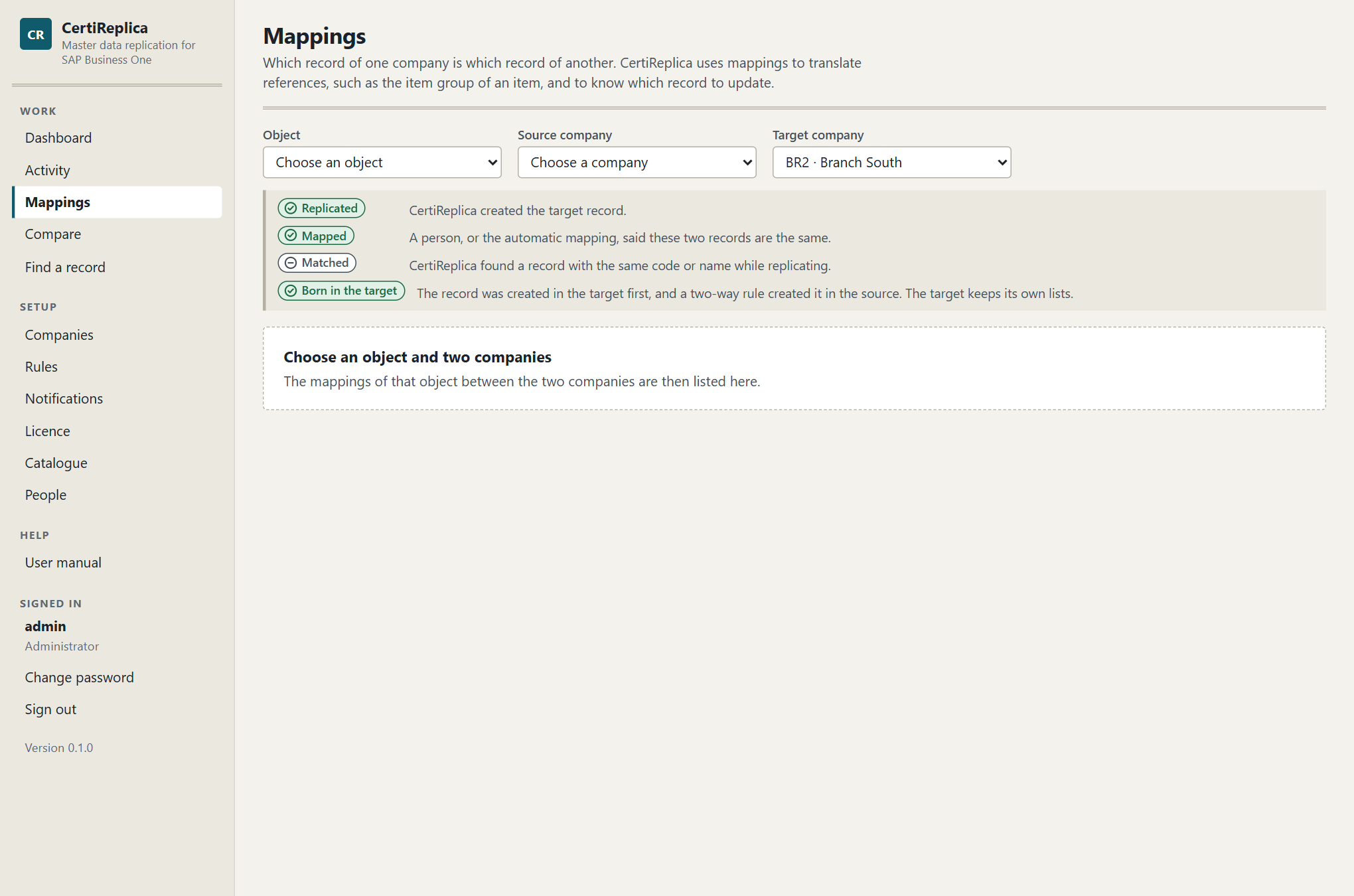
The Mappings screen: which record of the source company is which record of the target company, and how each mapping came about.
The list shows every link of that object between the two companies:
| Column | What it shows |
|---|---|
| In HQ (source) | The key and name of the source record. |
| In BR1 (target) | The key and name of the target record. |
| How it came about | Replicated, Mapped, Matched or Born in the target. |
| Last replicated | When CertiReplica last brought the two records in line. "not yet" means the link exists but no rule has run over it. |
Use Find to search by key or name. Long lists show the first 200 mappings; Show all shows the rest.
A viewer can read mappings. An operator or an administrator can make and delete them.
When you need to map
Often you do not. A rule finds counterparts by itself:
- A record with the same code in both companies is found and remembered as Matched.
- For objects that SAP Business One numbers itself, such as item groups, manufacturers, price lists or payment terms, a record with the same name is found and remembered as Matched.
- A record the rule creates is remembered as Replicated.
You map when CertiReplica cannot know:
- The same thing has different codes or names. Price list "Retail" in
HQis "Base price" inBR1. - The object is mapped only. Tax groups, currencies, dunning terms and payment methods are never created by CertiReplica. Where their codes are the same in both companies they are matched by themselves. Where they differ, map them.
- Two records only look the same. If
BR1has a customer under the code of another customer inHQ, map the right pairs before the first run, so the rule does not take one for the other.
Map automatically
Map automatically links every source record to the target record with the same code. For objects that SAP Business One numbers itself, it links records with the same name. Upper and lower case make no difference.
Use it to prepare a target company that already holds data, and to see quickly which records have no counterpart.
- Choose the object and the two companies.
- Press Map automatically and confirm.
- Read the result.
The result says how many records were newly mapped, how many were mapped already, and how many records of the source have no match in the target:
12 records newly mapped, 3 mapped already, 2 records of HQ without a match in BR1.
Under Records without a match, each record has a button Map by hand.
What to know:
- Records that are mapped already are left as they are.
- Nothing is changed in SAP Business One.
- A record without a match is not a problem in itself. It only means the target has no record with that code or name. A rule can create it, or you map it by hand to a record with another code.
Map by hand
- Choose the object and the two companies.
- Press Add a mapping, or Map by hand next to a record without a match.
- Under Record in HQ (source), type part of the key or the name and choose the record.
- Under Record in BR1 (target), do the same for the record that is the same thing.
- Press Save the mapping.
CertiReplica answers, for example: "104 in HQ is now mapped to 112 in BR1."
What to know:
- Both records must exist. CertiReplica reads them when you save and refuses a key that does not exist in its company.
- A source record that is mapped already gets the new counterpart instead of the old one. This is how you correct a wrong mapping.
- The pickers show the first 40 records. Type more to narrow the list.
What to watch for: a link wins over a code and over a name. If you map C20000 in HQ to K-1001 in BR1, the next run of a business partner rule updates K-1001 with the values of C20000. A wrong mapping therefore leads to a wrong record being updated. After mapping records a rule replicates, simulate the rule for them and check the target key after "as" on each card.
Deleting a mapping
- Press Delete in the row of the mapping.
- Confirm with Delete the mapping.
CertiReplica forgets that the two records are the same. Both records stay as they are in SAP Business One.
What happens next depends on the record. Without the mapping, the next run looks for a record with the same code or name again, and creates one if it finds none. For two records that carry different codes or names, that can mean a second record in the target. Delete a mapping when it is wrong, not to stop replication. To stop a record from being replicated, use the record filter of the rule.
When a record is held for a missing reference
A record whose reference cannot be translated is not written. It waits in Activity with the status Parked, and its message names what is missing:
Item groups: 'Printers' (104) of HQ has no counterpart in BR1. Map it under Mappings, or set ‘Missing references’ to ‘Create it’.
Read it as: the item points at item group 104 "Printers" in HQ; BR1 has no item group that is linked to it or carries the same name; and the rule says Match, else hold for item groups.
Choose one of three ways to resolve it.
The target has the record under another code or name.
- Open Mappings and choose the object named in the message (here Item groups), the source and the target.
- Press Add a mapping and map the source record to its counterpart.
- Open the held record in Activity and press Try again.
The target should get the record.
- Ask an administrator to open the rule and set Missing references, or the reference rule for that object, to Create it. Or replicate that object first with a rule of its own.
- Open the held record in Activity and press Try again.
The target should not carry this reference.
- Ask an administrator to give that object a reference rule: Leave empty, or Fixed value with the key every record should get in the target.
- Open the held record in Activity and press Try again.
A held record is not tried again by itself while nothing changes. It comes back into the queue when you press Try again, when someone runs the rule, or when the source record changes again.
If many records are held for the same reason, resolve the cause once, then filter Activity by the status Parked and the rule, and try them again; or run the rule again.
For objects that are mapped only, the message says why they are never created and offers only the mapping:
Tax groups: 'S1' of HQ has no counterpart in BR1. Tax groups depend on each country's law, so they are mapped between companies and never copied. Map it under Mappings.
Codes that differ between companies
Codes do not have to be the same in the source and the target. CertiReplica has three ways to deal with different codes, and they work together.
| Situation | What to use |
|---|---|
| The rule creates the records, and the target should use its own code scheme. | The rule's Key in the target, for example B-{key}: A00001 becomes B-A00001. Each record is linked when it is created. |
| The records exist in both companies under different codes. | A mapping by hand for each pair, before the first run. |
| SAP Business One assigns the number, as for item groups or price lists. | Nothing. These records are matched by their name, and linked from then on. |
Once two records are linked, their codes and names no longer matter. A manufacturer that is renamed in the source is found in the target by its link, not by its name, and is renamed there too.
Worked example: a branch with its own customer numbers
HQ numbers customers C20000, C20001, and so on. BR1 already has some of the same customers under its own numbers, K-1001, K-1002. New customers should be created in BR1 with the head office number.
- Open Mappings, choose Business partners,
HQandBR1. - Press Map automatically. Because the codes differ, the existing customers appear under Records without a match.
- For each customer that exists in
BR1under another number, press Map by hand and choose its counterpart, for exampleC20000andK-1001. - Leave the customers that do not exist in
BR1unmapped. - Open the rule and simulate. Mapped customers show Would be updated with
as K-1001. The others show Would be created withas C20000. - Check the fields that would change for the mapped customers with care. On this first meeting, every field the rule governs gets the head office's value where the two differ. Use field rules and list settings to protect what the branch owns. See Rules.
Preparing a target that already has data
Before the first run into a company that already holds master data:
- For each setup object the rule refers to, such as item groups, price lists, payment terms and tax groups, open Mappings and press Map automatically.
- Go through the records without a match. Map by hand those that exist under another name. Decide for the rest whether the rule should create them.
- Simulate the rule for a good number of records and read the Parked results. Each one names a reference that is still open.
- Run the rule only when the simulation shows what you expect.
Activity
Activity lists every record CertiReplica brought, or tried to bring, to a target company. It is where you see what happened, field by field, and where you decide about records that wait.
Open Activity under Work. The Dashboard shows the same records counted by status; choosing a number there opens Activity with that status.
Activity: one line per record and target, with its status and what happened in one sentence.
The list
One line stands for one record on its way to one target. A rule with three targets gives three lines for one changed item.
| Column | What it shows |
|---|---|
| Status | Where the record stands. See the table of statuses below. |
| Object | The kind of master data, for example Items. |
| Record | The key of the source record. If the target record has another key, it is shown underneath as "in the target". |
| From and to | The source company and the target company. A line marked "the way back" belongs to a two-way rule and travels from a target of the rule to its source. |
| What happened | One sentence: "Created as 'A00001'.", "3 field(s) updated.", "Already the same.", or what is missing or went wrong. |
| Rule | The rule the record was queued for. |
| Queued | When the record came into the queue, and how: "noticed automatically", "by maria", "found gone from the source" or "after a decision by maria". |
Click a line to open the record.
Filters and paging
- Status. The buttons above the list show one status at a time. All shows everything. Rest the pointer on a button to read what the status means.
- Rule. Choose one rule, or Every rule.
- Search. Type a record key or words from the message, for example
A00001orItem groups. - Paging. The list shows 50 records at a time, newest first. Older and Newer move through it, and the line between them says where you are, for example "Records 51–100 of 1,234".
The list refreshes by itself every few seconds. The filters are part of the address of the page, so a filtered list can be bookmarked or sent to a colleague.
What is not listed
An automatic rule looks at every changed record. When such a look finds that nothing needs to be written, because the target already holds the same values or the record does not pass the filter, no line is kept. The list would otherwise fill with records about which there is nothing to say. Records that someone ran by hand are always listed, also with No change or Filtered out.
The statuses
| Status | Meaning | What you can do |
|---|---|---|
| Pending | In the queue. It is replicated within a few seconds, or tried again later if a company did not answer. | Nothing, or Try again now when it waits for its next try. |
| Running | Being replicated right now. | Nothing. |
| Awaiting approval | Nothing is written until someone approves it. | Approve or Set aside. |
| Conflict | Someone changed the record in the target. It waits for a decision. | Source wins or Set aside; in a two-way rule, either company can win. |
| Parked | Something is missing in the target, such as a record it refers to. It waits until that is solved. This is what messages call a held record. | Solve what the message names, then Try again; or Set aside. |
| Removed in source | The source record no longer exists. Someone decides whether the target record is put on hold or kept. | Put on hold or Set aside. |
| Failed | SAP Business One refused it, or the company could not be reached after several tries. | Read the message and SAP's answer, correct the cause, then Try again; or Set aside. |
| Done | Created or updated in the target. | Roll back, if the write was wrong. |
| No change | The target already held the same values. | Nothing. |
| Filtered out | The record did not pass the filter of its rule. | Nothing. |
| Set aside | Someone decided not to replicate it. The target was not changed. | Nothing. |
| Rolled back | The values it overwrote were put back. | Nothing. |
| Decided | Someone decided this conflict. The run in the other direction carries the decision out. | Nothing. |
The statuses that wait for a person are Awaiting approval, Conflict, Parked, Removed in source and Failed. The Dashboard adds them up in the line "… records wait for a person". A notification can tell people about each of them; see Notifications.
Unreachable is not the same as refused
CertiReplica treats two kinds of trouble differently.
- A company did not answer. The record stays Pending and is tried again by itself: after 1 minute, then 5 minutes, 15 minutes, 1 hour and 4 hours. Its message says when, for example "… It is tried again at 14:35 UTC." Only when all these tries have failed does it become Failed.
- SAP Business One answered and refused. Trying again would give the same answer, so the record becomes Failed at once and waits for a person.
The detail view
Click a line to open the record. The detail slides in over the list.
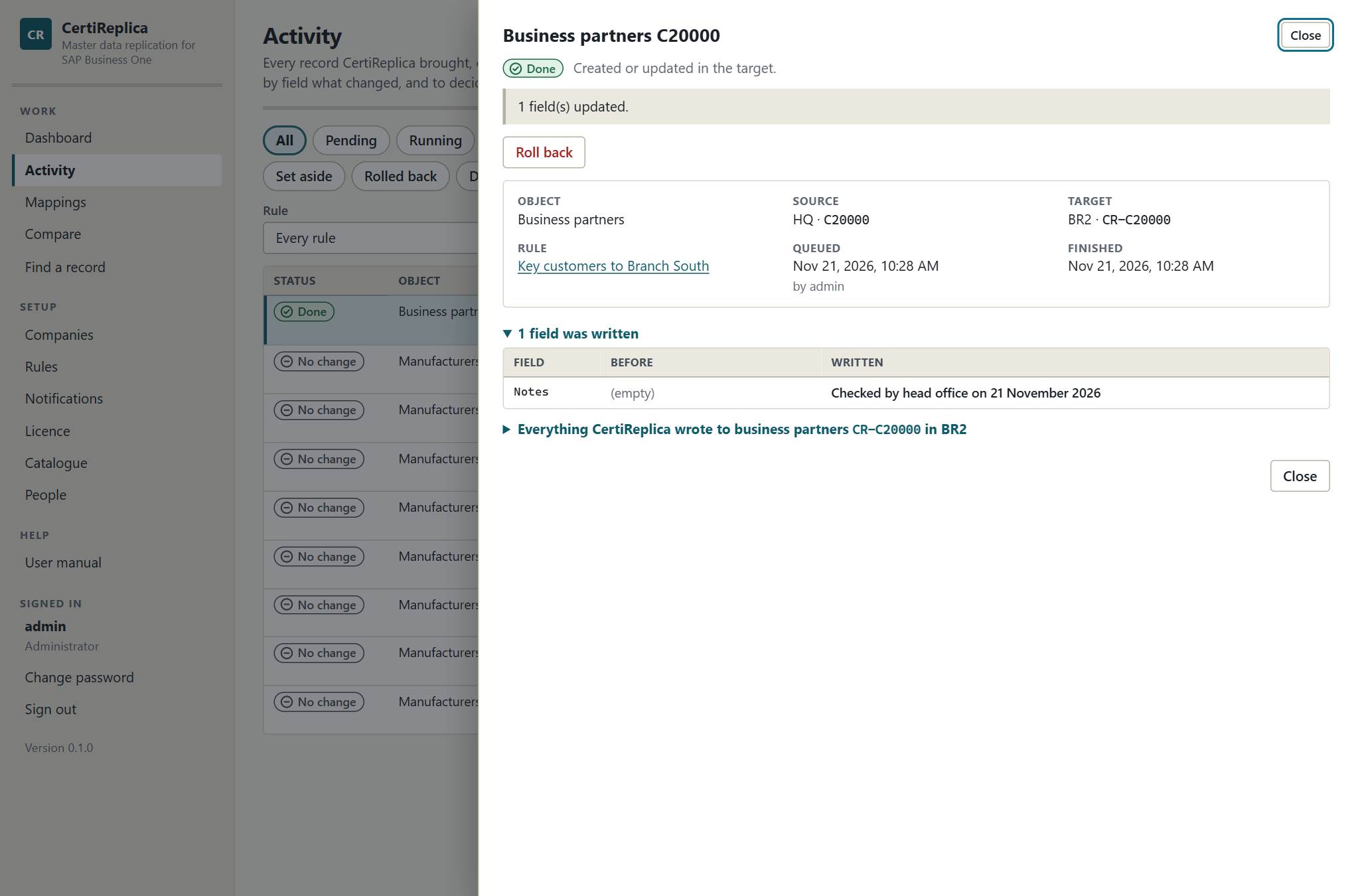
The detail of one record: its status, the decisions that are possible, and field by field what was written.
From top to bottom it shows:
- The status, with a sentence that says what it means.
- The message. What happened, or what is missing and what to do.
- The decisions that are possible in this status, as buttons. A viewer sees "This record waits for a decision. An operator or an administrator can make it."
- The facts: Object, Source (company and key), Target (company and key, or "no record yet"), Rule, Queued, Finished, Decided by when someone decided, and Tries after a company did not answer with the time of the next try.
- What changed, in up to five parts, described below.
- What SAP Business One answered, when it refused.
- Everything CertiReplica wrote to this target record: the record history.
Changes
The fields with their values. The heading and the two value columns depend on where the record stands:
| The record… | Heading | Columns |
|---|---|---|
| was written (Done, Rolled back) | "… fields were written" | Before and Written |
| waits (Awaiting approval, Conflict, Parked) | "… fields wait to be written" | In the target now and Will become |
A field of a list is written with its row, for example ContactEmployees[Maria Lopez].Phone1. A row that was added has an empty value before; a row that a mirrored list removed has an empty value after, and a short summary of the row before.
Kept
"… fields kept: the target changed them and the rule lets it keep its change". These fields differ between the two companies on purpose. The table shows the value In the target, kept and the value In the source, not written. You see this with the conflict setting Target keeps its change, and in two-way rules for fields only the target changed.
Conflicts
"… fields in conflict: changed in the target since the last replication". The table shows the value In the target now and what The source wants. These are the fields your decision is about.
Messages
Sentences CertiReplica adds to an outcome. The most common ones:
| Message | Meaning |
|---|---|
| "BR1 does not have 2 field(s) the source has, so they were left out: U_Brand, U_Colour. …" | The source has fields the target lacks. They were left out and the record went through. |
| "SAP Business One kept Mainsupplier = 'V1000' instead of 'V2000'." | The value was sent, and SAP Business One did not take it. CertiReplica read the record back and reports what it really holds. |
| "SAP Business One did not take 1 value(s) before, so they are not sent again: Mainsupplier. Check them in BR1 if they matter." | A value that was not taken is remembered and not sent again until the source or the target changes it. |
| "The linked record 'A00001' no longer exists in BR1; it is created again." | The target record was removed in the target. A one-way rule creates it again. |
| "This record was created in BR1 first, so BR1 keeps its own lists (…)." | See Two-way replication. |
| "The … of this record have not been compared between the two companies yet. The record came from BR1, so they are compared from BR1 to HQ first, and left alone in this direction until then." | A list that travels both ways is compared for the first time. Nothing is wrong: the run in the other direction does it. See Two-way replication. |
All of them are explained in Troubleshooting.
Dependencies
"Created first, because this record refers to them": the referenced records that were created on the way, because the rule says Create it. For example: "Item groups: 'Printers' (104) was created in BR1 as '112'." For a waiting record the heading says "Would be created first".
SAP's raw answer
When SAP Business One refused a record, the message gives its reason in a sentence, and What SAP Business One answered shows the answer of the Service Layer as it came. Give this text to your SAP partner if the reason is not clear.
Decisions
Decisions are made in the detail view, by an operator or an administrator. Approving, setting aside, deciding a conflict and putting on hold are recorded with the name of the person, shown under Decided by and in the message. A rollback is recorded with the person's name in the record history.
Try again
For Failed and Parked records. The record goes back into the queue and is tried within a few seconds, with the rule as it is now and the companies as they are now.
Use it after you have solved what the message names: mapped a missing reference, corrected the SAP user's authorisations, restarted a Service Layer. Trying again without changing anything gives the same result.
A Pending record that waits for its next automatic try offers Try again now, for when you know the company is back.
Approve
For Awaiting approval. The record is written within a few seconds, and the message becomes "Approved by maria." until the write is done.
Read the fields that wait to be written first. An approval applies to the record: it is written as the source holds it at the moment of writing.
Set aside
For Awaiting approval, Conflict, Parked, Failed and Removed in source. The record is not replicated and the target stays as it is. The message becomes "Set aside by maria. The target was not changed."
Setting aside is not permanent. The record comes back to Activity when the source record changes again or when someone runs the rule. To keep a record out for good, use the record filter of the rule.
For Removed in source, setting aside means: keep the target record as it is. That removal is then not reported again.
Source wins, target wins
For Conflict.
In a one-way rule:
- Source wins overwrites the fields listed as in conflict with the values of the source. The values they hold now are kept in the history, and the write can be rolled back afterwards.
- To let the target keep its values, press Set aside. A one-way rule never writes to the source.
In a two-way rule the two buttons carry the company codes, for example HQ wins and BR1 wins, because "source" and "target" change places on the way back.
- HQ wins overwrites the conflicting fields in
BR1with the values ofHQ. - BR1 wins keeps the values of
BR1and writes them toHQ, by a run in the other direction that shows in Activity as a record of its own. The record you decided is closed with the status Decided. - A two-way conflict can wait once per direction. One decision answers both: the other record is closed with the message that the conflict was decided in the other direction.
After a decision the two companies agree again, and the next run is quiet in both directions.
Put on hold
For Removed in source. The target record is made inactive in the target company, so nobody uses a record the source has given up. It is not deleted, and the write can be rolled back. See Removed records.
Roll back
For Done. CertiReplica writes to the target again and puts back the values this write overwrote. The status becomes Rolled back, and the message says what was done, for example "3 field(s) were put back."
What a rollback can and cannot put back
| What the write did | What a rollback does |
|---|---|
| Changed fields of the record | Puts back the value each field had before. |
| Changed a field in a row of a list | Puts back the old value of that row. The row keeps its identity. |
| Added a row to a list | Takes the row out again. |
| Removed a row from a list (a Mirror list) | Puts the row back as it was. SAP Business One gives it a new row number. A row that someone has added again in the meantime is left as it is. |
| Copied a picture or attachments | Leaves the files where they are. The message says "The picture and the attachments that were copied stay: remove them in SAP Business One if they are not wanted." |
| Created the record | Does not delete it. The record is put on hold, and the message says "'A00001' was put on hold." For objects that cannot be put on hold, the rollback is refused and tells you to remove the record in SAP Business One if it is not wanted. |
| Put a record on hold after a removal | Makes it active again. |
What to know:
- A rollback is itself a write. It appears in the record history as RolledBack, with the name of the person.
- A rollback puts back the values from before that one write. If the record was written several times, roll back the writes you want undone one by one, the newest first.
- After a rollback the target differs from the source on purpose. CertiReplica leaves it that way until the source record changes again, or until someone runs the rule: that run compares afresh and, with the usual settings, writes the source's values again. If the target should keep its values for good, change the rule first, for example with a field rule that leaves the field alone, or set When the target was changed to Target keeps its change.
- A record that was not written by the job, for example No change, has nothing to roll back.
- A row that was removed before CertiReplica kept removed rows whole cannot be rebuilt. The message then says how many: "… row(s) could not be put back: they were removed from a list by a version of CertiReplica that did not keep removed rows yet. Add them again in SAP Business One."
Record history
At the end of the detail, Everything CertiReplica wrote to … opens the history of the target record: every write CertiReplica made to it, the newest first, whichever rule or job made it.
Each entry shows what was done (Created, Updated, PutOnHold, RolledBack), when, by whom when a person started or decided it, and the fields with their value Before and After. The entry that belongs to the open record is marked "this job".
Use it to answer "who changed this field in the branch, and what was it before?" for every change that came through CertiReplica. Changes people made directly in SAP Business One are not in this history; they are in SAP's own change log.
The Dashboard
The Dashboard is the short version of Activity. It refreshes by itself.
- Records by status counts everything that is still open, and what was queued in the last 24 hours. Choose a number to see those records in Activity.
- Background work shows whether CertiReplica is working: the State (Running or Paused), the Last look for changes, the Last record worked on, and the Last problem, for example a source company that could not be read.
- Recent activity lists the newest records.
An administrator can press Pause under Background work. While the work is paused, nothing is looked for and nothing in the queue is written, until someone presses Resume. Records that are run by hand meanwhile wait as Pending. Use it before maintenance on the SAP servers, or to stop everything at once when a rule turns out to be wrong. Notifications are still sent while the work is paused.
Comparing companies and finding a record
Two screens under Work answer questions that Activity does not. Compare answers "how far apart are these two companies?" for everything a rule covers. Find a record answers "where is this record in the other companies?" Neither writes anything to SAP Business One.
Compare
A simulation shows what a rule would do to the few records you name. A comparison takes the same look at every record the rule's source holds, and also lists what only the target has. Use it before a first load, to see how much work it will be; after a migration, to check that two companies really agree; and from time to time for a rule that is not automatic.
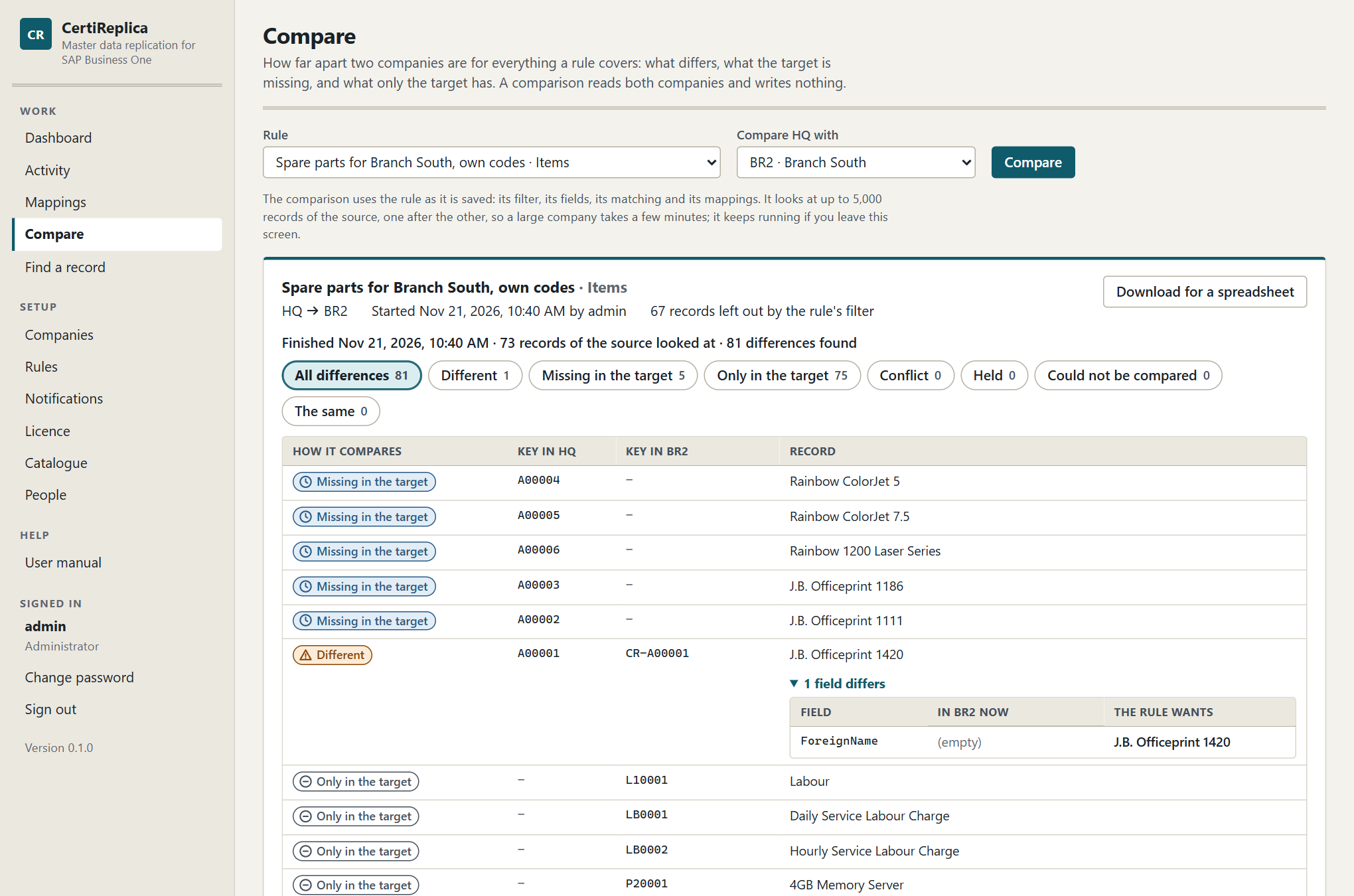
A finished comparison: how many records differ, are missing or exist only in the target, and field by field what differs.
Start a comparison
- Open Compare under Work, or press Compare on the rule's line in Rules.
- Choose the Rule. The comparison uses the rule as it is saved: its filter, its fields, its matching and its mappings. Save the rule first if you changed it.
- Choose the target under Compare … with. A rule with one target has it chosen already.
- Press Compare.
Operators and administrators can start a comparison. A viewer can open one that someone else started.
The comparison runs on the server. The screen shows how far it is, "Comparing: 240 of 1,310 records looked at", and fills in as records are found. It reads both companies record by record, so a large company takes a few minutes. You can leave the screen; the comparison keeps running and is listed under Recent comparisons when you come back. Stop ends it early.
What a comparison says
Every record is in one of seven states. The buttons above the list show how many records are in each, and show only those when pressed. All differences is everything except The same.
| State | What it means | What to do |
|---|---|---|
| Different | Both companies have the record and at least one field the rule governs differs. Open … fields differ to see each field with the value In … now and the value The rule wants. | Run the rule for these records, or change the rule if the target should keep its values. |
| Missing in the target | The source has the record and the target does not. | Run the rule. With Update only the rule will not create it, and the note says so. |
| Only in the target | The target has a record that the source has no counterpart for. | Nothing, if the target is meant to have records of its own. If the record is the counterpart of a source record under another key, say so under Mappings. A rule never touches such a record. |
| Conflict | A field was changed in the target since the last replication, and the rule waits for a decision. | Run the rule and decide in Activity, or change When the target was changed. |
| Held | Something the record refers to has no counterpart in the target, so it could not be written as it is. The note names what is missing. | Map the missing record, or let the rule create it. See Rules, References. |
| Could not be compared | The record could not be read or worked out. The note says why. | Read the note; it is the same sentence a run would give. |
| The same | The target holds what the rule wants. | Nothing. |
What to know:
- Records the rule's filter leaves out are counted, "72 records left out by the rule's filter", and not listed.
- A field only the target changed, which the rule lets the target keep, still counts as Different, with the note "The target keeps these values: the rule does not overwrite them."
- Only in the target is decided by the key: a target record is the counterpart of a source record when it carries the key the rule gives that record, or when the two are mapped. For objects SAP Business One numbers itself, such as item groups, it is decided by the name. A source record the filter leaves out still counts as a counterpart, so a filter does not make half the target look foreign.
- One comparison looks at up to 5,000 records of the source. Beyond that it ends with "Stopped after 5000 records, the most one comparison looks at. Narrow the rule's filter to compare the rest."
- A comparison that ended early, because of the limit, Stop or a company that did not answer, says so in a yellow box and does not list what only the target has: it has not seen everything.
- Nothing is written, no mapping is made and nothing is queued. To bring the target in line, run the rule.
Keep a comparison
Download for a spreadsheet gives the comparison as a file that Excel opens: one line per record, and one more line for every field that differs, with the key in each company, the name, the field, the value in the target, the value the rule wants and the note. Records that are the same are in it too.
CertiReplica keeps the last 20 comparisons until the service is restarted. Download the ones you want to keep longer.
Find a record
Find a record shows one record across the companies: which companies have it, under which key, how the two belong together, when it was last replicated and what happened last.
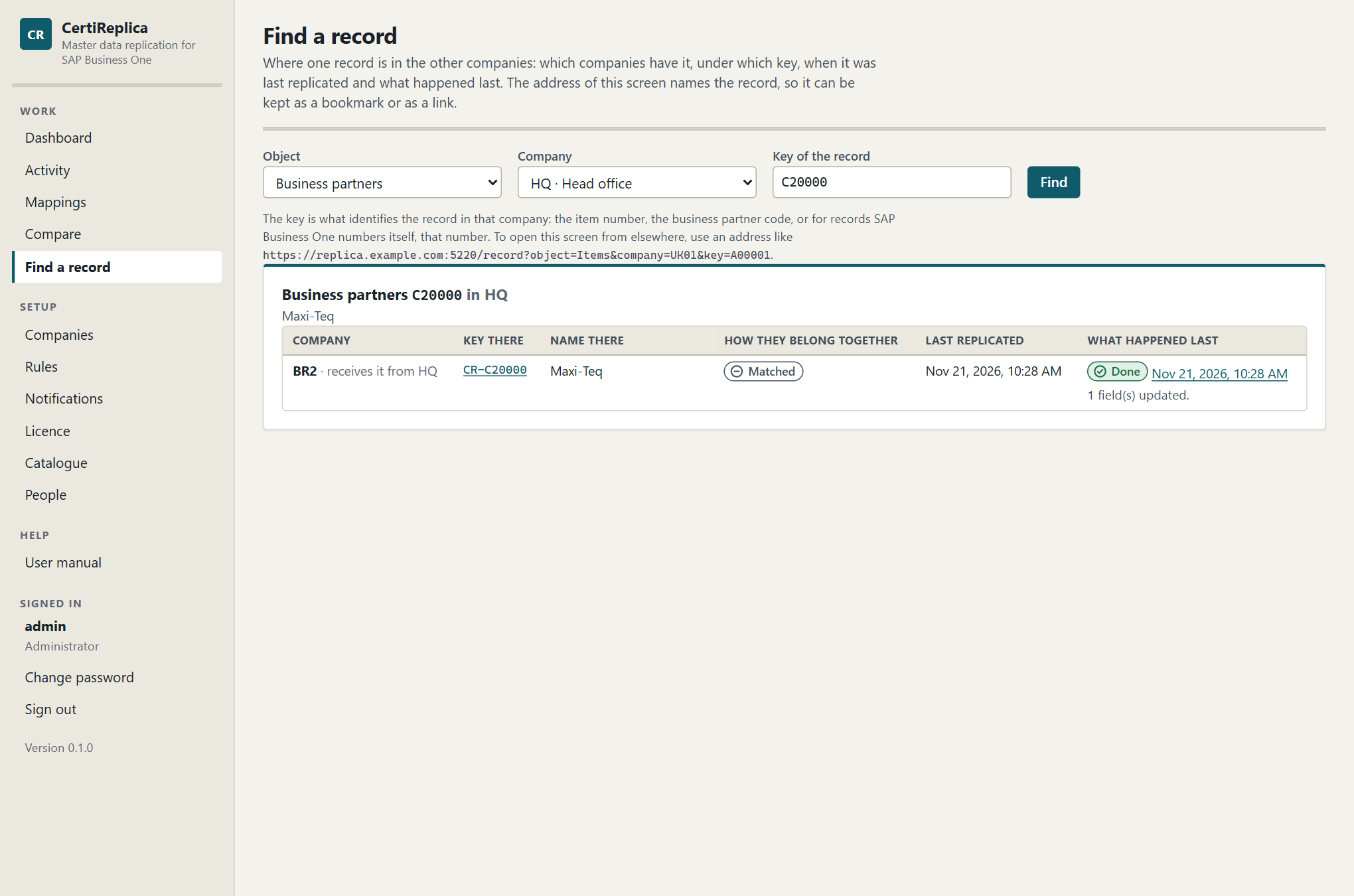
Find a record: the customer C20000 of the head office, and what Branch South holds for it.
- Open Find a record under Work.
- Choose the Object and the Company the record is in, and enter the Key of the record: the item number, the business partner code, or for records SAP Business One numbers itself, that number.
- Press Find.
Each line is one other company. It says whether that company receives the record from here or is where it came from, the key and the name the record has there, how the two were brought together (Replicated, Matched, Mapped or Born in the target, as under Mappings), when CertiReplica last replicated between them, and the last entry in Activity for the pair, with its status and sentence. The key there is a link: it opens the same screen for the counterpart. The date of the last entry opens it in Activity.
"CertiReplica knows no counterpart of this record" means that it was never replicated from or to that company and nobody mapped it. Check the key, check whether a rule covers the record, or look in Activity whether it was tried.
Opening it from elsewhere
The address of the screen names the record:
https://replica.example.com:5220/record?object=Items&company=UK01&key=A00001
object is CertiReplica's own name for the object, such as Items or BusinessPartners; company is the code the company has in CertiReplica; key is the record's key. The easy way to get an address right is to find one record on the screen and copy what the browser shows, then change the key. Whoever opens the address signs in to CertiReplica first, with their own account. The address under the search fields shows the form with the name of your own server.
Keep such an address as a bookmark, put it in a document, or keep it where your users look at the record. This is how CertiReplica is reached from a record in SAP Business One. CertiReplica installs nothing in SAP Business One, so it adds no panel or button to SAP's own windows.
Two-way replication
In a one-way rule the source is the original. A change someone makes in a target is either overwritten, kept, or held, as the rule says, but it never travels anywhere.
In a two-way rule a change made in either company travels to the other, field by field. This chapter describes when to use that, how CertiReplica tells the cases apart, and what does not travel back.
When to use it
Use a two-way rule when two companies maintain the same records and neither is the only owner. For example: the head office maintains the classification and the payment terms of shared customers, the branch talks to the customers and corrects their phone numbers and e-mail addresses, and both want to see the other's changes.
Do not use it when a one-way rule does the job:
- One company owns the data. Use One way.
- The target owns a few fields. Use One way with field rules: Leave alone or On creation only for those fields. The target keeps them, and nothing has to travel back.
- Only the lists of the source matter. Leave Lists travel both ways off. Addresses, contact persons, prices and other lists inside a record then travel from the source only.
Two-way rules need the licence module Two-way rules. See Licence.
Setting it up
- Open the rule and go to the section Behaviour.
- Set Direction to Two way.
- Choose under When the target was changed who wins when both companies changed the same field.
- Decide about Create in the source too.
- Decide about Lists travel both ways.
- Simulate, then save.
A two-way rule cannot be Create only. It keeps records the same in both directions, so the rule is not saved with that choice.
How the three cases are told apart
The same eight steps run in both directions over one link. After every run CertiReplica remembers what each company held for the fields the rule governs, at the moment the two last agreed. With that, it can tell three cases apart for every field:
| Since the two last agreed… | What happens |
|---|---|
| Only the source changed the field. | The value travels to the target. |
| Only the target changed the field. | The field is left alone in the target, and travels back to the source. |
| Both changed the field. | A conflict. It goes to the winner the rule names, or waits for a person. |
Two different fields changed at the same time, one in each company, are not a conflict. Each travels its own way, and both companies end up with both changes.
Writing a change never starts a loop. After the value arrived in the other company, the run in the other direction finds the two equal and writes nothing.
How changes in a target are noticed
An automatic two-way rule looks at its targets the same way it looks at its source, about once a minute. Without Create in the source too, it only concerns itself with records the two companies already share, that is, records that are linked.
In Activity, a record that travels from a target to the source is marked "the way back". Its detail says: "This is the way back of a two-way rule: it brings a change from BR1, a target company of the rule, to HQ, the rule's source company."
Conflicts and the winner
In a two-way rule, only a field that was changed in both companies since they last agreed is a conflict. When the target was changed then names the winner:
| Choice | In a two-way rule |
|---|---|
| Source wins | The source's value is written to the target. |
| Target keeps its change | The target's value stays, and is written to the source. |
| Hold for a decision | The record waits in Activity as a Conflict. Nothing is written to that record meanwhile. |
The winner is the same company in both directions. Whichever run meets the conflict first, the result is the same.
With Hold for a decision, the conflict can wait once in each direction. Open either record. The decision buttons carry the company codes: HQ wins, BR1 wins and Set aside. One decision answers both: the winner's values are written to the other company, and the record of the other direction is closed. The history names who decided. See Activity.
Create in the source too
Without this setting, only changes to records both companies already share travel back. A record that someone creates in a target stays in that target.
With Create in the source too, a record that someone creates in a target is also created in the source. From the source, the record then reaches the other targets of the rule by the normal way.
What it needs: the same codes in both companies. Key in the target must stay {key}; the tick box is locked otherwise.
When to use it: every company may create shared records, for example a branch that opens a new customer every branch should know.
What to watch for:
- Every record of that object in the target becomes a candidate, also records the target created for its own use. Use the record filter to say which records are shared, for example
U_SharedequalsY. - A record that is created in the source this way is created there without its lists. See Records born in a target below.
- For objects that SAP Business One numbers itself, the record is found in the source by its name, as on the way there.
Lists travel both ways
Without this setting, the lists inside a record travel from the source only: addresses, contact persons, prices, bar codes and the others. With Lists travel both ways, their rows travel in both directions, like single fields do.
How a row is recognised: a row of one company and a row of the other are the same row when CertiReplica made one from the other, or when the fields that identify them are equal, for example the address name and type, or the price list. Each company numbers its rows itself; CertiReplica remembers which row is which. A row that is renamed in one company is therefore renamed in the other, not added a second time.
After every run CertiReplica remembers the rows each company held when the two last agreed. With that it tells the cases apart, row by row and field by field:
| Since the two last agreed… | What happens |
|---|---|
| A row was added in one company. | It is added in the other. On the way there, a row that is new in the target is listed as kept and travels back. |
| A field of a row was changed in one company. | The value travels to the other. |
| Different fields of one row were changed, one in each company. | Each travels its own way. Both companies end up with both changes. |
| The same field of the same row was changed in both. | A conflict. When the target was changed names the winner, or the record waits for a person. |
| A row was removed in one company. | That depends on how the list travels: see below. |
How each list travels is still chosen under Lists in the rule, and it decides what a removed row means:
| Choice under Lists | With lists both ways |
|---|---|
| Merge | Rows are added and updated in both directions. A row is never removed: a row removed in one company comes back from the other. |
| Mirror | A row removed in one company is removed in the other. A row that is new in one company is not removed: it travels to the other. A row that was removed in one company and changed in the other is a conflict, and When the target was changed decides: Source wins and Target keeps its change name the company whose state stands, Hold for a decision lets the record wait. |
| Leave out | The list does not travel, in either direction. |
Fields that name a row of a list, such as the default contact person or the default addresses of a business partner, travel both ways together with their list.
The first time two records are compared
History only exists once two records have been compared. Until then, nothing tells which company changed a row that both have with different values. CertiReplica then goes by where the record came from:
- CertiReplica made one record from the other. The company the record came from is the original. The lists are compared from that company first, and its rows win. In the other direction the lists are left alone until that has happened, and the record's detail says so:
The prices of this record have not been compared between the two companies yet. The record came from BR1, so they are compared from BR1 to HQ first, and left alone in this direction until then.
This is what protects a record that was born in a target and arrived in the source without its lists: the source's empty prices are never pushed over the target's. - Both records existed before they met. Neither is the original. Rows only one company has are kept and reach the other. For a row both have with different values, When the target was changed decides: the source wins, the target keeps its values and they travel back, or the record waits as a Conflict.
The same applies to the first run after Lists travel both ways is switched on for a rule whose records are linked already. Simulate first: the simulation shows every row that would be written, in both directions.
What to watch for
- Simulate before switching it on for many records. The first comparison is where two companies that drifted apart meet.
- A list every record has in both companies, such as prices. Every item has a row for every price list, also with the price 0. Where both have the row with different prices and the records existed before, When the target was changed decides for every such row. Hold for a decision is the careful choice for a start.
- A price list, warehouse or other referenced record that only one company has. A row that refers to it holds the record until it is mapped under Mappings or the rule creates it, as on the way there.
- Prices that SAP Business One calculates. When a price list is calculated from another, SAP Business One recalculates its prices in the company where the base price changed. Those rows travel too. Both companies end up with the same prices.
- Constants, copies and templates on fields of a row are not written back, as for single fields.
What does not travel back
On the way back, the rule is turned around. What cannot be turned around is left out.
| Part of the rule | On the way back |
|---|---|
| Lists (addresses, contact persons, prices, …) | Travel back only with Lists travel both ways. Without it they travel from the source only. |
| Field rules Constant, Copy from another field, Template | Not written back. The fields they fill are left alone in the source. |
| Field rules Replicate, On creation only, Leave alone | Apply in both directions. |
| References with Fixed value or Leave empty | Not written back. The reference field is left alone in the source. |
| References with Create it | Nothing is ever created on the way back to satisfy a reference. A reference the source has no counterpart for holds the record, as with Match, else hold. |
| Key in the target | Not used. A record created in the source gets the same code. |
| New records: On hold | Not used. A record created in the source is active or inactive as in the target. |
| Record filter | Checked on the way back too, against the target's record. {target} still stands for the code of the rule's target company. |
| Approve before writing | Applies in both directions. |
Fields that SAP Business One owns and fields that are local by default are left alone in both directions, as always.
Records born in a target
A record that was created in a target first, and that a two-way rule then created in the source, is shown under Mappings as Born in the target.
With Lists travel both ways. The record is created in the source with its lists and with the fields that name a row of them. From then on its rows travel in both directions like those of any other record.
Without it. The record arrives in the source without its lists, because lists do not travel back, and SAP Business One fills in some of its own. If the way there then treated the source's lists as the original, it would push that poorer copy over the lists of the target. So CertiReplica does not: for a record born in a target, the target keeps its own lists, and the fields that name a row of them. The record's detail says so:
This record was created in BR1 first, so BR1 keeps its own lists (addresses, contact persons, payment methods, control accounts, bank accounts).
The single fields of such a record travel in both directions like those of any other record. When Lists travel both ways is switched on later, the lists of such a record are compared from the target first: see The first time two records are compared above.
Removal in a target
CertiReplica never deletes a record, and a two-way rule does not create again what someone removed. When a linked record was removed in a target, the record waits in Activity as Parked:
'A00001' was removed in BR1. A two-way rule does not create it again by itself: remove 'A00001' in HQ as well, or delete their mapping under Mappings to have it created again.
Decide what was meant:
- The record should be gone everywhere. Remove it in the source in SAP Business One too, then set the waiting record aside.
- The removal in the target was a mistake. Open Mappings, delete the mapping of the record, and press Try again. The record is then created in the target again.
A record removed in the source is handled as When the source record is removed says. See Removed records.
Simulating and running a two-way rule
A simulation shows both directions. For a record that is already linked, a second card follows the first and starts with "The way back, from BR1 to HQ." It lists what a run would write to the source.
Run now for every record also looks at what the targets hold: every record they share with the source and, with Create in the source too, the records only a target has. Run now for chosen records runs the way there for them and, for those that are already linked, the way back too.
A worked example
The rule "Customers, head office and branch 1" replicates business partners between HQ and BR1. It is automatic and two-way, with Hold for a decision. Customer C20000 exists in both and is linked.
Only the branch changes a field. Someone in BR1 corrects the phone number.
- Within about a minute, Activity shows a line for
C20000fromBR1toHQ, marked "the way back", with the status Done and "1 field(s) updated." - The phone number is now the same in both companies. Nothing was overwritten in
BR1.
Each company changes a different field. The head office changes the payment terms while the branch changes the e-mail address.
- The payment terms travel from
HQtoBR1. The e-mail address is listed as kept on that run: only the target changed it. - The e-mail address travels from
BR1toHQon the way back. - Both companies hold both changes. The next run is quiet in both directions.
Each company changes the lists. The rule has Lists travel both ways. The branch adds a contact person and corrects the city of an address; the head office adds another contact person and changes the phone number of an existing one.
- On the way there, the head office's new contact person and the changed phone number are written to
BR1. The branch's new contact person and the corrected city are listed as kept. - On the way back, the branch's contact person and the city are written to
HQ. - Both companies hold the same addresses and the same contact persons. The next run is quiet in both directions.
Both change the same field. Both companies change the customer's name, to different values.
- Activity shows
C20000as a Conflict, with the name under fields in conflict. - An operator opens the record and presses BR1 wins.
- A run in the other direction writes the branch's name to
HQ. The decided record gets the status Decided, and the history names the operator.
If the rule said Source wins instead, the head office's name would be written to BR1 without a question, and the overwritten name would be in the history, where the write can be rolled back.
With several targets
A change that is brought back to the source is a change of the source record. The way there then carries it to the other targets of the rule like any other change in the source. A phone number corrected in BR1 reaches HQ first and BR2 from there.
Limits
- Without Lists travel both ways, lists inside a record travel from the source only, and a record born in a target keeps its own.
- With Merge, a row removed in one company comes back from the other. Only Mirror lets a removal travel.
- Constants, copies, templates and fixed or emptied references are not written back.
- Without the licence module Two-way rules, a two-way rule still replicates from the source to the targets, but brings nothing back. Records on the way back wait as Parked and say so.
Removed records
When a record is removed in the source company, its counterpart in a target is still there. CertiReplica notices this and does what the rule says. It never deletes a record: not in a target, not in the source, not on any setting.
The three choices
The rule's setting When the source record is removed, in the section Behaviour, has three choices.
| Choice | What happens | When to choose it |
|---|---|---|
| Report it | The record appears in Activity with the status Removed in source. Someone decides: put the target record on hold, or keep it as it is. Nothing is written until that decision. | The usual choice. A person looks at each removal. |
| Put the target on hold | The target record is made inactive at once, so nobody uses a record the source has given up. It can be rolled back. | The source alone decides which records exist, and removals there are deliberate. |
| Do nothing | Removals in the source are not looked for. The target keeps every record it ever received. | The target owns its records once it has them, for example with Create only. |
A new rule starts with Report it.
"On hold" means what it means in SAP Business One: the record is set inactive. It stays in the company with its history and its documents, and someone with the authorisation can make it active again there.
When the check runs
- Automatic rules: about every fifteen minutes, by themselves.
- Scheduled rules: at each of their times, right after they looked for changes.
- Any enabled rule: whenever an operator or administrator opens the rule and presses Look for removed records. For a manual rule this is the only time the check runs.
- Rules set to Do nothing: never. The button is not offered.
The check answers in one sentence, for example "None of the 240 replicated source records is gone." or "3 of the 240 replicated source records no longer exist."
What counts as removed
The check only concerns records this rule has replicated to a target. A record counts as removed only when both are true:
- The list of records the source company gives no longer contains it.
- Asking the source company for that one record by its key finds nothing.
A record that no longer passes the rule's filter is not removed. It only stops being updated.
Each removal is reported once. A second check does not report it again.
The decision
A reported removal waits in Activity as Removed in source, with a message such as:
Items 'A00001' no longer exists in HQ. 'A00001' in BR1 is unchanged. Put it on hold, or set this aside to keep it as it is.
Open the record. An operator or administrator has two choices.
Put on hold. The record is made inactive in the target company. It is not deleted, and the write can be rolled back afterwards. The status becomes Done, and the message says:
Items 'A00001' no longer exists in HQ. 'A00001' was put on hold in BR1. It was not deleted.
Set aside. The dialog asks Keep the target record as it is? The target keeps the record unchanged, and this removal is not reported again.
In both cases the link between the two records is closed: CertiReplica knows the source record is gone and stops looking for it.
If the record turns out not to be gone after all, the decision does nothing, and says so: "It exists in HQ again." If the target record is gone too: "It no longer exists in BR1 either."
To undo a hold, open the Done record in Activity and press Roll back. The target record becomes active again.
The guard against many removals at once
Many records gone at the same moment is more often a source that could not be read properly than a real clean-up. A rule set to Put the target on hold therefore does not act on its own when too many records seem to be gone.
When more than ten records of a rule are missing for one target, and they are more than a fifth of the records that rule replicated there, nothing is put on hold unasked. The records are reported instead, as with Report it, and the check says why:
42 of 180 replicated items seem to be gone from the source. That is too many to put on hold unasked, so they are reported instead.
The same sentence appears on the Dashboard under Last problem, and a notification about Problem in the background work carries it.
What to do:
- Check the source company. Were these records really removed?
- If yes, open the records in Activity, filtered by the status Removed in source, and press Put on hold for each.
- If not, find out why the source did not list them, then set the records aside or leave them. A later check finds them present again.
This guard is covered by automated tests. It has not yet been proven on a real system, because that means deleting more than ten records in a source company.
Objects that cannot be put on hold
Only items and business partners can be put on hold in SAP Business One. For every other object, such as item groups, price lists or payment terms, a removal is always reported, whatever the rule says. The rule editor says so next to the setting, for example: "Item groups cannot be put on hold in SAP Business One, so a removal is always reported."
The message of such a record tells you what to do:
Item groups '104' no longer exists in HQ. Item groups cannot be put on hold and CertiReplica never deletes: decide in SAP Business One what happens to '112' in BR1, then set this aside.
- Decide in the target company what should happen to the record: keep it, or remove it yourself in SAP Business One if nothing uses it.
- Open the record in Activity and press Set aside. For such an object Put on hold is not offered.
Removals in a two-way rule
A record removed in the source of a two-way rule is handled as described here. A record removed in a target of a two-way rule is a different case: the record waits as Parked, and is not created again by itself. See Two-way replication.
In a one-way rule, a target record that someone removed in the target is created again by the next run, with the message "The linked record 'A00001' no longer exists in BR1; it is created again."
CertiReplica never deletes
This holds everywhere in the product:
- A removal in the source puts the target record on hold at most.
- Rolling back a write that created a record puts that record on hold; it does not delete it.
- A Mirror list removes rows inside a record, such as an address the source no longer has. It never removes the record.
- Deleting a rule, a mapping or a company in CertiReplica changes nothing in SAP Business One.
If a record must go from a target company, remove it in SAP Business One, where the system checks whether anything still uses it.
Notifications
A notification tells people when records need someone: failed, in conflict, awaiting approval, removed in the source or held. Until there is one, nobody is told; a waiting record can only be seen in Activity and on the Dashboard.
Open Notifications under Setup. Only an administrator can add, change, delete or test notifications and set up the mail server. Others can read the list.
Notifications need the licence module Notifications. Without it they stay visible, but no message is sent. See Licence.
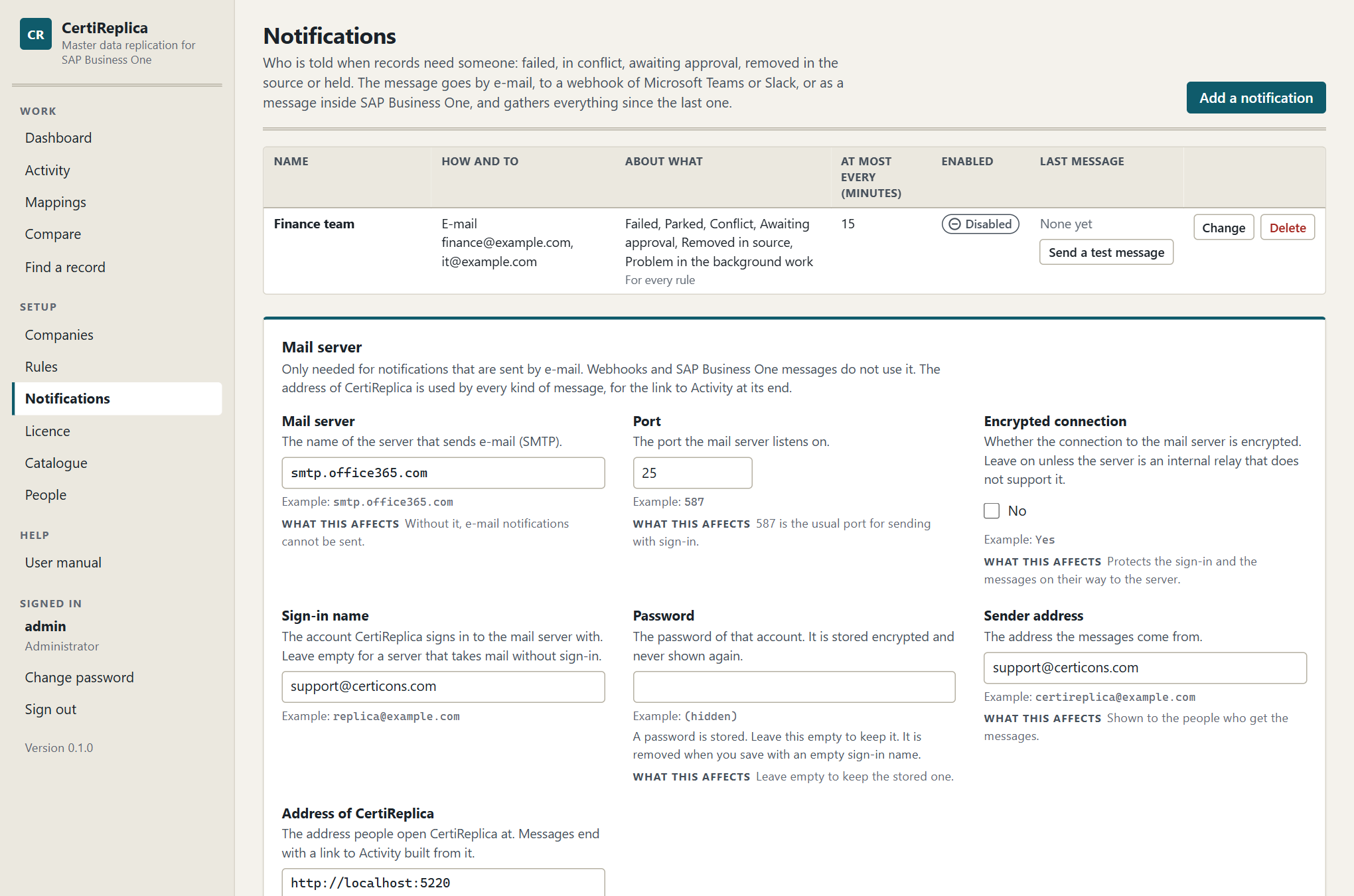
The Notifications screen: who is told, how, about what, and when the last message went out.
How a notification works
A notification never sends one message per record. About once a minute CertiReplica looks at each enabled notification. If something it is about has happened since its last message, and the time set under At most every (minutes) has passed, it sends one message that gathers everything. A run of five thousand records gives one message, not five thousand.
A new notification starts from the moment it is created. It does not tell about what happened before it existed.
Adding a notification
- Press Add a notification.
- Fill in the form. Each setting is described below.
- Press Add the notification.
- In the list, press Send a test message and check that it arrives.
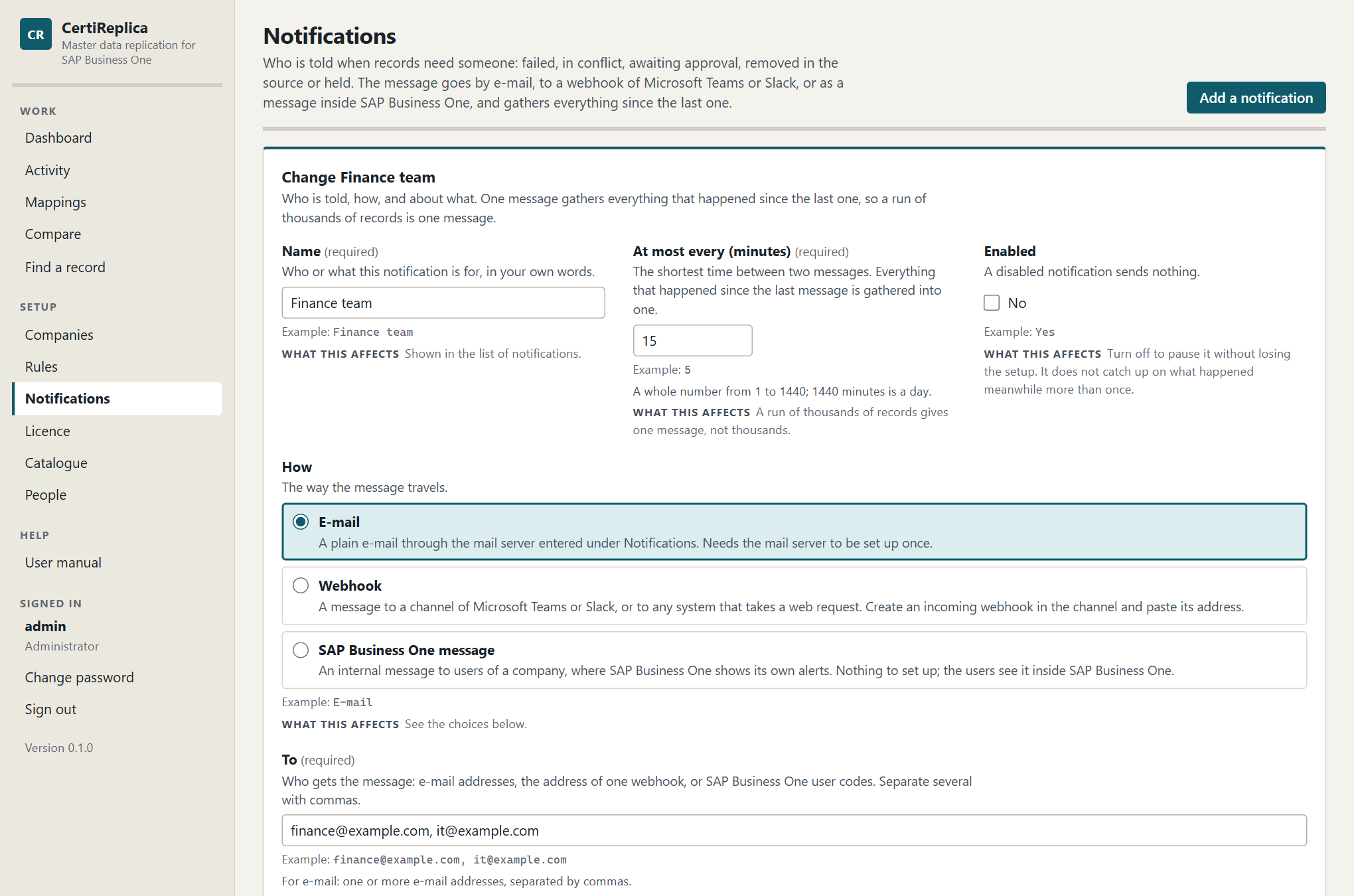
The form for a notification: how the message travels, who gets it, and what it is about.
Name
Who or what this notification is for, in your own words, for example Finance team. It is shown in the list of notifications.
At most every (minutes)
The shortest time between two messages, for example 5. Everything that happened since the last message is gathered into one. Enter a whole number from 1 to 1440; 1440 minutes is a day.
Choose a short time, such as 5, for people who act on waiting records during the day. Choose a long time, such as 1440, for a daily summary.
Enabled
A disabled notification sends nothing. Turn it off to pause a notification without losing its setup. When it is turned on again, its next message covers what happened meanwhile, once.
How
The way the message travels. See The three channels below.
To
Who gets the message. What you enter depends on How:
| How | Enter under To | Example |
|---|---|---|
| One or more e-mail addresses, separated by commas. | finance@example.com, it@example.com |
|
| Webhook | The one address of the incoming webhook, starting with https://. |
https://…/webhook/… |
| SAP Business One message | The user codes of the people who get it, separated by commas, as they exist in the company chosen under Company. | manager, jsmith |
Every address gets the same message.
Company
Only for SAP Business One message: the company whose users get the internal message, for example BR1.
About what
The things this notification tells about. Tick at least one.
| Tick | The message includes records that… |
|---|---|
| Failed | SAP Business One refused, or whose company could not be reached after several tries. |
| Parked | wait because something is missing in the target, such as a record they refer to. Messages call these held. |
| Conflict | were changed in the target and wait for a decision. |
| Awaiting approval | wait for someone to approve them. |
| Removed in source | no longer exist in the source and wait for a decision. |
| Problem in the background work | Not a record: a company could not be reached, or a rule could not look for changes. |
| Done | were created or updated. |
A new notification has everything ticked except Done: everything that needs someone, and not every record that went through. Tick Done only for people who want to see what was replicated, and give such a notification a long time between messages.
For which rules
The rules this notification is about. With none ticked it is about every rule, including rules written later. Tick rules to let each team hear only about its own data, for example the finance team about the rule for G/L accounts.
The three channels
A plain e-mail through the mail server entered on this screen. The mail server must be set up once; see The mail server below. Until it is, an e-mail notification cannot send, and the screen warns: "E-mail notifications cannot be sent yet".
Use it for people who act from their inbox, and for shared mailboxes.
Webhook
A message to a channel of Microsoft Teams or Slack, or to any system that takes a web request.
- In the channel, create an incoming webhook. Teams and Slack each give you an address for it.
- Paste that address under To.
A webhook notification has one address. Make a second notification for a second webhook. The message is sent as a title and a text, which is what Teams and Slack both read.
What to watch for: whoever knows the address of a webhook can post into that channel. CertiReplica therefore shows the whole address to administrators only.
SAP Business One message
An internal message to users of a company, where SAP Business One shows its own messages and alerts. Nothing has to be set up; the users see it inside SAP Business One.
- Choose the Company.
- Enter the user codes under To, as they exist in that company.
The message is sent through that company's Service Layer, as the SAP user entered on the company. If SAP Business One refuses it, the reason is shown, with the hint: "Check that these are user codes of that company."
Use it for key users who work in SAP Business One all day and should not have to watch another inbox.
What a message looks like
The subject counts what happened, for example:
CertiReplica: 1 failed, 2 held
The text lists the records under a heading per kind, in this order: Failed; Changed in the target, waiting for a decision; Waiting for approval; Removed in the source, waiting for a decision; Held because something is missing; Replicated. Each record is one line with the object, the key, the two companies, the rule and the record's message:
Held because something is missing (2) - Items 'A00001', HQ to BR1, rule "Items from head office to the branches": Item groups: 'Printers' (104) of HQ has no counterpart in BR1. Map it under Mappings, or set ‘Missing references’ to ‘Create it’. - Items 'A00002', HQ to BR1, rule "Items from head office to the branches": …
At most ten records are listed per kind; after that the message says how many more there are. A problem in the background work is listed under Background work.
The message ends with a link: "Open Activity: https://replica.example.com/activity". Without an Address of CertiReplica it says "Open Activity in CertiReplica to decide or to try again."
The mail server
The panel Mail server is at the end of the Notifications screen. It is only needed for notifications sent by e-mail. Webhooks and SAP Business One messages do not use it. The Address of CertiReplica on the same panel is used by every kind of message.
| Setting | What to enter | Example |
|---|---|---|
| Mail server | The name of the server that sends e-mail (SMTP). Without it, e-mail notifications cannot be sent. | smtp.office365.com |
| Port | The port the mail server listens on. 587 is the usual port for sending with sign-in. | 587 |
| Encrypted connection | Whether the connection to the mail server is encrypted. Leave on unless the server is an internal relay that does not support it. It protects the sign-in and the messages on their way to the server. | Yes |
| Sign-in name | The account CertiReplica signs in to the mail server with. Leave empty for a server that takes mail without sign-in. | replica@example.com |
| Password | The password of that account. It is stored encrypted and never shown again. Leave empty to keep the stored one. | (hidden) |
| Sender address | The address the messages come from. Needed when a mail server is entered. | certireplica@example.com |
| Address of CertiReplica | The address people open CertiReplica at. Messages end with a link to Activity built from it. | https://replica.example.com |
- Enter the settings.
- Press Save the mail server.
- Press Send a test message on a notification that uses e-mail.
A stored password is removed when you save with an empty Sign-in name.
Sending a test message
In the list, each notification has the button Send a test message. It sends one message now, over the notification's own channel, to the addresses under To. The test says who sent it and that nothing needs to be done.
The answer appears under the notification's name:
- "The test message was sent. Check that it arrived." CertiReplica handed the message over. Whether it reached the inbox or the channel, only the receiver can tell, so do check.
- "The test message was not sent." followed by the reason.
Send a test message after adding a notification, after changing the mail server, and after correcting a notification that failed.
Failures and retry
A message that cannot be delivered is not lost. Nothing is marked as told, and the next attempt carries everything that happened meanwhile. The next attempt is made when the time under At most every (minutes) has passed again.
While a notification is failing:
- The list shows Not sent in the column Last message, with the time of the attempt and "Will be tried again".
- The reason is shown under the notification's name: "The last message could not be sent. …"
- A warning at the top of the screen names the notifications concerned. The people they are for may not know that records wait for them.
Typical reasons and what to do:
| Reason shown | What to do |
|---|---|
| "No mail server is set up. Enter the server and the sender address under Notifications, Mail server." | Enter the mail server. |
| "The mail server smtp.example.com:587 did not take the message: … Check the server, the port, whether it expects an encrypted connection, and the sign-in." | Check those four things with whoever runs the mail server. |
| "The webhook answered 404 Not Found. Check that its address is still valid." | Create the webhook again in the channel and paste the new address. |
| "The webhook at … could not be reached: …" | Check that the CertiReplica server can reach that address. |
| "SAP Business One refused the message to … in BR1: … Check that these are user codes of that company." | Correct the user codes under To. |
| "The company whose users get the message is no longer registered." | Choose another company on the notification. |
Saving a changed notification clears the reason shown, and so does a test message that goes out.
Good to know
- People are told also while the background work is paused. What already waits for them does not go away.
- A record is in a message when it reaches a state the notification is about. A record that is tried again and fails again is told about again.
- In this version the e-mail and webhook channels were proven against stand-in receivers. A real mail server with sign-in and encryption, and a real Microsoft Teams or Slack channel, have not yet been proven. Send a test message after setting one up, and tell your supplier if it does not arrive.
- To pause a notification, turn off Enabled. Delete removes it for good; no record, rule or company is changed by that.
Licence
CertiReplica checks its licence itself, on your server. It needs no connection to the supplier, and nothing is sent anywhere.
Open Licence under Setup. Everyone who is signed in can see the screen; only an administrator can install a licence.
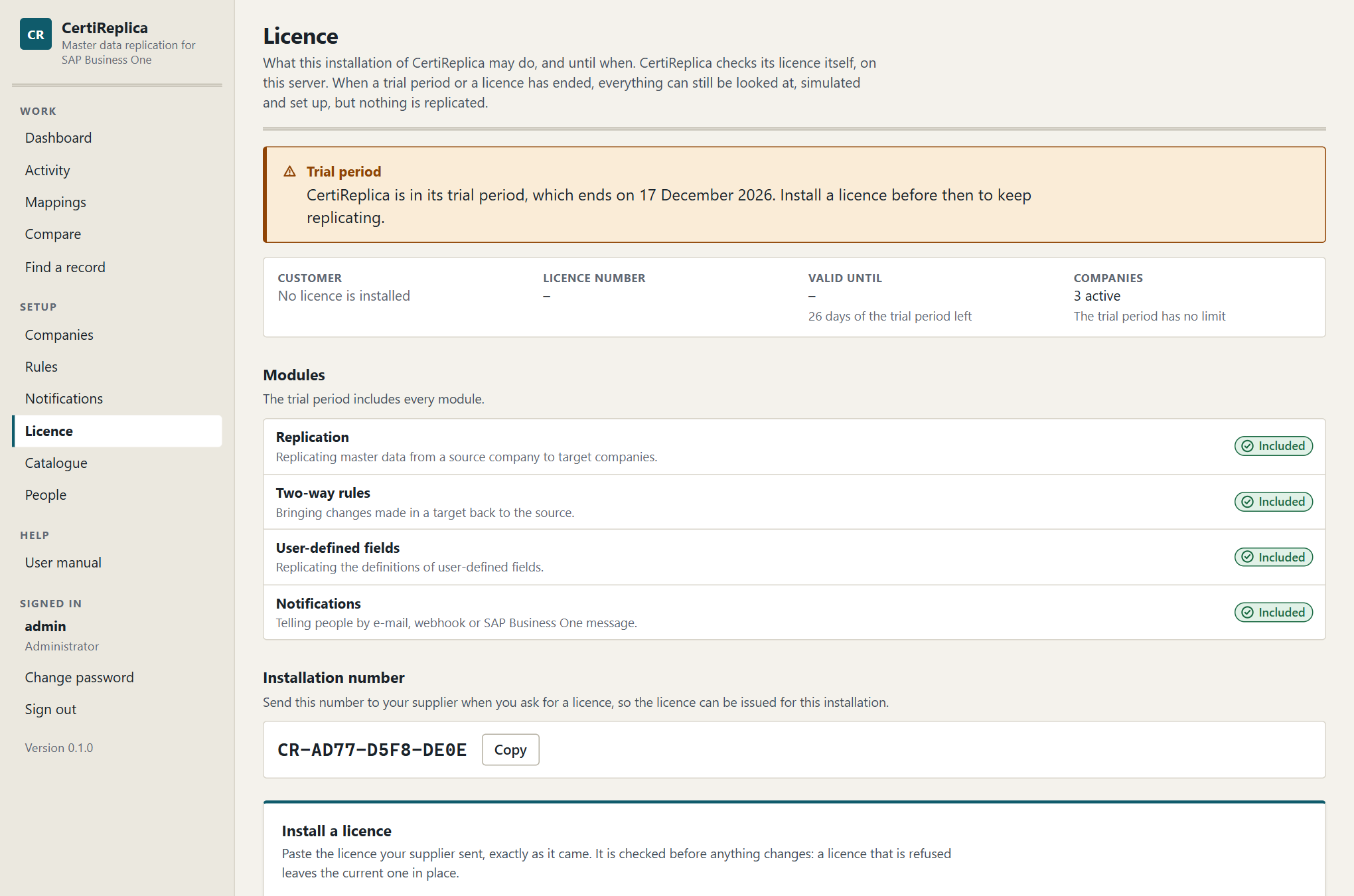
The Licence screen: what the licence allows today, its modules, and the installation number.
The trial period
Without a licence, CertiReplica works in full for 30 days from its first start. The trial period includes every module and has no limit on the number of companies.
During the trial, a line above every screen says when it ends:
CertiReplica is in its trial period, which ends on 17 December 2026. Install a licence before then to keep replicating.
Hide for now puts the line away until the browser is closed. It stays on the Licence screen.
What a licence says
A licence names:
- the customer,
- the number of companies that may be active at the same time, sources and targets together,
- the modules it includes,
- the last day it is valid.
A licence can be tied to one installation. It is then accepted by that installation only.
The Licence screen shows these facts, with the number of days left, how many companies are active, and who installed the licence and when.
The installation number
Each installation has a number of its own, shown under Installation number, for example CR-1A2B-3C4D-5E6F. Your supplier needs it to issue a licence for this installation. Press Copy to put it on the clipboard.
The number stays the same after an upgrade and after a restore from a backup, also on another server, so the licence keeps working.
Installing a licence
- Open Licence and copy the Installation number.
- Send it to your supplier, with the number of companies and the modules you need.
- When the licence arrives, open Licence again.
- Paste the whole text into Licence text, exactly as it came. It starts with
CERTIREPLICA1. - Press Install licence.
The licence is checked before anything changes. A licence that is refused leaves the current one in place. A licence that is accepted replaces the one installed before, and takes effect at once: records that were waiting are picked up.
| If CertiReplica says | It means |
|---|---|
| "This is not a CertiReplica licence. Paste the whole licence text exactly as your supplier sent it." | Part of the text is missing or something else was pasted. Copy it again, whole. |
| "This licence was not issued for this product, or it has been changed since it was issued. Ask your supplier for a new one." | The text was altered on the way, or is not a licence for CertiReplica. |
| "This licence was issued for another installation (…). This installation is …; send that number to your supplier." | The licence is tied to another installation number. Send the number named in the message. |
| "This licence ended on …, so it was not installed. Ask your supplier for a current one." | The licence is older than its end date plus the days of grace. |
Modules
| Module on screen | Name in the licence | What it switches |
|---|---|---|
| Replication | Replication |
Replicating master data from a source company to target companies. Every licence needs it. Without it nothing is replicated. |
| Two-way rules | TwoWay |
Bringing changes made in a target back to the source. Without it, a two-way rule still replicates from the source to the targets, but brings nothing back. Records on the way back wait as Parked and say why. |
| User-defined fields | Structure |
Replicating definitions: user-defined fields, user-defined tables and user-defined objects. Without it, rules for these three objects stay visible and can be simulated, but they do not write. Their records wait as Parked and say why. Replicating the rows of a user-defined table does not need it. |
| Notifications | Notifications |
Telling people by e-mail, webhook or SAP Business One message. Without it, notifications stay visible, but no message is sent. |
What belongs to a module that is not included stays visible, but does not do its work. The Licence screen marks each module Included or Not included.
Warning and grace
- 30 days before the end, CertiReplica starts to say so, on the Licence screen and in a line above every screen: "Licensed to Customer Ltd until 31 December 2027. The licence ends in 12 days; ask your supplier for a renewal."
- For 14 days after the end, CertiReplica keeps working, so that a renewal can be installed: "The licence ended on 31 December 2027. CertiReplica keeps working until 14 January 2028 so that a renewal can be installed." The screen shows Licence ended, still working.
Ask for the renewal when the warning appears. Installing it is the same five steps as above.
When a trial or a licence has ended
After the trial period, or after the days of grace, CertiReplica switches replication off and nothing else:
| Still works | Does not work |
|---|---|
| Looking at everything: Activity, rules, mappings, history. | Automatic replication. Nothing is looked for and nothing is written. |
| Simulating a rule. | Run now and Look for removed records. |
| Changing the setup: companies, rules, notifications, people. | Decisions that lead to a write: Try again, Approve, Source wins, Put on hold, Roll back. |
| Set aside, because it writes nothing. | Notifications. No message is sent. |
| Installing a licence. |
Every screen says why, in a bar headed Nothing is replicated that stays until work may go on again:
The trial period ended on 17 December 2026. CertiReplica still shows everything, simulates and lets the setup be changed, but nothing is replicated until a licence is installed.
The queue waits untouched. Nothing is lost: when a licence is installed, the records that were waiting are picked up.
The limit on companies
A licence covers a number of companies that may be active at the same time. Sources and targets count alike. Inactive companies do not count.
- When you add or activate a company and the licence has no room, saving is refused, and the message says how many companies the licence covers. Save the company as inactive, switch another company off, or ask for a licence for more companies.
- When more companies are active than the licence covers, for example after a licence for fewer companies was installed, nothing is replicated until that is put right:
This licence covers 3 companies and 4 are active. CertiReplica still shows everything, simulates and lets the setup be changed, but nothing is replicated until companies are switched off or a licence for more companies is installed.
To switch a company off, open Companies, press Change and untick Active. See Companies.
People
Everyone who uses CertiReplica signs in with an account of their own. An account has a name, a password and a role. It is a CertiReplica account, not an SAP Business One user: whatever a person does in CertiReplica is written to SAP Business One by the dedicated SAP user of each company, and CertiReplica records which person started or decided it.
Open People under Setup. Only an administrator sees this screen.
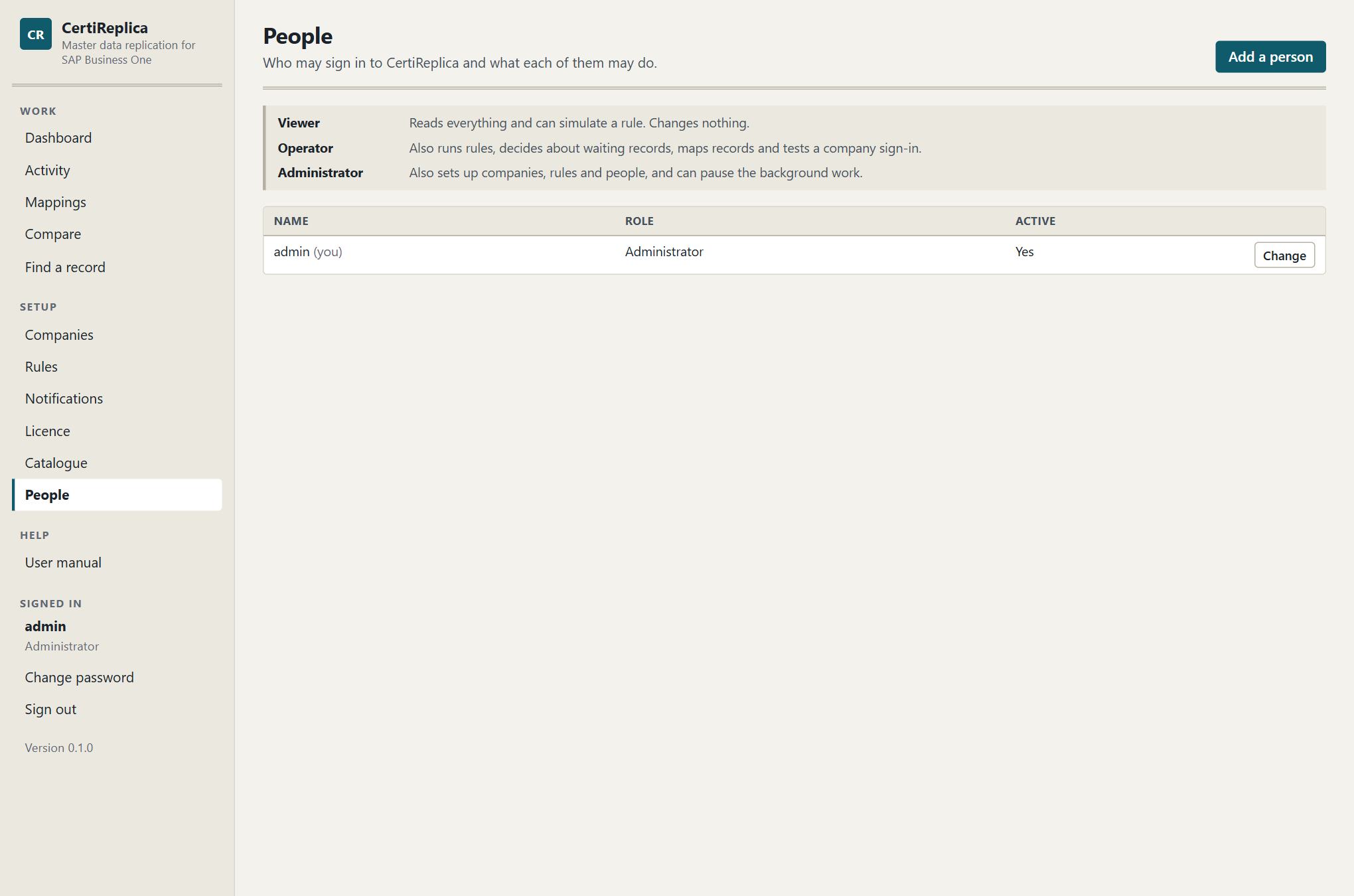
The People screen: the accounts, their roles, and whether they can sign in.
Roles
There are three roles. Each includes everything the role before it may do.
| Role | In one sentence |
|---|---|
| Viewer | Reads everything and can simulate a rule. Changes nothing. |
| Operator | Also runs rules, decides about waiting records, maps records and tests a company sign-in. |
| Administrator | Also sets up companies, rules and people, and can pause the background work. |
What each role may do:
| Task | Viewer | Operator | Administrator |
|---|---|---|---|
| See the Dashboard, Activity, Mappings, Companies, Rules, Notifications, Licence and Catalogue | Yes | Yes | Yes |
| Open a rule and simulate it | Yes | Yes | Yes |
| Change their own password | Yes | Yes | Yes |
| Test the sign-in of a company | No | Yes | Yes |
| Run now and Look for removed records | No | Yes | Yes |
| Decide about waiting records: Try again, Approve, Set aside, decide a conflict, Put on hold | No | Yes | Yes |
| Roll back a write | No | Yes | Yes |
| Map automatically, add and delete mappings | No | Yes | Yes |
| Add, change and delete companies | No | No | Yes |
| Create, change and delete rules | No | No | Yes |
| Add, change, delete and test notifications; set up the mail server | No | No | Yes |
| Install a licence | No | No | Yes |
| Pause and resume the background work | No | No | Yes |
| Add, change and delete accounts | No | No | Yes |
Two details:
- A viewer or operator who opens a rule can read every setting and simulate, but cannot save. The buttons that change something are not shown.
- The address of a webhook is shown whole to administrators only, because whoever knows it can post into that channel.
Which role for whom
- Viewer: people who need to see what was replicated and why, such as auditors, or key users of a branch.
- Operator: the people who look after the data day to day. They act on what waits in Activity, and they cannot change what the rules do.
- Administrator: the few people who own the setup. Have at least two, so that one can step in for the other.
Adding a person
- Open People and press Add a person.
- Enter a Name. It is what the person signs in with, for example
maria. - Enter a Password of at least 10 characters. Give it to the person in a safe way.
- Choose the Role. A new account starts as Viewer.
- Leave Active ticked.
- Press Create the account.
Ask the person to change the password after the first sign-in.
What to watch for: if you enter a name that exists already, that account is changed instead of a new one being created.
Changing an account
- Press Change in the row of the account.
- Change the Role, enter a New password, or untick Active. The name of an account cannot be changed. Leave New password empty to keep the password the account has.
- Press Save the changes.
A change takes effect at once. An account whose role was changed, that was made inactive or that was deleted loses its open session immediately; the person is asked to sign in again.
Inactive accounts
An inactive account cannot sign in and can be made active again later. Use this for someone who may come back, or to stop someone signing in for a while.
A forgotten password
An administrator sets a new one: Change, enter a New password, Save the changes. Passwords are never shown, to anyone.
If the only administrator has forgotten the password, there is no way in through the web app. The way back in is on the server itself, for someone who has administrator rights there:
- On the server, open PowerShell with "Run as administrator".
-
Run this command, with the name of the account in place of
admin:& 'C:\Program Files\CertiReplica\app\CertiReplica.Api.exe' --config 'C:\ProgramData\CertiReplica\certireplica.json' --reset-password admin -
CertiReplica prints a new password for that account, once, and makes the account active. The service keeps running meanwhile.
- Sign in with the new password and change it at once under Change password.
Without a name after --reset-password, or with a name that does not exist, the command lists the accounts instead and changes nothing. The command works on the data folder directly, so it needs no licence and no running service; it does need the rights to read C:\ProgramData\CertiReplica, which only administrators of the server and the service have.
Deleting an account
- Press Delete in the row of the account.
- Confirm with Delete the account.
The person can no longer sign in, and the account cannot be brought back. What the person did stays in Activity and in the history of the rules, under their name.
Rules that protect you from locking yourself out:
- You cannot delete your own account.
- You cannot take away your own administrator rights or make yourself inactive.
- The last active administrator cannot be deleted. Make someone else an administrator first.
Changing your own password
Everyone can change their own password.
- In the navigation on the left, under Signed in, press Change password.
- Enter the Password you have now.
- Enter the New password, at least 10 characters, and the same under New password again. A sentence you can remember works well.
- Press Change the password.
Use the new password the next time you sign in.
Signing in and out
- Sign out is in the navigation on the left, under your name and role.
- A session ends by itself after eight hours without use. CertiReplica then says "You were signed out because the session ended. Sign in again to continue where you were."
- People sign in with a password, so do not open CertiReplica to the network over plain HTTP. See Installation.
Troubleshooting
This chapter is organised by what you see: a message or a symptom, then what it means, then what to do. Company codes and keys in the messages are examples.
Where to look first:
- Activity shows every record with its status and a sentence. Open the record for the detail and for What SAP Business One answered.
- The Dashboard shows under Background work whether the work is running, when it last looked for changes, and the Last problem.
- On the server, the Windows event log holds what the service wrote: Event Viewer, Windows Logs, Application, source CertiReplica.
Installation and the service
The service does not start
What you see. The last page of Setup says "CertiReplica is installed but not running". Or the browser cannot open CertiReplica after a restart of the server.
What it means. The usual causes are a mistake in C:\ProgramData\CertiReplica\certireplica.json, or the service account not being allowed to write to the data folder.
What to do.
- Open Event Viewer, Windows Logs, Application, and look for the source CertiReplica. The newest error names the reason.
- If you changed
certireplica.json, check that it is still valid JSON: every quotation mark closed, backslashes in paths doubled (C:\\ProgramData\\…), no comma missing. - Check that the account the service runs as may write to
C:\ProgramData\CertiReplica\data. Setup sets this up; a restore or a moved folder can undo it. - Start the service again:
Start-Service CertiReplica. - If it still does not start, read
Setup.login the data folder: every step Setup could not do is markedPROBLEMthere. Then run Setup again and keep every setting. It repairs the installation and keeps the data.
"CertiReplica cannot start: …"
What you see. The service stops right after it starts, and the event log holds an error from the source CertiReplica that begins "CertiReplica cannot start:".
What it means. The configuration file says where CertiReplica keeps its data, under Data, and that place cannot be used. The sentence names the reason:
| The sentence says | What to do |
|---|---|
| "The configuration file says Data:Store is '…'. It can be 'File' or 'SqlServer'." | Correct Store in certireplica.json. |
| "… the data is kept on SQL Server (Data:Store) and gives no Data:ConnectionString." | Enter the connection, or set Store back to File. |
| "The connection to the database server must name the server and the database …" | Write the connection as Server=…;Database=…;…. |
| "The database … on SQL Server … could not be opened: …" | Read the rest of the sentence, which is SQL Server's own. Check the server's name, that the database exists, that SQL Server is running and reachable, and that the account the service runs as may sign in to the database. |
Then start the service again. See Installation, Keeping the data on SQL Server.
"… already holds data"
What you see. The command that moves the data answers, for example: "The database CertiReplica on SQL Server SQL01 already holds data (in 'companies'). Data is only copied into an empty store, so that nothing is overwritten. Nothing was changed in the configuration file."
What it means. CertiReplica never copies over data. The place you are moving to was used before, perhaps by an earlier try.
What to do. Give it an empty place: a new database, or, when moving back to the file, move the old certireplica.db out of the data folder first. Then run the command again.
"Port … is already used"
What you see. In Setup, on the Address page: "Port 5220 is already used by another program on this server. Choose another one, for example 5221."
What to do. Enter another port on that page and press Next. Setup checks the port again. The port is part of the address people open, so tell them the one you chose.
The browser on another machine cannot open CertiReplica
What it means. Unless you chose otherwise on the Address page of Setup, CertiReplica answers on the server only. If you did let other computers in, the firewall rule Setup makes covers the network profiles Domain and Private, not Public. With HTTPS, the address starts with https://; the same address with http:// does not answer.
What to do. See Installation, Letting other machines in.
The browser warns about the certificate
What it means. CertiReplica answers over HTTPS, and the browser does not accept its certificate. The browser says which of three reasons applies.
What to do.
- The certificate is not trusted. It is self-signed, made by Setup, or comes from a certificate authority this computer does not know. Use a certificate from an authority your computers trust, or make the self-signed one trusted. See Installation, The certificate.
- The name does not match. The address typed is not a name the certificate is for. Open CertiReplica with the name the certificate has, or run Setup, choose to change the settings and pick a certificate for the name people type.
- The certificate has expired. Renew it. See the next entry.
"The certificate CertiReplica answers with ends in … day(s)" or "… ended on …"
What you see. On the Dashboard under Last problem, in the Windows event log, and in a notification, once a day from 30 days before the last day of the certificate.
What to do. Renew the certificate and put the new one into the server's certificate store, for the same name. CertiReplica takes it up within ten minutes. Then let the service account use its private key: run Setup again and keep every setting. See Installation, The certificate. If the message says the certificate is pinned by its thumbprint, pick the new one on the Encryption page of Setup instead.
"CertiReplica cannot use the private key of its certificate"
What you see. In the Windows event log, source CertiReplica, and nobody can open CertiReplica: the browser says the connection failed or was reset.
What it means. The certificate is in the store, but the account the service runs as may not read its private key. This happens when another program renewed the certificate, because the renewed certificate has a new key, or when a certificate was put into the store by hand.
What to do. Run Setup again and keep every setting: it gives the service account the key. Or by hand: in certlm.msc, right-click the certificate, All Tasks, Manage Private Keys, and add the service account with Read. CertiReplica notices within ten minutes; restarting the service makes it at once.
"CertiReplica is set to answer over HTTPS with …, but the certificate store … has no such certificate"
What you see. In the Windows event log, source CertiReplica, and nobody can open CertiReplica.
What it means. The configuration file says HTTPS, and the store has no certificate with its private key for the name, or with the thumbprint, it asks for. The certificate was removed, or never put there.
What to do. Put the certificate into the store shown as Personal under Certificates (Local Computer), with its private key. Or run Setup, choose to change the settings, and on the Encryption page pick a certificate, give a certificate file, or let Setup make one.
Connecting to a company
These messages appear when you press Test sign-in, on records in Activity, and under Last problem on the Dashboard.
"The Service Layer of BR1 at … could not be reached."
What it means. The CertiReplica server got no usable answer from that address. The rest of the sentence says more: "It did not answer in time.", "The server answered 502 Bad Gateway.", or a detail from the network.
What to do.
- On the CertiReplica server, open the Service Layer address in a browser. If the browser cannot reach it either, the problem is outside CertiReplica.
- Check the address on the company:
https://, the server name, the port (usually 50000), and/b1s/v1at the end. - Check that the Service Layer is running on the SAP server and that no firewall is between the two.
- Press Test sign-in again.
You do not have to do anything about the records. They wait as Pending and are tried again by themselves, after 1 minute, 5 minutes, 15 minutes, 1 hour and 4 hours. To try sooner, open a record and press Try again now. Records that used up all tries are Failed; press Try again on them when the company is back, or run the rule.
"This machine does not trust the certificate of BR1's Service Layer."
What it means. The Service Layer presented a certificate that no trusted authority on the CertiReplica server vouches for. This is normal for a Service Layer that still has the self-signed certificate it was installed with.
What to do. The message ends with the SHA-256 thumbprint of the certificate that was presented. Check that it is your server's certificate, then enter it under Certificate thumbprint on the company and test again. See Companies.
"The server presented another certificate than the one BR1 accepts"
What it means. A thumbprint is entered on the company, and the server now presents a different certificate. Usually the certificate of the Service Layer was replaced.
What to do. Check that the thumbprint named in the message is the one of the new certificate, and enter it on the company. If nobody replaced the certificate, do not enter it: find out which machine is answering at that address.
"The Service Layer refused the sign-in to SBO_BR1 as replica: …"
What it means. The server answered and refused. The SAP user, its password or the company database is wrong, or the user is locked in SAP Business One. The text after the colon is SAP Business One's own reason.
What to do.
- Sign in to SAP Business One with that user and password, in that company, to see whether the user works at all.
- If the password was changed in SAP Business One, enter the new one on the company in CertiReplica.
- Check Company database on the company: it is the database name, as on the SAP Business One sign-in screen, not the company's display name.
- Press Test sign-in, then Try again on the failed records.
"BR1 is set inactive in CertiReplica."
What it means. The company's Active box is unticked, so it is neither read nor written.
What to do. Tick Active on the company when it should take part again. See Companies.
Records that wait
Parked: "… has no counterpart in BR1"
What you see. A record with the status Parked, held with a message such as:
Item groups: 'Printers' (104) of HQ has no counterpart in BR1. Map it under Mappings, or set ‘Missing references’ to ‘Create it’.
What it means. The record refers to another record, here an item group, that CertiReplica cannot find in the target: no mapping, and no record with the same code or name. The rule says Match, else hold for that object, so nothing was written.
What to do. One of three things, then Try again:
- Map the two records under Mappings, if the target has the record under another code or name.
- Set Missing references, or the reference rule for that object, to Create it, if the target should get the record.
- Give that object a reference rule Leave empty or Fixed value, if the target should not carry the source's reference.
The steps are in Mappings. For tax groups, currencies, dunning terms and payment methods only the mapping is possible: they are never created.
Parked: "… needs more than 6 other records created first"
What it means. With Create it, the record needs a record that needs a record, and so on, more than six deep.
What to do. Replicate the object named in the message with a rule of its own first, then Try again.
Parked: "… could not be created in BR1."
What it means. With Create it, CertiReplica tried to create a referenced record first and that did not work. The rest of the message is the reason for the referenced record.
What to do. Solve that reason as if the referenced record were the one that waits, then Try again.
Parked: "Items 'A00009' no longer exists in HQ."
What it means. The record was queued, and by the time it was worked on it was gone from the source.
What to do. Press Set aside. If the record had been replicated before, the check for removed records deals with its counterpart. See Removed records.
Parked: "'A00001' was removed in BR1. A two-way rule does not create it again by itself"
What it means. A linked record of a two-way rule was removed in one of the two companies.
What to do. See Two-way replication, Removal in a target.
Parked: "This licence does not include …"
What it means. The record belongs to a module the licence does not include: the way back of a two-way rule, or a rule for user-defined fields.
What to do. See Licence.
Conflict
What you see. A record with the status Conflict:
2 field(s) were changed in BR1 since the last replication. Decide in Activity whether the source or the target wins.
What it means. Someone changed the record in the target since CertiReplica last wrote or compared it, and the rule says Hold for a decision. In a two-way rule it means both companies changed the same field.
What to do. Open the record and look at the fields in conflict: the value In the target now and what The source wants.
- Press Source wins to overwrite them with the source's values. The old values are kept in the history and the write can be rolled back.
- Press Set aside to leave the target as it is.
- In a two-way rule, press the button with the code of the company whose values should win.
If conflicts come up often for the same field, the target apparently owns it. Give the field a field rule Leave alone or On creation only, or set When the target was changed to Target keeps its change. See Rules.
Awaiting approval
What it means. The rule has Approve before writing switched on. Nothing is written until someone approves.
What to do. Open the record, read the fields that wait to be written, and press Approve or Set aside.
Removed in source
What it means. The source record no longer exists. See Removed records.
Records that failed
Failed: "SAP Business One refused to create items 'A00001' in BR1: …"
What it means. SAP Business One answered and said no. The text after the colon is its own reason, and What SAP Business One answered in the detail shows the full answer. Typical reasons: the SAP user lacks an authorisation; a field holds a value the target company does not allow; a setting of the target company requires something the source record lacks.
What to do.
- Read the reason. It usually names a field or a setting.
- Correct the cause: in the target company, in the source record, or in the rule, for example with a field rule that leaves the field alone or sets a constant.
- Open the record and press Try again.
If the reason is not clear, try to make the same change by hand in SAP Business One in the target company, as the dedicated user. SAP Business One then shows the same refusal in its own words.
Failed or held: "… The logged-on user does not have permission to use this object."
The whole message reads, for example:
SAP Business One refused to read items 'A00001' in BR1: The logged-on user does not have permission to use this object. The SAP user 'replica' lacks the authorisation for this object in BR1. Give it in SAP Business One under Administration, System Initialization, Authorizations, General Authorizations.
What it means. The dedicated SAP user of that company has no authorisation for this object. SAP Business One then refuses even to read a record, so the message can say "refused to read" although the rule wanted to write. A simulation shows such a record as held, a run as Failed. SAP Business One does not say which authorisation is missing.
What to do.
- In SAP Business One, signed in to that company as a superuser, open Administration → System Initialization → Authorizations → General Authorizations and select the dedicated user.
- Give it the authorisation for the object the message names: Full Authorization in a company the rule writes to, Read Only in a company it only reads. The table in Companies, The authorisations it needs, says where each object is.
- If the message names an object the record only refers to, such as a payment term of a business partner, give the authorisation for that object too.
- Press Update in SAP Business One, then open the record in Activity and press Try again.
Failed: "… Could not commit transaction …"
What you see. A refusal that contains "Could not commit transaction", followed by this hint:
If user-defined fields were added to BR1 recently, restart its Service Layer: a Service Layer that started before a field existed refuses changes to that table this way.
What it means. A Service Layer reads the list of fields when it starts. After a user-defined field is added to a table, a Service Layer that started earlier does not know the field and can refuse every change to that table. A Service Layer can run as several parts, so one sign-in may work while another is refused.
What to do.
- Restart the Service Layer of that company on the SAP server.
- Open the failed records and press Try again.
This also applies after a CertiReplica rule for user-defined fields created fields in a target. That run says so itself: "Restart the Service Layer of BR1 before replicating records of that table."
"… Service Not Found"
What you see. A record of a user-defined table or object is held or fails with a refusal that ends:
Service Not Found The Service Layer of BR1 does not serve this table or object. Check its name; if it was created recently, restart the Service Layer, which only serves the tables that existed when it started.
What it means. The Service Layer has no address for that table or object. Either the name in the rule is not the table's name, or the table was created after the Service Layer started. A Service Layer can run as several parts, so the same rule may work once and be refused the next time.
What to do.
- Check Name of the table or object in the rule: the table's name without the
@, or the object's code. - If the table or object is new in that company, restart its Service Layer on the SAP server.
- Open the records and press Try again.
Failed: "The rate of USD is quoted against … in the source and against … in BR1"
What you see. An exchange rate fails with one of these:
The rate of USD is quoted against GBP in the source and against EUR in BR1. Exchange rates only travel between companies with the same local currency.
The source quotes its rates the direct way and BR1 the indirect way, so the same number would mean another rate. Set both companies to the same method under Administration, System Initialization, Company Details, Basic Initialization.
What it means. A rate is a number that only means something together with the currency it is quoted against and the way round it is quoted. CertiReplica reads both from each company and refuses to write a number that would mean another rate in the target.
What to do. Exchange rates can only be replicated between companies with the same local currency that quote the same way round. Take the other targets out of the rule. The method of quoting can only be changed in SAP Business One while a company has no postings in foreign currency, so in practice it is as it is.
"The Service Layer of BR1 cannot reach the folder the file is in"
What you see. A record went through, with a message such as:
The picture was not copied. The Service Layer of HQ cannot reach the folder the file is in (Fail to get the LINUX mount point for PicturesFolderPath). Make the pictures and attachments folders of the company reachable from the Service Layer's server.
Or "The picture was not copied: its file is not in the pictures folder of HQ.", or the same for an attachment.
What it means. Pictures and attachments are files. The Service Layer reads them from, and writes them to, the folders the company names under Administration, System Initialization, General Settings, Path. In the first case the Service Layer's server cannot open that folder at all; this is common when the Service Layer runs on Linux and the folders are Windows shares that were never mounted there. In the second case the folder can be opened and the file the record names is not in it.
What to do.
- Have your SAP administrator make the pictures folder and the attachments folder reachable from the server the Service Layer runs on, for both the source and the target company. SAP's own guide for the Service Layer describes how.
- Run the rule again for the records concerned. The record's values were written already; only the files are missing, and they are tried again with every run.
- If you do not want files to travel, take the field rules for
PictureandAttachmentEntryout of the rule.
A resource is active in one company and not in the other
What you see. A replicated resource is shown as active in the target although it is not marked so in the source, or the other way round, and CertiReplica reports no difference.
What it means. Whether a resource is active or inactive is left to each company, unless a rule names the fields. SAP Business One's own window keeps a resource that is simply in use as neither "active" nor "inactive", and the Service Layer refuses to write exactly that state ("Both Inactive and Active are set to No"). A new resource is therefore created the way the target company creates one.
What to do. Usually nothing. If the validity must travel, give Active, Inactive and their dates field rules with Replicate, and expect a refusal for resources that carry neither mark in the source.
Failed: a refusal that speaks of a duplicate
What you see. SAP Business One refuses a record because something exists already: a duplicate code, name, value or entry.
What it means. The target already holds a record, or a row inside the record, with the same identifying value, and CertiReplica did not treat it as the counterpart. This happens, for example, when the target record exists under another code but shares a value SAP Business One wants to be unique, or when the counterpart was not linked.
What to do.
- Read What SAP Business One answered to see which value is the duplicate.
- Find the record or row in the target company that already carries it.
- If it is the same thing as the source record, map the two under Mappings, so that the next run updates it and does not try to create it. If it is something else, change one of the two in SAP Business One, or leave the field out with a field rule.
- Press Try again.
Two cases are handled by CertiReplica itself and should not reach you: rows of a list that differ only in upper and lower case, such as "Ship To" and "Ship to", are treated as one row; and the valid values of a user-defined field are always sent as a whole list, because SAP Business One refuses a change to a single value.
Failed: "The rule this record was queued for no longer exists."
What it means. The rule was deleted while the record was in the queue.
What to do. Press Set aside.
Messages on records that went through
These messages do not stop a record. They tell you that the target differs from what the source wanted, and why.
"BR1 does not have 3 field(s) the source has, so they were left out"
What you see.
BR1 does not have 3 field(s) the source has, so they were left out: U_Brand, U_Colour, U_Season. A rule for user-defined fields can create them in BR1. If they exist there already, restart its Service Layer, which reads its field list when it starts.
What it means. SAP Business One refuses a whole record when it carries a field the company does not have. CertiReplica therefore reads each company's own list of fields and leaves out what the target lacks. Usually these are user-defined fields that exist in the source only.
What to do. Choose one:
- The target should have the fields. Create them: by hand in SAP Business One, or with a rule for the object User-defined fields from the source to that target. Then restart the target's Service Layer, and run the records again. They now carry the fields that were left out the first time.
- The fields exist in the target already. Restart the target's Service Layer; it has not noticed them yet.
- The target should not have them. Nothing needs to be done. To stop the message, add a field rule Leave alone for those fields, for example the pattern
U_*.
"SAP Business One kept … instead of …"
What you see.
SAP Business One kept Mainsupplier = 'V1000' instead of 'V2000'.
What it means. CertiReplica sent the value, SAP Business One accepted the record, and did not take that value. CertiReplica reads every record back after writing, so it noticed. SAP Business One does this silently when a value does not fit the target company, for example a packaging unit whose package type the target lacks.
What to do. Open the record in SAP Business One in the target and find out why the value does not fit there: usually something the value depends on is missing or set up differently. Correct that, then change the record in the source or run it again. If the target should keep its own value, give the field a field rule Leave alone.
"SAP Business One did not take 1 value(s) before, so they are not sent again"
What you see.
SAP Business One did not take 1 value(s) before, so they are not sent again: Mainsupplier. Check them in BR1 if they matter.
What it means. This follows the message above. A value SAP Business One did not take is remembered, so the same value is not sent again on every run. It is sent again as soon as the source or the target changes that field.
What to do. Nothing, if the difference is acceptable. Otherwise correct the cause in the target as described above. After that, change the field in the source, or correct it in the target by hand.
"The linked record 'A00001' no longer exists in BR1; it is created again."
What it means. Someone removed the target record in the target company. A one-way rule creates it again.
What to do. If the target should not have the record, keep it out with the record filter of the rule.
"This record was created in BR1 first, so BR1 keeps its own lists"
What it means. A record that was born in a target of a two-way rule keeps its lists there. This is intended. See Two-way replication. To have the lists of such records reach the source as well, switch on Lists travel both ways in the rule.
"The … of this record have not been compared between the two companies yet"
What it means. The rule lets lists travel both ways, and this list of this record is compared for the first time. CertiReplica made one of the two records from the other, so the company the record came from is the original: the list is compared from there first, and left alone in this direction until then. This is intended, and it is what keeps a richer list from being overwritten by a poorer copy.
What to do. Nothing, when the rule is automatic: the run in the other direction follows by itself. For a manual rule, press Run now for the record; it runs both directions. If the message stays, the record in the other direction is waiting for something: open it in Activity.
A row removed in one company comes back
What it means. The list is set to Merge. With Merge a row is never removed, so in a two-way rule whose lists travel both ways a row removed in one company comes back from the other.
What to do. Set the list to Mirror under Lists in the rule. A row removed in one company is then removed in the other. Simulate first.
Nothing happens
A change in the source does not arrive
Check in this order:
- Licence. A bar above the screen headed Nothing is replicated means exactly that. See Licence ended below.
- Background work. On the Dashboard, State must be Running. If it says Paused, an administrator presses Resume.
- The rule. It must be Enabled, and When to replicate must be Automatic. A manual rule replicates only on Run now.
- Last problem on the Dashboard. "Rule '…' could not look for changes: …" means the source company could not be read; the rest of the sentence says why.
- The record. Simulate the rule for that record. Filtered out means the filter keeps it out. No change means the target already holds the same values for the fields the rule governs; the field you changed may be local by default or left alone by a field rule.
- Activity. Search for the record's key. It may be there, waiting as Parked, Conflict or Awaiting approval.
An automatic rule picks up changes within about a minute. An automatic check that finds nothing to write leaves no line in Activity.
Records that existed before the rule are not replicated
What it means. For objects that carry a date and time of change, such as items and business partners, an automatic rule only notes where the source stands when it first looks. It picks up what changes from then on.
What to do. Load the existing records once with Run now.
"Run now is not available"
The editor says why: the rule is new and not saved, it has unsaved changes, or it is not enabled. Save, and tick Enabled.
A change made in the target was overwritten
What it means. The rule says Source wins, or CertiReplica met the record for the first time and had nothing to compare with.
What to do. Open the record in Activity. The detail shows the value before and the value written; Roll back puts the old values back. Then decide who owns the field, and set the rule accordingly. See Rules, When the target was changed.
Licence ended
What you see. A bar above every screen headed Nothing is replicated, with a sentence such as "The trial period ended on …" or "The licence ended on …". Running a rule or deciding about a record is answered with the same sentence.
What it means. The trial period or the licence has ended, the licence does not include replication, or more companies are active than the licence covers. Everything stays visible, simulations still run and the setup can be changed, but nothing is replicated. The queue waits untouched.
What to do. Open Licence. Send the installation number to your supplier and install the licence you receive; or, if the sentence speaks of too many companies, switch companies off. Records that were waiting are picked up afterwards. See Licence.
Notifications
A notification shows "Not sent"
What it means. The last message could not be delivered. The reason is shown under the notification's name. Nothing is lost: the next message includes what happened in the meantime.
What to do. Correct the notification or the mail server as the reason says, then press Send a test message. The reasons are listed in Notifications.
A test message was sent and did not arrive
What it means. CertiReplica handed the message over and the receiving side did not deliver it.
What to do. For e-mail, look in the junk folder and ask whoever runs the mail server whether the sender address is allowed to send. For a webhook, check in the channel that the webhook still exists. For an SAP Business One message, check the user codes and the company.
Signing in
Nobody can sign in as administrator any more
What it means. The only administrator has lost the password, or the last administrator account was made inactive. Nobody is left who can set a new password in the web app.
What to do. On the server, in PowerShell opened as administrator, run:
& 'C:\Program Files\CertiReplica\app\CertiReplica.Api.exe' --config 'C:\ProgramData\CertiReplica\certireplica.json' --reset-password admin
with the account's name in place of admin. CertiReplica prints a new password once and makes the account active. Sign in and change the password. See People.
"The name or the password is not right."
The account does not exist, is inactive, or the password is wrong. Remember that this is your CertiReplica account, not your SAP Business One user. An administrator can set a new password or make the account active under People.
"You were signed out because the session ended."
A session ends after eight hours without use, and at once when an administrator changes the role of the account, makes it inactive or deletes it. Sign in again.
When you ask for help
Have these at hand for your supplier:
- the version, shown at the bottom of the navigation;
- the message of the record, and the text under What SAP Business One answered;
- the name of the rule and the key of the record;
- for a problem with the service, the entries of the source CertiReplica in the Windows event log.
Objects
An object is a kind of master data that CertiReplica knows, such as items or payment terms. The same list is on screen under Catalogue, where every object carries one of three marks. Proven means the object was written end to end on a real SAP Business One system: records were created and updated through the Service Layer. Of the 32 objects that can be replicated, 29 are Proven in this version. Preview means an object is described from the Service Layer's own data but has not yet been written end to end on a real system; simulate first and check the result before you rely on it. Mapped only means the object is never replicated: tax groups, currencies, dunning terms and payment methods belong to each company, and you say under Mappings which record of one company is which record of another.
Each entry below says how records are identified, what the object depends on, and which lists it carries. Records are identified by a code people choose, which the target keeps unless the rule's Key in the target says otherwise, or by a number SAP Business One assigns, in which case records are matched between companies by their name. The objects an entry depends on are its references: each needs a counterpart in the target, and the rule's Missing references decides what happens when one has none. The lists inside a record, such as addresses or prices, travel as the rule's Lists section says; a list marked as left alone stays out until a rule turns it on. See Rules and Mappings.
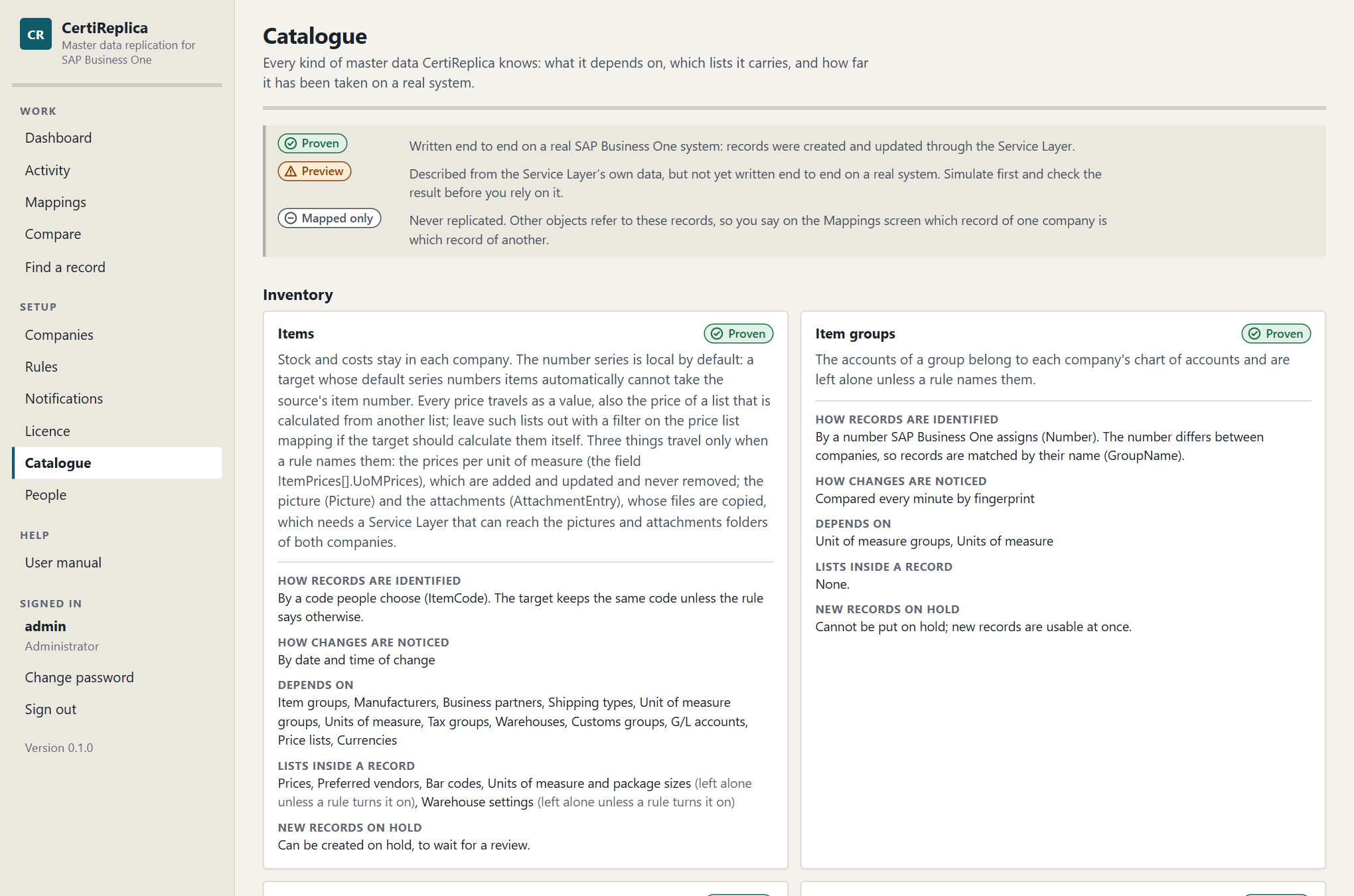
The Catalogue screen: every object with its mark, what it depends on and the lists it carries.
What the Catalogue does not list
Two kinds of object are not in the list, because no catalogue can know the tables a company defined itself. A rule names them: under Object, choose Rows of a user-defined table or Records of a user-defined object, and enter the name. Both are Preview. See Rules, Rules for user-defined tables.
| Rows of a user-defined table | Records of a user-defined object | |
|---|---|---|
| What travels | The rows of a table that is not an object: Code, Name and the table's own fields | The records of an object of the master data kind: Code, Name and its own fields; the rows of its child tables stay in each company |
| How records are identified | By the row's Code | By the record's Code |
| How changes are noticed | Compared every minute by fingerprint | Compared every minute by fingerprint |
| What must be there first | The table, with the same fields, in every target | The object, registered with the same code and fields, in every target |
Parts of a record that are off until a rule names them
Some parts of a record are files or lists inside a row, and travel only when a rule gives the field the action Replicate: the prices per unit of measure of an item (ItemPrices[].UoMPrices), the picture of an item (Picture), and the attachments of an item, a business partner, a resource or an employee (AttachmentEntry). See Rules, Fields.
G/L accounts of a company with a segmented chart of accounts carry a key that SAP Business One assigns (_SYS…) and that differs between companies. CertiReplica recognises such an account in the target by its format code, the segments written together, so both companies need the same segments.
Inventory
Items
Stock and costs stay in each company. The number series is local by default: a target whose default series numbers items automatically cannot take the source's item number. Every price travels as a value, also the price of a list that is calculated from another list; leave such lists out with a filter on the price list mapping if the target should calculate them itself. Three things travel only when a rule names them: the prices per unit of measure (the field ItemPrices[].UoMPrices), which are added and updated and never removed; the picture (Picture) and the attachments (AttachmentEntry), whose files are copied, which needs a Service Layer that can reach the pictures and attachments folders of both companies.
| State | Proven |
| How records are identified | By a code people choose (ItemCode) |
| How changes are noticed | By date and time of change |
| Lists inside a record | Prices, Preferred vendors, Bar codes, Units of measure and package sizes (off until a rule turns it on), Warehouse settings (off until a rule turns it on) |
| New records on hold | Yes |
| Refers to | Item groups, Manufacturers, Business partners, Shipping types, Unit of measure groups, Units of measure, Tax groups, Warehouses, Customs groups, G/L accounts, Price lists, Currencies |
Item groups
The accounts of a group belong to each company's chart of accounts and are left alone unless a rule names them.
| State | Proven |
| How records are identified | By a number SAP Business One assigns; matched between companies by GroupName |
| How changes are noticed | Compared every minute by fingerprint |
| New records on hold | No: the object cannot be put on hold in SAP Business One |
| Refers to | Unit of measure groups, Units of measure |
Manufacturers
| State | Proven |
| How records are identified | By a number SAP Business One assigns; matched between companies by ManufacturerName |
| How changes are noticed | Compared every minute by fingerprint |
| New records on hold | No: the object cannot be put on hold in SAP Business One |
Units of measure
| State | Proven |
| How records are identified | By a number SAP Business One assigns; matched between companies by Code |
| How changes are noticed | Compared every minute by fingerprint |
| New records on hold | No: the object cannot be put on hold in SAP Business One |
Unit of measure groups
| State | Proven |
| How records are identified | By a number SAP Business One assigns; matched between companies by Code |
| How changes are noticed | Compared every minute by fingerprint |
| Lists inside a record | Conversions |
| New records on hold | No: the object cannot be put on hold in SAP Business One |
| Refers to | Units of measure |
Warehouses
Accounts, location and branch of a warehouse are local by default.
| State | Proven |
| How records are identified | By a code people choose (WarehouseCode) |
| How changes are noticed | Compared every minute by fingerprint |
| New records on hold | No: the object cannot be put on hold in SAP Business One |
Shipping types
| State | Proven |
| How records are identified | By a number SAP Business One assigns; matched between companies by Name |
| How changes are noticed | Compared every minute by fingerprint |
| New records on hold | No: the object cannot be put on hold in SAP Business One |
Customs groups
| State | Proven |
| How records are identified | By a number SAP Business One assigns; matched between companies by Name |
| How changes are noticed | Compared every minute by fingerprint |
| New records on hold | No: the object cannot be put on hold in SAP Business One |
Pricing
Price lists
This is the definition of a price list. The prices themselves travel with the items.
| State | Proven |
| How records are identified | By a number SAP Business One assigns; matched between companies by PriceListName |
| How changes are noticed | Compared every minute by fingerprint |
| New records on hold | No: the object cannot be put on hold in SAP Business One |
| Refers to | Currencies |
Special prices for business partners
A special price is the price of one item for one business partner, so both must exist in the target; it is found there under the target's own codes for them. A price that follows its price list (‘Auto’) is worked out by each company from its own price list, so the target may hold another amount for the same discount. The quantity steps of a period travel with it: they are added and updated, never removed. Period and volume discounts of a price list are left out.
| State | Proven |
| How records are identified | By a code people choose (ItemCode and CardCode) |
| How changes are noticed | Compared every minute by fingerprint |
| Lists inside a record | Periods |
| New records on hold | No: the object cannot be put on hold in SAP Business One |
| Refers to | Items, Business partners, Price lists, Currencies, Units of measure |
Discount groups
A discount group belongs to one business partner, to a customer or vendor group, or to all business partners, and is found in the target by that. Each of its lines gives a discount for an item group, an item, a manufacturer or an item property; what a line points at must exist in the target.
| State | Proven |
| How records are identified | By a code people choose (Type and ObjectCode) |
| How changes are noticed | Compared every minute by fingerprint |
| Lists inside a record | Discounts |
| New records on hold | No: the object cannot be put on hold in SAP Business One |
| Refers to | Business partners, Business partner groups, Item groups, Items, Manufacturers |
Production
Bills of materials
The parent item and every component must exist in the target; let the rule create missing items or replicate items first.
| State | Proven |
| How records are identified | By a code people choose (TreeCode) |
| How changes are noticed | Compared every minute by fingerprint |
| Lists inside a record | Components |
| New records on hold | No: the object cannot be put on hold in SAP Business One |
| Refers to | Items, Price lists, Warehouses, Projects, Distribution rules, Currencies, G/L accounts |
Resources
Machines, labour and other resources of production, with their costs and daily capacities. The number series, the default warehouse, the linked item and whether the resource is active or inactive are local by default. The warehouses of a resource are left alone unless the rule turns that list on: SAP Business One usually adds every warehouse by itself.
| State | Proven |
| How records are identified | By a code people choose (Code) |
| How changes are noticed | Compared every minute by fingerprint |
| Lists inside a record | Daily capacities, Warehouses (off until a rule turns it on) |
| New records on hold | No: the object cannot be put on hold in SAP Business One |
| Refers to | Resource groups, Warehouses, Items |
Resource groups
| State | Preview |
| How records are identified | By a number SAP Business One assigns; matched between companies by Name |
| How changes are noticed | Compared every minute by fingerprint |
| New records on hold | No: the object cannot be put on hold in SAP Business One |
Human resources
Employees
An employee is recognised in the target by last name and first name together, so two people with the same names cannot be told apart: give one of them a middle initial in the first name. Private and payroll data (home address, date of birth, identity and passport numbers, bank details, salary, tax and insurance) never leaves a company unless a rule names the field. The manager, the position, the status and the SAP user are numbers of one company and are local by default. The lists of an employee (absence, education, reviews, roles) stay in each company.
| State | Proven |
| How records are identified | By a code people choose (LastName and FirstName) |
| How changes are noticed | Compared every minute by fingerprint |
| New records on hold | Yes |
| Refers to | Departments, Branches of employees, Sales employees and buyers, Cost centres, Business partners |
Departments
| State | Proven |
| How records are identified | By a number SAP Business One assigns; matched between companies by Name |
| How changes are noticed | Compared every minute by fingerprint |
| New records on hold | No: the object cannot be put on hold in SAP Business One |
Branches of employees
The branch an employee works at, as set up under Human Resources. These are not the branches of a company with multiple branches.
| State | Preview |
| How records are identified | By a number SAP Business One assigns; matched between companies by Name |
| How changes are noticed | Compared every minute by fingerprint |
| New records on hold | No: the object cannot be put on hold in SAP Business One |
Business partners
Business partners
Balances and credit card data never leave a company. House bank, owner and bank details are local by default. A contact person that is renamed in the source is followed, not created twice. The default payment method travels only together with the list of payment methods: turn both on, or neither. The attachments travel when a rule names the field AttachmentEntry: their files are copied, which needs a Service Layer that can reach the attachments folders of both companies.
| State | Proven |
| How records are identified | By a code people choose (CardCode) |
| How changes are noticed | By date and time of change |
| Lists inside a record | Addresses, Contact persons, Payment methods (off until a rule turns it on), Control accounts (off until a rule turns it on), Bank accounts (off until a rule turns it on) |
| New records on hold | Yes |
| Refers to | Business partner groups, Payment terms, Price lists, Sales employees and buyers, Shipping types, G/L accounts, Projects, Territories, Industries, Tax groups, Currencies, Dunning terms, Payment methods |
Business partner groups
| State | Proven |
| How records are identified | By a number SAP Business One assigns; matched between companies by Name |
| How changes are noticed | Compared every minute by fingerprint |
| New records on hold | No: the object cannot be put on hold in SAP Business One |
Payment terms
| State | Proven |
| How records are identified | By a number SAP Business One assigns; matched between companies by PaymentTermsGroupName |
| How changes are noticed | Compared every minute by fingerprint |
| New records on hold | No: the object cannot be put on hold in SAP Business One |
| Refers to | Price lists |
Sales employees and buyers
| State | Proven |
| How records are identified | By a number SAP Business One assigns; matched between companies by SalesEmployeeName |
| How changes are noticed | Compared every minute by fingerprint |
| New records on hold | No: the object cannot be put on hold in SAP Business One |
Territories
| State | Proven |
| How records are identified | By a number SAP Business One assigns; matched between companies by Description |
| How changes are noticed | Compared every minute by fingerprint |
| New records on hold | No: the object cannot be put on hold in SAP Business One |
Industries
| State | Proven |
| How records are identified | By a number SAP Business One assigns; matched between companies by IndustryName |
| How changes are noticed | Compared every minute by fingerprint |
| New records on hold | No: the object cannot be put on hold in SAP Business One |
Dunning terms
| State | Mapped only |
| How records are identified | By a code people choose (Code) |
Payment methods
Payment methods carry house bank details, so they are mapped between companies and never copied.
| State | Mapped only |
| How records are identified | By a code people choose (PaymentMethodCode) |
Finance
G/L accounts
An account is created under the same parent as in the source, so parents are created first. Whether an account is a control account can be set per target with a constant value. In a company with a segmented chart of accounts the key of an account is the code SAP Business One gives it (_SYS…), which differs between companies: there, accounts are recognised by their format code, the segments written together, and both companies need the same segments.
| State | Proven |
| How records are identified | By a code people choose (Code) |
| How changes are noticed | Compared every minute by fingerprint |
| New records on hold | No: the object cannot be put on hold in SAP Business One |
| Refers to | Tax groups |
Projects
| State | Proven |
| How records are identified | By a code people choose (Code) |
| How changes are noticed | Compared every minute by fingerprint |
| New records on hold | No: the object cannot be put on hold in SAP Business One |
Cost centres
| State | Proven |
| How records are identified | By a code people choose (CenterCode) |
| How changes are noticed | Compared every minute by fingerprint |
| New records on hold | No: the object cannot be put on hold in SAP Business One |
Distribution rules
SAP Business One creates a distribution rule of the same code with every cost centre, so replicate cost centres first; this rule then only brings the rules that share costs between centres.
| State | Proven |
| How records are identified | By a code people choose (FactorCode) |
| How changes are noticed | Compared every minute by fingerprint |
| Lists inside a record | Shares |
| New records on hold | No: the object cannot be put on hold in SAP Business One |
| Refers to | Cost centres |
Exchange rates
One record is the rate of one currency on one day. The days from a week ago to a week ahead are looked at; older and later rates are left alone. A rate only travels between companies that have the same local currency and quote rates the same way round: otherwise it is refused with the reason. Reading the rates takes one request per currency and day, so a scheduled rule, for example every morning after the rates were entered, suits this better than an automatic one. A rate that was removed in the source is not removed in the target.
| State | Proven |
| How records are identified | By a code people choose (Currency and RateDate) |
| How changes are noticed | Compared every minute by fingerprint |
| New records on hold | No: the object cannot be put on hold in SAP Business One |
| Refers to | Currencies |
Currencies
| State | Mapped only |
| How records are identified | By a code people choose (Code) |
Tax groups
Tax groups depend on each country's law, so they are mapped between companies and never copied.
| State | Mapped only |
| How records are identified | By a code people choose (Code) |
Service
Customer equipment cards
A card is recognised in the target by its internal serial number, so that number must be filled. The customer and the item must exist in the target. Documents and contracts a card came from stay in the source.
| State | Proven |
| How records are identified | By a number SAP Business One assigns; matched between companies by InternalSerialNum |
| How changes are noticed | Compared every minute by fingerprint |
| New records on hold | No: the object cannot be put on hold in SAP Business One |
| Refers to | Business partners, Items |
Structure
User-defined fields
This replicates the definition of a field: its table, name, type, size, description and valid values, not what records hold in it. A field is recognised by its table and its name. Its type cannot be changed once it exists. Fields of a user-defined table need that table in the target first. After new fields were created, restart the target's Service Layer: it reads its field list when it starts, and a part of it that started earlier leaves the field out or refuses changes to that table.
| State | Proven |
| How records are identified | By a code people choose (TableName and Name) |
| How changes are noticed | Compared every minute by fingerprint |
| Lists inside a record | Valid values |
| New records on hold | No: the object cannot be put on hold in SAP Business One |
User-defined tables
This replicates the definition of a table: its name, description and type, not its fields and not its rows. Replicate the tables first, then their fields with a rule for user-defined fields, then, for a table that is an object, the user-defined object. The type of a table cannot be changed once it exists. Restart the target's Service Layer after new tables were created, before their rows are replicated.
| State | Proven |
| How records are identified | By a code people choose (TableName) |
| How changes are noticed | Compared every minute by fingerprint |
| New records on hold | No: the object cannot be put on hold in SAP Business One |
User-defined objects
This registers an object on a user-defined table that exists in the target with its fields: replicate the tables and the fields first. The table and the type of an object cannot be changed once it is registered. Where the object sits in the menu, and its own form file, are local by default.
| State | Preview |
| How records are identified | By a code people choose (Code) |
| How changes are noticed | Compared every minute by fingerprint |
| Lists inside a record | Child tables, Columns of the Find window, Columns of the default form, Columns of the enhanced form |
| New records on hold | No: the object cannot be put on hold in SAP Business One |
| Refers to | User-defined tables |
Settings reference
This chapter lists every setting and every choice of a company, a rule, a notification, the mail server and the licence, with the same label, description and example that the screen shows next to it, and with what changes when it is changed. The texts come from the product itself, so they match the screen word for word. Use this chapter to look a setting up by its name; for when to choose which value, and what to watch for, see Companies, Rules, Notifications and Licence.
Company
| Setting | What it is | Example | What it affects |
|---|---|---|---|
| Code | A short name for the company inside CertiReplica. Filters can refer to it as {target}. | UK01 |
Shown in every list and message; changing it does not touch SAP Business One. |
| Name | The company's full name, for people. | OEC Computers UK |
Display only. |
| Service Layer address | Where this company's Service Layer answers, ending in /b1s/v1 or /b1s/v2. | https://sapserver:50000/b1s/v1 |
Every read and write for this company goes to this address. |
| Company database | The database (schema) name of the company, as on the SAP Business One sign-in screen. | SBODEMOGB |
Decides which company the Service Layer signs in to. |
| SAP user | The SAP Business One user CertiReplica works as. Use a dedicated user so every change is traceable to replication. | replica |
The user appears in SAP's change log for every replicated record; its authorisations limit what can be written. |
| Password | The password of that user. It is stored encrypted and never shown again. | (hidden) |
Changing the password in SAP means entering it here again. |
| Certificate thumbprint | The SHA-256 thumbprint of the one certificate this Service Layer may present. Needed when the server still has a self-signed certificate. | DA:4B:92:… |
With a thumbprint, only that certificate is accepted; without one, the machine's trusted authorities decide. |
| Landscape | A label that keeps separate landscapes apart. A rule can only join companies of one landscape. | Production |
Stops a test rule from writing to a production company. Test and production can live in one installation. |
| Active | An inactive company is neither read nor written. | Yes |
Rules that touch an inactive company wait. |
Rule
| Setting | What it is | Example | What it affects |
|---|---|---|---|
| Name | What this rule is for, in your own words. | Items from head office to the branches |
Shown in the activity list. |
| Object | The kind of master data this rule replicates. | Items |
Decides the fields, lists and references on offer. |
| Name of the table or object | For the rows of a user-defined table: the table's name as SAP Business One shows it, without the @ in front. For the records of a user-defined object: the object's code. | CR_ROUTES |
Letters, digits and underscores, 20 at most. The table or object must exist in the source and in every target with the same fields. |
| Source company | The company whose records are the original. | UK01 |
Records are read here and never changed by this rule. |
| Target companies | The companies that receive the records. One rule can feed many companies. | DE01, FR01 |
Each target is compared and written on its own; one failing does not stop the others. |
| Enabled | A disabled rule does nothing, not even when records change. | Yes |
Turn off to pause replication without losing the setup. |
| What to replicate | Whether the rule creates records, updates them, or both. | Create and update |
See the choices below. |
| When to replicate | Whether changes are picked up by themselves, at set times, or only when someone starts a run. | Automatic |
Automatic rules are checked about once a minute; scheduled rules at the times of day you give. |
| Days | For a scheduled rule: the days of the week it runs on. | Monday to Friday |
With no day chosen it runs every day. |
| Times of day | For a scheduled rule: when it looks for changes, as hours and minutes on the 24-hour clock, separated by commas. The clock is the one of the server CertiReplica runs on. | 06:00, 18:30 |
If the service was stopped at one of its times, the rule runs once when the service is back. |
| Fields | Whether every field travels unless excluded, or only the fields you list. | All fields |
‘Only listed fields’ suits a target that owns most of its data. |
| Field rules | Exceptions for single fields or patterns: leave out, set on creation only, set a constant, copy from another field, or build from a template. | U_* → Skip; ForeignName ← copy of ItemName |
The most specific rule for a field wins. |
| Lists | How the lists inside a record travel, such as addresses, contact persons or prices. | Addresses: Merge |
See the choices below. |
| Missing references | What to do when a record points at something that has no counterpart in the target, such as an item group. | Create it |
Applies to every referenced object without its own reference rule. |
| Reference rules | A different treatment for one referenced object. | Price lists: Match; G/L accounts: Fixed 400000 |
Overrides ‘Missing references’ for that object. |
| Record filter | Conditions a source record must meet to be replicated. Conditions are checked by CertiReplica; no SQL is involved. | ItemCode starts with A00; U_Replicate equals Y |
Records that do not pass are left alone, and are shown as ‘Filtered out’ in a simulation. |
| Key in the target | How the target's code is built from the source's code. {key} is the source code. | {key} keeps the code; B-{key} turns A00001 into B-A00001 |
Only used when a record is created; a record that is already linked keeps its code. |
| When the target was changed | What happens to a field someone changed in the target since the last replication. | Source wins |
See the choices below. |
| New records | Whether a newly created record is usable at once or waits on hold for a review. | On hold |
‘On hold’ creates items and business partners inactive. |
| Approve before writing | When on, every change waits in Activity until someone approves it. | No |
Nothing is written to SAP Business One before the approval. |
| When the source record is removed | What happens to the target record when its source record no longer exists. CertiReplica never deletes a record. | Report it |
Checked about every fifteen minutes for automatic rules, and whenever someone asks for the check. |
| Direction | Whether changes only travel from the source to the targets, or also back. | One way |
See the choices below. |
| Create in the source too | For a two-way rule: a record that someone creates in a target is also created in the source. Without it, only changes to records both companies already share travel back. | No |
Needs the same codes in both companies. From the source, the record then reaches the other targets. |
| Lists travel both ways | For a two-way rule: rows of the lists inside a record, such as addresses, contact persons or prices, travel in both directions too. A row added or changed in either company reaches the other. Without it, lists travel from the source only. | No |
With ‘Merge’ a row is never removed, so a row removed in one company comes back from the other. With ‘Mirror’ a row removed in one company is removed in the other; a row removed in one and changed in the other follows ‘When the target was changed’. |
| Number | The rule's number inside CertiReplica. | 7 |
Display only. |
Notification
| Setting | What it is | Example | What it affects |
|---|---|---|---|
| Name | Who or what this notification is for, in your own words. | Finance team |
Shown in the list of notifications. |
| Enabled | A disabled notification sends nothing. | Yes |
Turn off to pause it without losing the setup. It does not catch up on what happened meanwhile more than once. |
| How | The way the message travels. | E-mail |
See the choices below. |
| To | Who gets the message: e-mail addresses, the address of one webhook, or SAP Business One user codes. Separate several with commas. | finance@example.com, it@example.com |
Every address gets the same message. |
| Company | The SAP Business One company whose users get the internal message. | UK01 |
The message appears in that company's Messages/Alerts window. |
| About what | The things this notification tells about. | Failed, Conflict, Removed in source |
Only records that reach one of these states are in the message. |
| For which rules | The rules this notification is about. With none chosen it is about every rule. | Items to the branches |
Lets each team hear only about its own data. |
| At most every (minutes) | The shortest time between two messages. Everything that happened since the last message is gathered into one. | 5 |
A run of thousands of records gives one message, not thousands. |
Mail server
| Setting | What it is | Example | What it affects |
|---|---|---|---|
| Mail server | The name of the server that sends e-mail (SMTP). | smtp.office365.com |
Without it, e-mail notifications cannot be sent. |
| Port | The port the mail server listens on. | 587 |
587 is the usual port for sending with sign-in. |
| Encrypted connection | Whether the connection to the mail server is encrypted. Leave on unless the server is an internal relay that does not support it. | Yes |
Protects the sign-in and the messages on their way to the server. |
| Sign-in name | The account CertiReplica signs in to the mail server with. Leave empty for a server that takes mail without sign-in. | replica@example.com |
|
| Password | The password of that account. It is stored encrypted and never shown again. | (hidden) |
Leave empty to keep the stored one. |
| Sender address | The address the messages come from. | certireplica@example.com |
Shown to the people who get the messages. |
| Address of CertiReplica | The address people open CertiReplica at. Messages end with a link to Activity built from it. | https://replica.example.com |
Without it, messages only say to open Activity. |
Licence
| Setting | What it is | Example | What it affects |
|---|---|---|---|
| Licence text | The licence your supplier sent, pasted whole. It is checked on this server; nothing is sent anywhere. | CERTIREPLICA1.eyJsaWNlbmNl… |
Replaces the licence that is installed now. A licence issued for another installation is refused, with this installation's number. |
Choices
What to replicate
| Choice | What it does | Good to know |
|---|---|---|
| Create and update | Missing records are created, existing ones are brought up to date. | The usual choice. |
| Create only | Missing records are created; records that exist are never touched again. | For targets that take over a record once it exists. |
| Update only | Existing records are brought up to date; nothing is created. | For targets that decide themselves which records they carry. |
When to replicate
| Choice | What it does | Good to know |
|---|---|---|
| Automatic | CertiReplica notices new and changed records by itself. | No trigger, stored procedure or add-on is installed in the company. |
| Manual | Records are replicated only when someone starts a run. | Good for a first load and for rules you run after a review. |
| Scheduled | CertiReplica looks for new and changed records at the times you set, and not in between. | For companies that should only receive changes at night or outside working hours. Run now still works at any time. |
Fields
| Choice | What it does | Good to know |
|---|---|---|
| All fields | Every field travels, except what SAP owns, what is local by default, and what the field rules exclude. | New fields and user-defined fields are included without touching the rule. |
| Only listed fields | Only fields with a field rule travel. | Everything else in the target stays as it is. |
Field rules
| Choice | What it does | Good to know |
|---|---|---|
| Replicate | The target gets the source's value, on creation and on every update. | |
| On creation only | The target gets the source's value when the record is created, and owns the field afterwards. | |
| Leave alone | The field never travels; the target keeps its own value. | |
| Constant | The target always gets the value you enter, whatever the source holds. | |
| Copy from another field | The target field gets the value of another field of the source record. | |
| Template | The value is built from text and source fields in curly brackets. |
Lists
| Choice | What it does | Good to know |
|---|---|---|
| Merge | Rows are added and updated. Rows that exist only in the target stay. | Safe when the target adds rows of its own. When lists travel both ways, those rows also reach the source. |
| Mirror | The target's list becomes the same as the source's: rows missing in the source are removed. | Removes rows people added in the target. When lists travel both ways, a row added in the target reaches the source instead, and only a row that was removed in one company is removed in the other. |
| Leave alone | The list never travels. |
Missing references
| Choice | What it does | Good to know |
|---|---|---|
| Match, else hold | Use the mapped record; without a mapping, a record with the same code or name. If none is found the record is held with a message that says what is missing. | Nothing is created that you did not ask for. |
| Create it | A missing referenced record is replicated first, then the record that needs it. | An item brings its item group and manufacturer along. |
| Fixed value | Every record gets the target value you enter. | For a target that books everything on one group or account. |
| Leave empty | The reference is left empty in the target. | |
| Same value, unchecked | The source's value is sent as it is. | Only for landscapes where the codes are known to be identical. |
Direction
| Choice | What it does | Good to know |
|---|---|---|
| One way | The source is the original. A change made in a target is handled as ‘When the target was changed’ says. | The usual choice: one company owns the data. |
| Two way | A change made in either company travels to the other, field by field. Only a field that was changed in both companies since they last agreed is a conflict, and ‘When the target was changed’ then names the winner. | Lists inside a record, such as addresses, still travel from the source only. Constants, copies and templates are not written back. |
When the target was changed
| Choice | What it does | Good to know |
|---|---|---|
| Source wins | The source's value replaces the change made in the target. | The overwritten value is kept in the history and can be rolled back. |
| Target keeps its change | A field changed in the target is left alone; the other fields still travel. | |
| Hold for a decision | The record waits in Activity as a conflict until someone decides. | Nothing is written to that record meanwhile. |
New records
| Choice | What it does | Good to know |
|---|---|---|
| As in the source | The new record is active or inactive exactly as in the source. | |
| On hold | The new record is created inactive, so nobody uses it before it was reviewed. | Works for objects that can be put on hold: items and business partners. |
When the source record is removed
| Choice | What it does | Good to know |
|---|---|---|
| Report it | The record appears in Activity as removed in the source. Someone decides: put the target record on hold, or keep it as it is. | Nothing is written until that decision. |
| Put the target on hold | The target record is made inactive at once, so nobody uses a record the source has given up. It can be rolled back. | Objects that cannot be put on hold are reported instead. So are removals of many records at once, in case the source was only unreadable. |
| Do nothing | Removals in the source are not looked for. | The target keeps every record it ever received. |
How a notification travels
| Choice | What it does | Good to know |
|---|---|---|
| A plain e-mail through the mail server entered under Notifications. | Needs the mail server to be set up once. | |
| Webhook | A message to a channel of Microsoft Teams or Slack, or to any system that takes a web request. | Create an incoming webhook in the channel and paste its address. |
| SAP Business One message | An internal message to users of a company, where SAP Business One shows its own alerts. | Nothing to set up; the users see it inside SAP Business One. |