
Features
Everything between a change in one company and the same record in all of them
Rules you can read, a simulation of every change, references that are translated or created, lists that are merged or mirrored, two-way replication, a history of every write with roll back, a comparison report and notifications. Every setting is described on the screen, with an example.
Rules instead of scripts
A rule says which kind of master data goes from which company to which companies, which records and fields travel, and what happens when the two sides disagree. One rule feeds many targets, and any company can be the source of a rule.
- Create and update, create only, or update only
- Companies belong to a landscape such as Production or Test; a rule never crosses landscapes
- Changes to a rule take effect at once, with no restart, and every version is kept with who changed it and when
- Every setting and every choice has a label, a description and an example on the screen; a test fails the build when one is missing
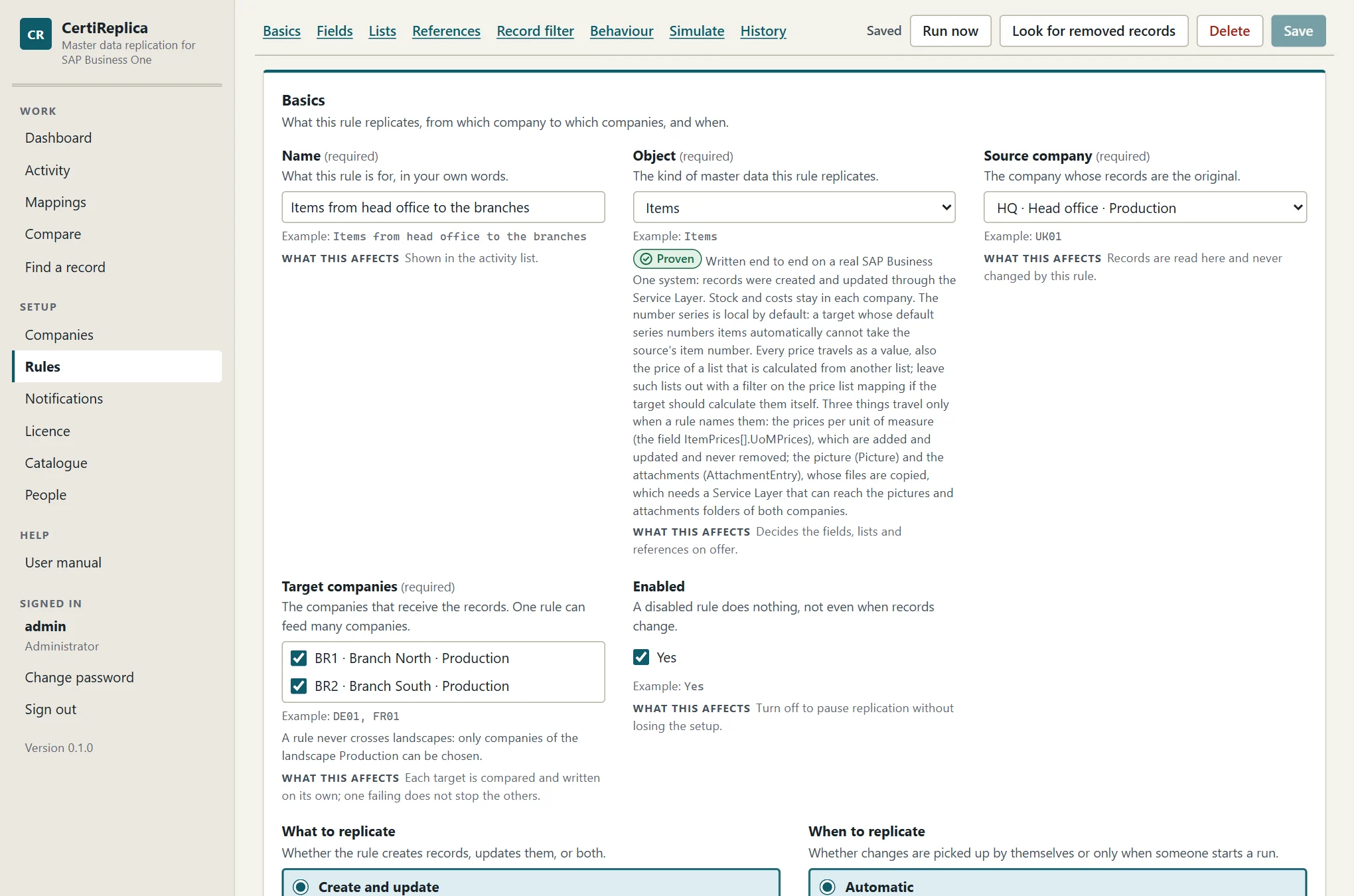
Field by field, with the company's real fields
The Fields section lists the fields the source company really has, user-defined fields included, each with a sample value and the treatment a new rule gives it. Stock, balances, costs and dates of change never travel. Fields that usually belong to one company, such as the number series, the house bank and G/L accounts, are left alone unless a rule names them.
- Replicate, on creation only or leave alone
- A constant, a copy of another field, or a template such as
{ItemCode} (HQ) - Patterns such as
U_*for a whole family of fields; all fields, or only the fields a rule lists - A field the target company does not have is left out and named in the message, instead of failing the record
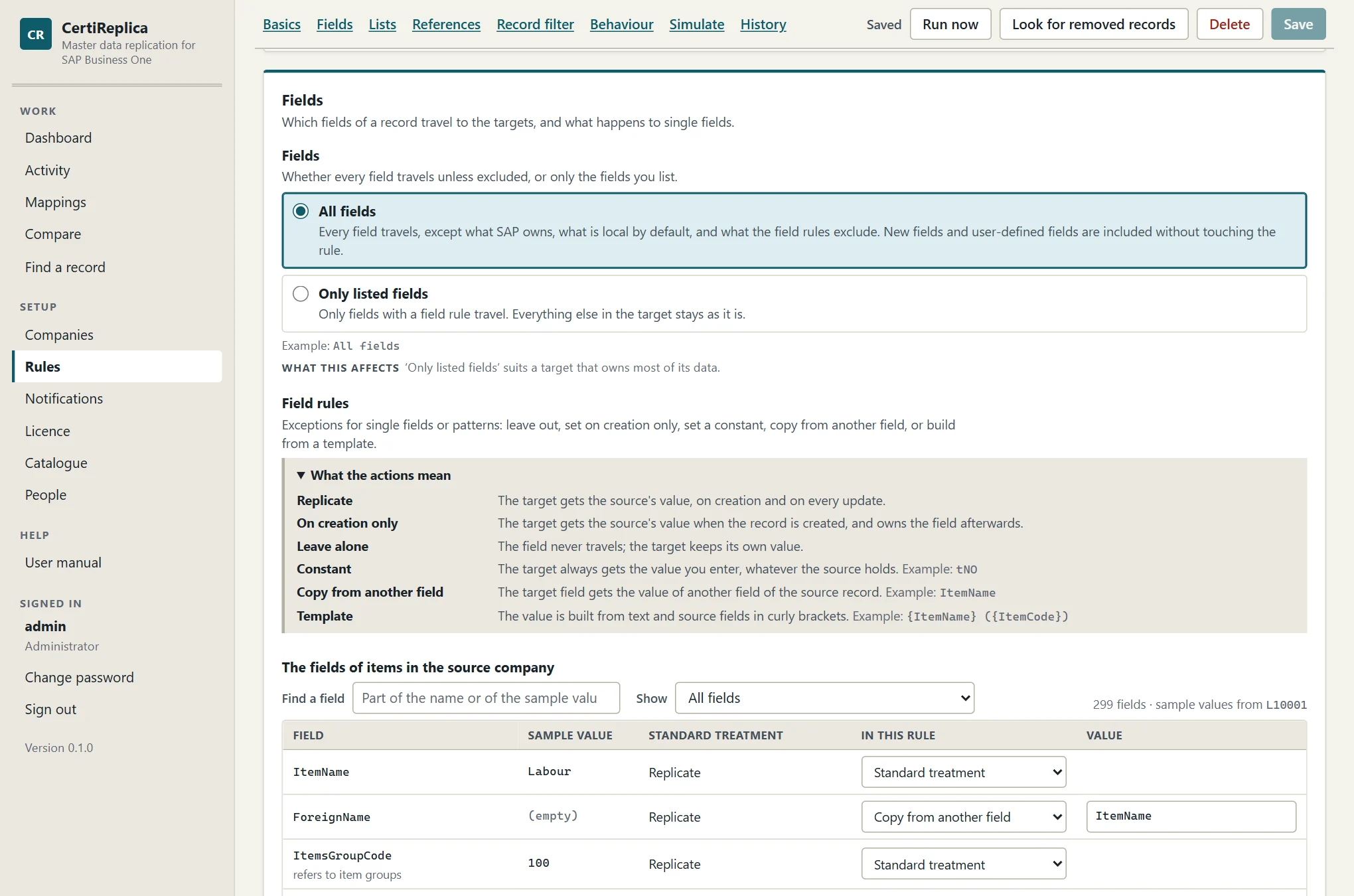
Which records: a condition builder, not SQL
Conditions on the fields of the source record decide what travels: equals, starts with, contains, is one of, greater than, is empty and their opposites, all of them or any of them. Nothing a person types becomes a database statement, so nothing can be injected.
{target}stands for the code of the target company, so one field on the record can decide which companies receive it- New records can be created on hold, for a review in the target
- A rule can ask for approval: nothing is written, not even a record it refers to, until an operator approves what would change
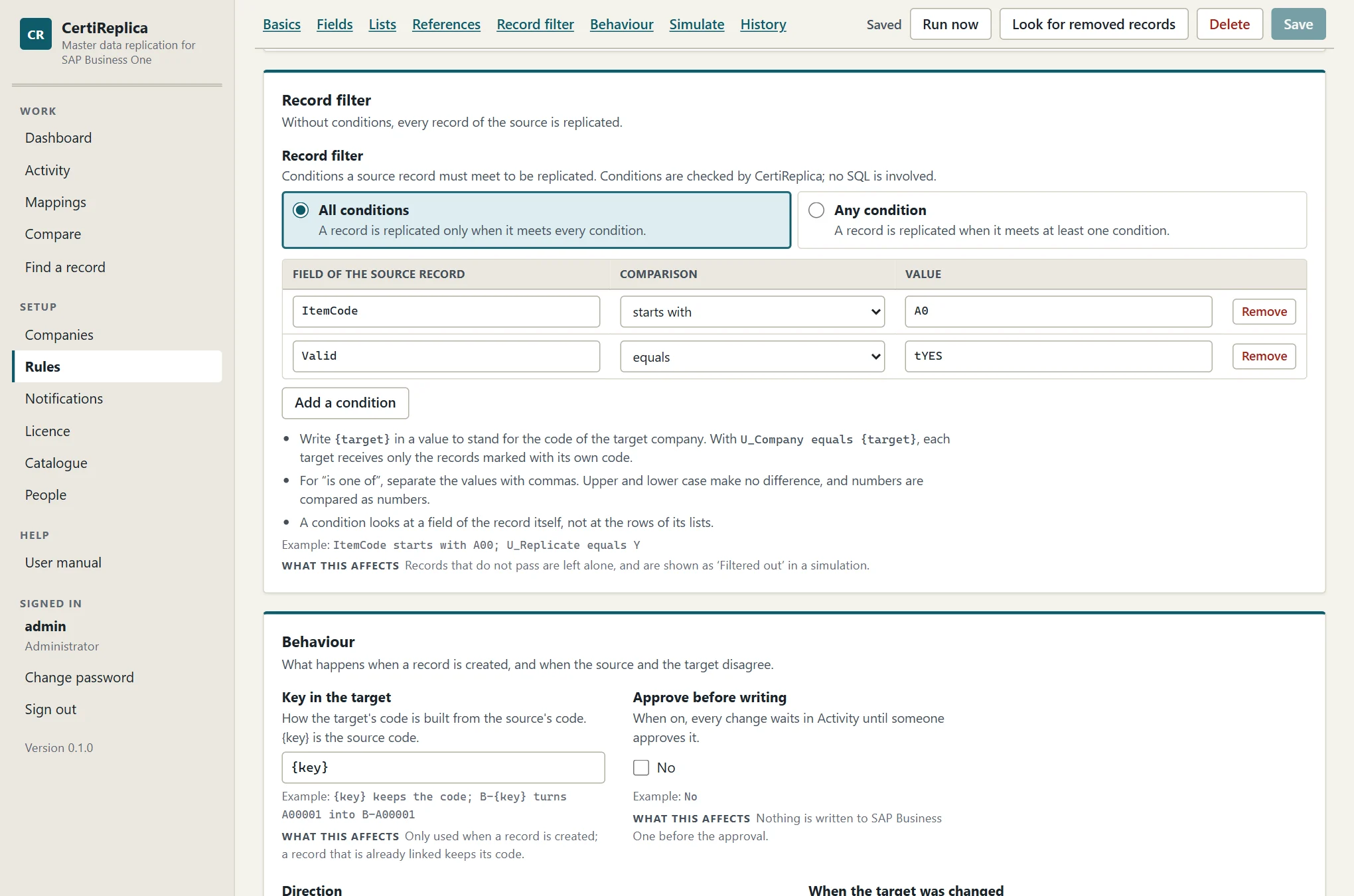
References get the target's own key
An item group is number 101 in one company and 105 in another. Every field that points at another record, such as the item group of an item, its price lists, the payment terms of a customer or the G/L account of a warehouse, is translated to the target's own key before anything is compared or written.
- Found by a link from an earlier replication or a mapping, else by the same code, else, for records SAP Business One numbers itself, by the same name
- When there is none: match and hold the record, create it first, use a fixed value, leave the field empty, or pass the value through, per rule and per referenced object
- A held record says in one sentence what is missing and what to do about it
- Tax groups, currencies, dunning terms and payment methods belong to each company: they are mapped, never copied
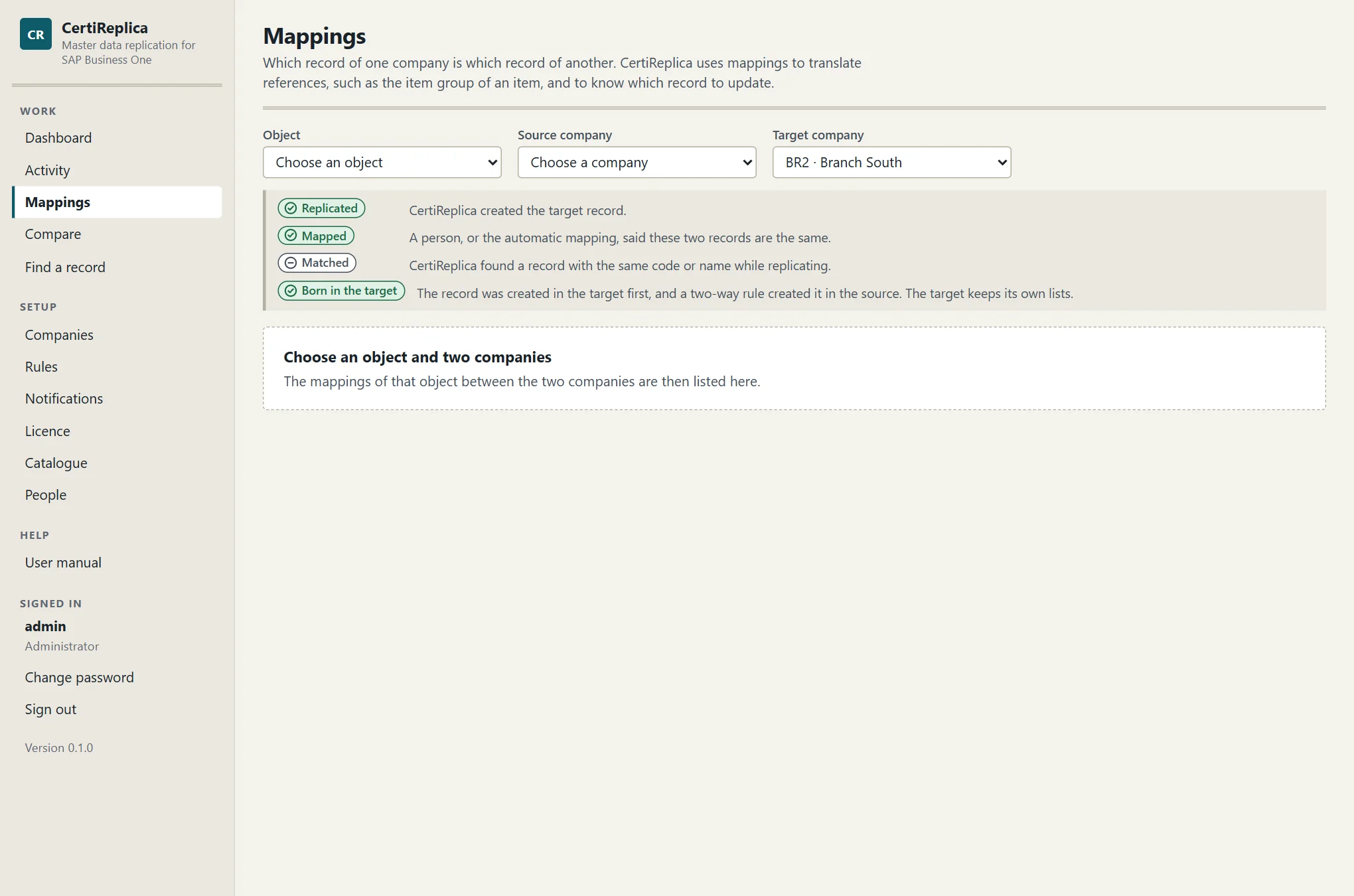
Lists inside a record: merge or mirror
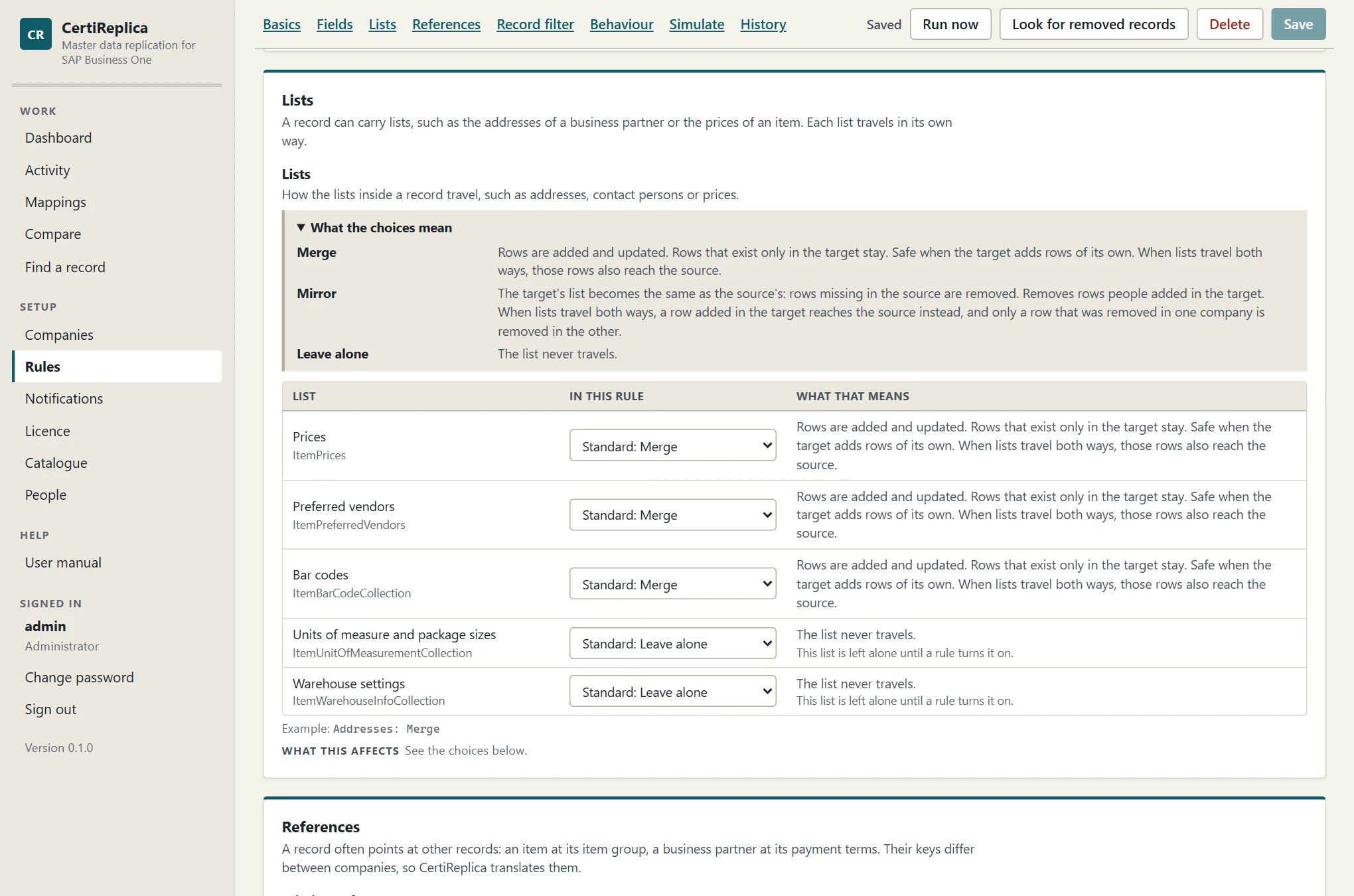
Addresses, contact persons, payment methods and bank accounts of a business partner; prices, preferred vendors, bar codes and units of measure of an item; the components of a bill of materials. Each list travels the way the rule says.
- Merge adds and updates rows and never removes one; Mirror also removes what the source no longer has; a list can be left alone altogether
- Each company numbers its rows itself. CertiReplica remembers which row of the target each row of the source became, so a renamed contact person is renamed, not created twice
- Prices per unit of measure travel with their price list row when a rule names them
- The picture and the attachments of a record can be copied as files when a rule names them (built and tested; not yet run on a real system, see the FAQ)
Simulation: the whole run, without the write
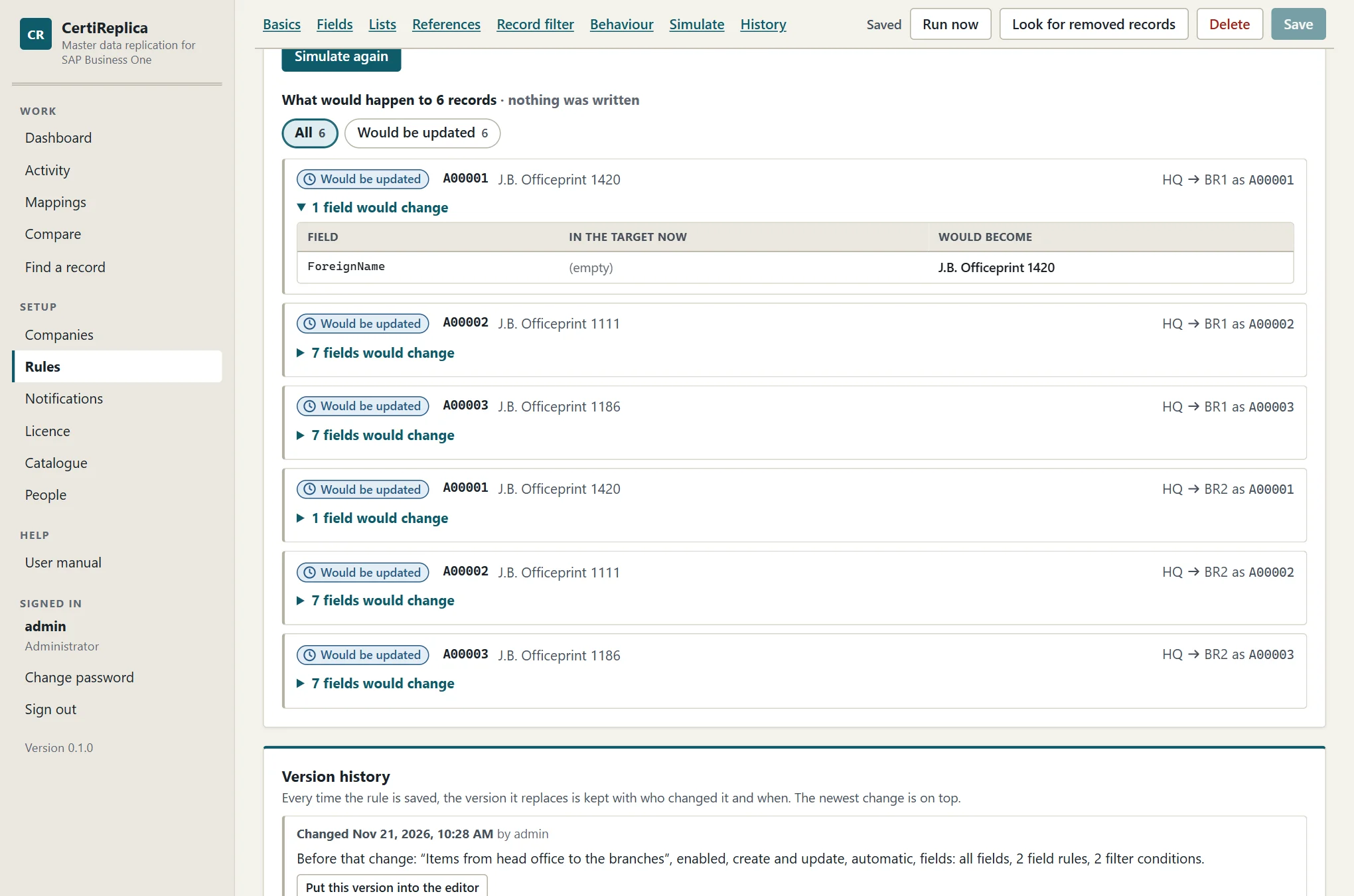
A simulation does everything a run does and stops before writing. It needs no saved rule: you can simulate while you are still changing the rule, for a few named records or the first records of the source.
- One card per record and target: would be created, would be updated, already the same, filtered out, held, or in conflict
- For an update, each field with the value the target holds now and the value it would get
- What would have to be created first, because the record refers to it
- Fields the target changed and the rule lets it keep, shown apart
Two-way replication, field by field and row by row
A two-way rule runs the same steps in both directions over one link. CertiReplica remembers what each company held when the two last agreed, so it can tell three cases apart for every field.
- Only the source changed it: it travels to the target
- Only the target changed it: it is left alone there and travels back
- Both changed it: a conflict, which goes to the winner the rule names or waits for a person's decision
- With Lists travel both ways the same holds for rows of lists: a contact person added in either company reaches the other
- Writing a change never starts a loop: the run in the other direction finds the two equal and writes nothing
- A record created in a target can be created in the source by itself, if the rule allows it
One customer, changed in both companies
What a two-way rule with "Hold for a decision" makes of it. An illustration in the product's own words.
| Field | Changed in | What happens |
|---|---|---|
| Phone1 | HQ only | travelsHQ → BR1 |
| Notes | BR1 only | travelsBR1 → HQ |
| ContactEmployees[Dana] | added in BR1 | addedin HQ |
| CreditLimit | both | conflictwaits for a decision |
| CardName | neither | samenothing sent |
History, decisions and roll back
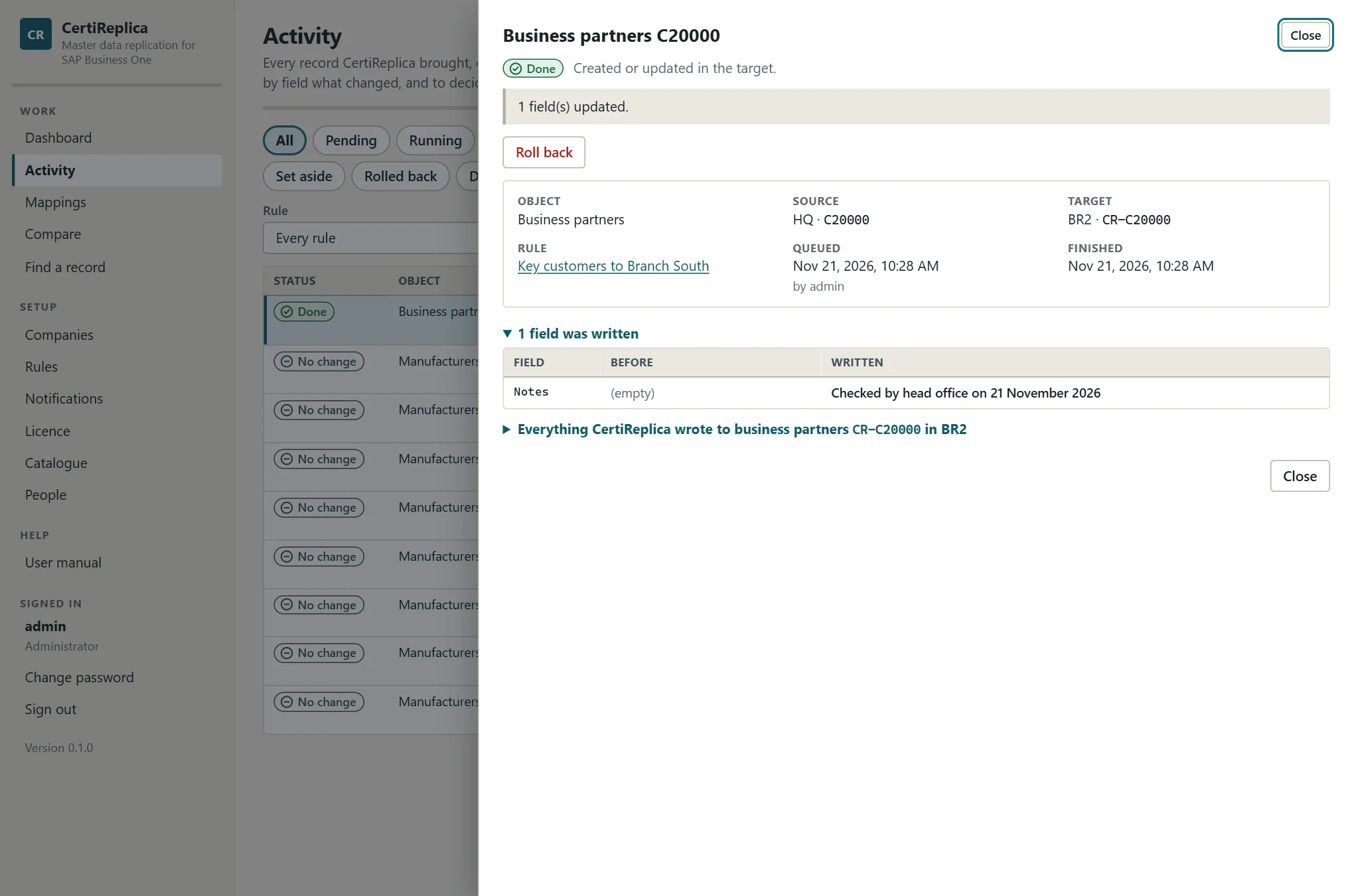
After every write the target is read back, so what CertiReplica remembers is what SAP Business One really holds. Activity lists every record it brought, or tried to bring, to a target, with its status and one sentence.
- Before and after of every field that was written, per record
- Decisions where a record waits: approve, let the source win, let the target keep its values, put on hold, set aside; the history names who decided
- Roll back puts the values back that a job overwrote, and the rows a mirrored list removed
- A value SAP Business One silently did not take is reported after the write and not sent again until one side changes it
- Companies that cannot be reached are tried again with growing waits; a refusal waits for a person, with SAP's own reason
Automatic, at set times, or when someone asks
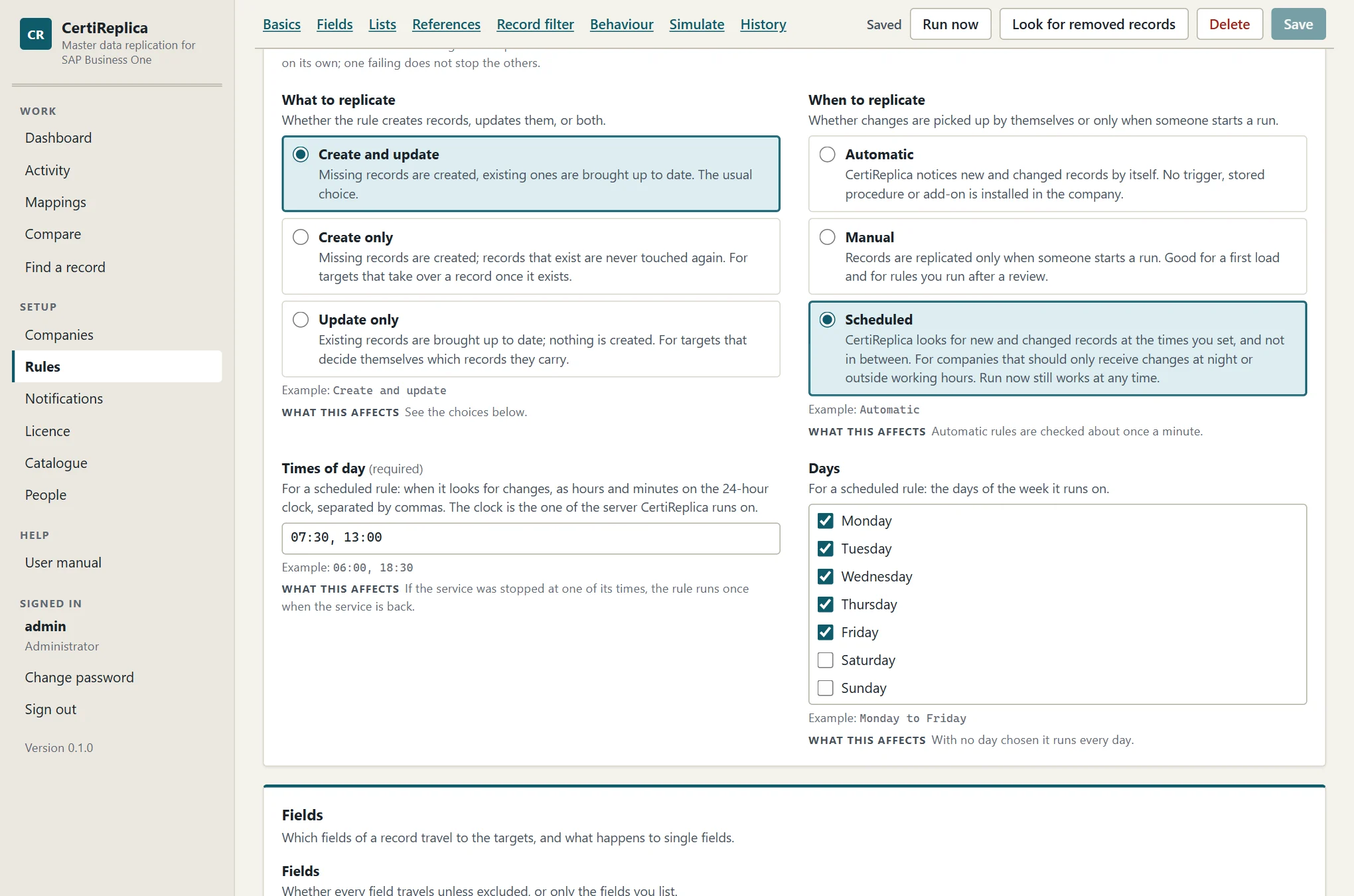
CertiReplica notices changes without touching the company. Objects that carry a date and time of change are asked what changed since the last look, about once a minute; small setup tables are read whole and compared by fingerprint. No trigger, no notification procedure.
- Automatic: changes are picked up by themselves
- Scheduled: on the days of the week and at the times of day you set, for example every working day at 06:00 and 13:00
- Manual: only when someone presses Run now, for everything or for named records
- A record removed in the source is noticed as well: reported for a decision or put on hold, as the rule says. Many removals at once are only reported, in case the source was unreadable
Compare two companies
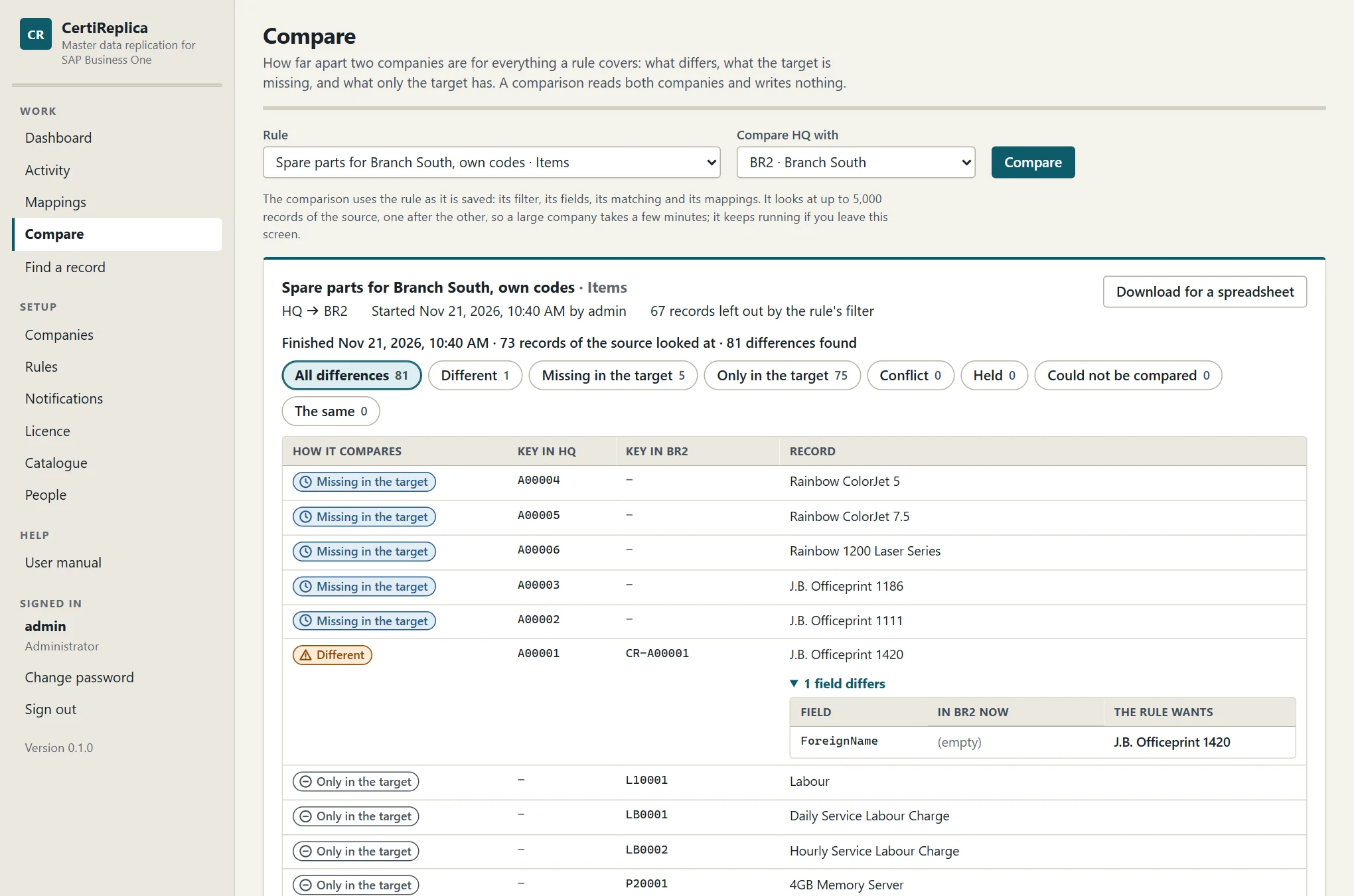
A simulation answers what a rule would do to a few records. A comparison answers how far apart two companies are for everything the rule covers, and it also finds what only the target has. It reads both companies and writes nothing.
- Each record is the same, different, missing in the target, only in the target, held or in conflict
- For a different record, each field with the value in the target and the value the rule wants
- Runs in the background, can be stopped, and downloads as a file for a spreadsheet
Find a record across the companies
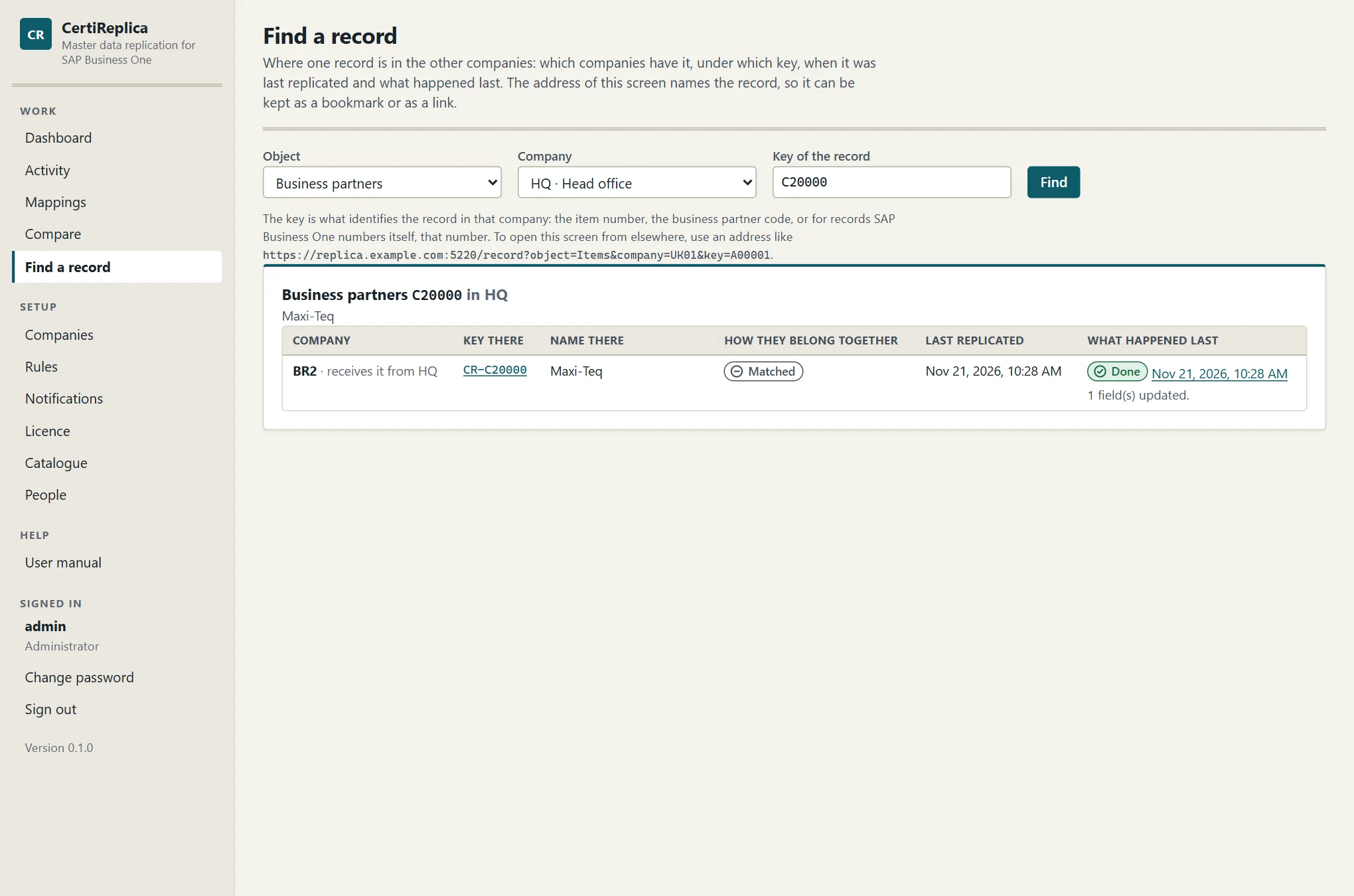
Someone looking at an item in SAP Business One wants to know where else it lives. Find a record shows which companies have it, under which key, when it was last replicated and what happened last.
- The address of the screen names the record, so it can be kept as a bookmark or as a link
- That is how CertiReplica is one click away from a record without installing anything in the SAP Business One client
Telling people, and who may do what
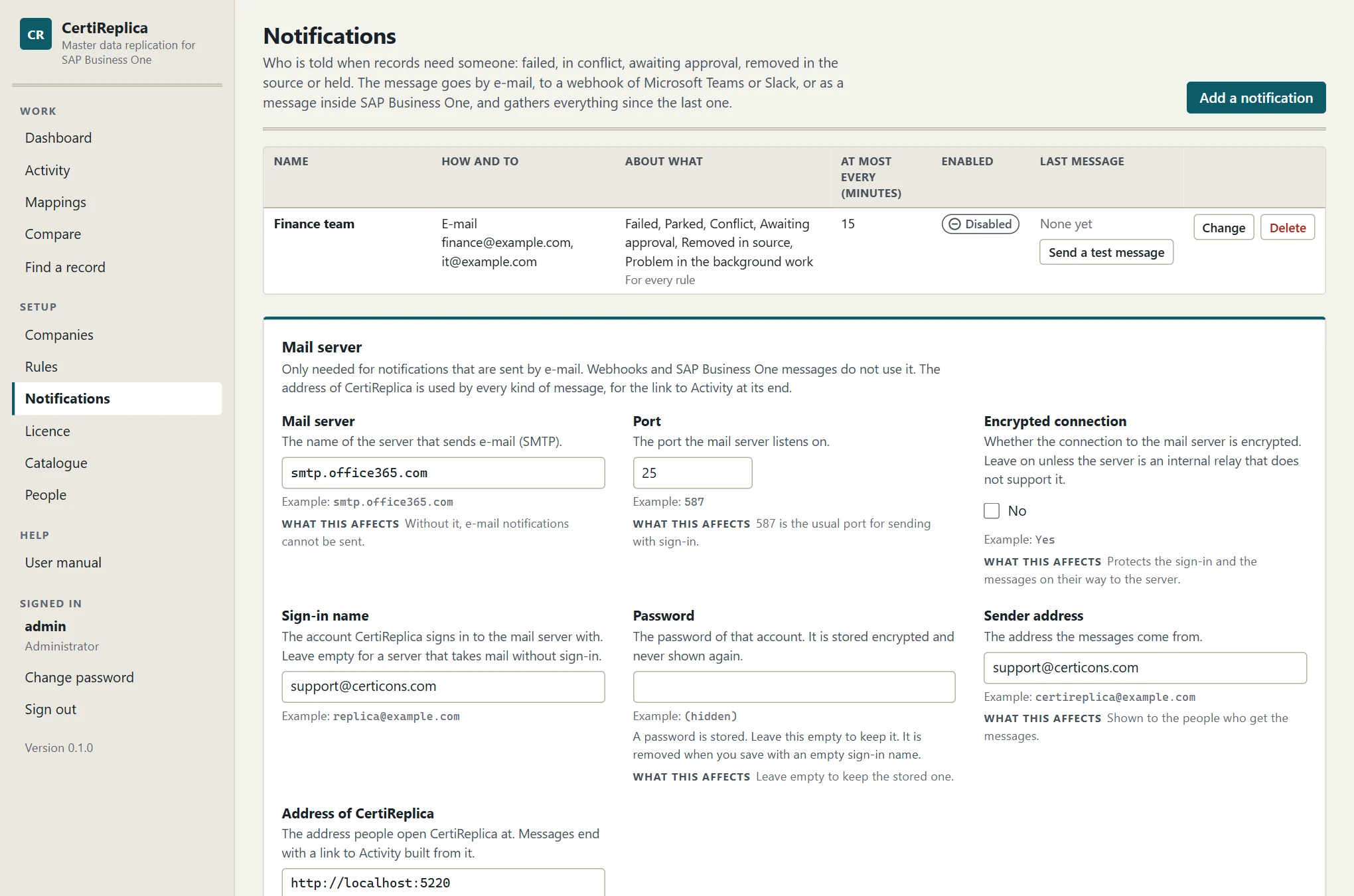
A notification says who is told, how, about what, and how often. One message gathers everything since the last one, so a run of thousands of records is one message, and a message that could not be delivered is tried again.
- By e-mail, by webhook to a Microsoft Teams or Slack channel, or as an internal message in SAP Business One
- About failed, held, conflicting and waiting records, records removed in the source, and problems of the background work, per rule
- Three roles: an administrator sets up, an operator runs and decides, a viewer reads and simulates
- The dashboard shows records by status and the state of the background work, which can be paused
Nothing in SAP Business One, and careful with what it holds
CertiReplica signs in to each company's Service Layer as one dedicated SAP user. That user's authorisations are the limit of what can be read and written, and SAP Business One's own checks apply to every record.
- No add-on, no stored procedure, no user-defined table, no database user and no database superuser
- SAP passwords are stored encrypted with a key only that server can use
- A Service Layer certificate the server does not trust is refused until its thumbprint is pinned on the company
- Built-in HTTPS with a certificate from the Windows certificate store, picked up again after a renewal without a restart
- Passwords of accounts are kept as salted hashes; an account that is switched off loses its open session at once
One Windows service, one setup program
- A setup wizard that asks for every setting, lists what it will do before it changes anything, and upgrades or repairs an existing installation with a backup first
- Unattended installation with switches; passwords are read from environment variables, never from a command line
- Its own data in one file next to the program, or in a database on Microsoft SQL Server; a command moves it from one to the other
- A licence check that needs no connection to the supplier
- A user manual served by the product itself
Try it on your own companies
Simulate your first rule before you decide anything
CertiReplica works in full for 30 days without a licence. A simulation writes nothing, so the first afternoon costs your companies nothing either.