
SAP Business One · through the Service Layer only
Master data, the same in every company. Previewed before it is written.
CertiReplica keeps items, business partners, price lists and the setup data behind them the same across SAP Business One company databases. A rule says what travels and where. A simulation shows, field by field, what it would write. A history keeps the before and after of everything it wrote. Nothing is installed in SAP Business One.
- No add-on, stored procedure, table or database user in any company
- A simulation of every rule before anything is written
- History and roll back of every write
- Works in full for 30 days without a licence
- ItemName
- Laser printer
- ItemsGroupCode
- 101 Printers
- ItemPrices
- 6 rows
Under the branch's own code. Its item group did not exist there and was created first.
Compared field by field and row by row. Nothing sent.
Someone changed the name in the branch since the last run. Held for a decision, not overwritten.
An illustration of one changed record and three targets. The screens further down are the product itself.
Master data it keeps the same
Why CertiReplica
The same item should not be typed once per company
A group with several SAP Business One companies keeps the same items, customers, price lists and payment terms in each of them. Someone types them again, or a script copies them and nobody knows what it overwrote. CertiReplica replaces both with rules you can read, a simulation you can check, and a record of every field it changed.
You see it before it happens
Every rule can be simulated as often as you like. The result is one card per record and target: would be created, would be updated with these fields from this value to that one, already the same, or held because something is missing. Nothing is written until you say so.
Setup data comes along
An item points at an item group, a manufacturer, units of measure, price lists, a vendor. CertiReplica gives every such field the target's own key. What is missing is matched by name, mapped by a person, created first, or the record is held with a sentence that says what is missing.
A change in the branch is not silently lost
CertiReplica remembers what it wrote. A value someone changed in the target since then is told apart from a value the source changed: the source wins, the target keeps its change, or the record waits for a decision. In a two-way rule the change travels back.
What it does
Rules instead of scripts, and an answer to every "what happened?"
One web app, one Windows service. Every setting carries its label, a description and an example on the screen.
Rules
One rule feeds many companies. Fields are replicated, set once, left alone, filled with a constant, copied from another field or built from a template. A condition builder decides which records travel, without SQL.
Learn more →Simulation
The same eight steps as a real run, stopped before the write. Record by record and field by field, before and after, with what would have to be created first.
Learn more →References and mappings
Codes may differ between companies. A key template, a cross-reference per record and one mapping screen for every object: a mapping and a replicated record are the same kind of link.
Learn more →Lists inside a record
Addresses, contact persons, prices, bar codes, components: merged (add and update) or mirrored (remove what the source no longer has), per list. A renamed contact person is followed, not created twice.
Learn more →Two-way replication
A change made in either company travels to the other, field by field and, if you choose, row by row. Only a field changed in both is a conflict, with a named winner or a person's decision.
Learn more →History and roll back
After every write the target is read back. The history keeps before and after per field, who decided what, and a job can be rolled back: the old values, or the row a mirrored list removed.
Learn more →Automatic, scheduled or on request
Changes are noticed about once a minute without a trigger in the company, or a rule runs at set times on set days, or only when someone presses Run now. Records removed in the source are noticed too.
Learn more →Compare and find
How far apart are two companies for everything a rule covers: what differs, what the target is missing, what only the target has. And for one record: where is it in the other companies, and what happened last.
Learn more →Telling people, and who may do what
E-mail, a webhook for Microsoft Teams or Slack, or an internal SAP Business One message, gathered into one message per interval. Administrators, operators and viewers, approval before writing, built-in HTTPS.
Learn more →Inside the product
Real screens, taken from the product
The pictures of the user manual, captured from CertiReplica connected to copies of an SAP Business One demo company.
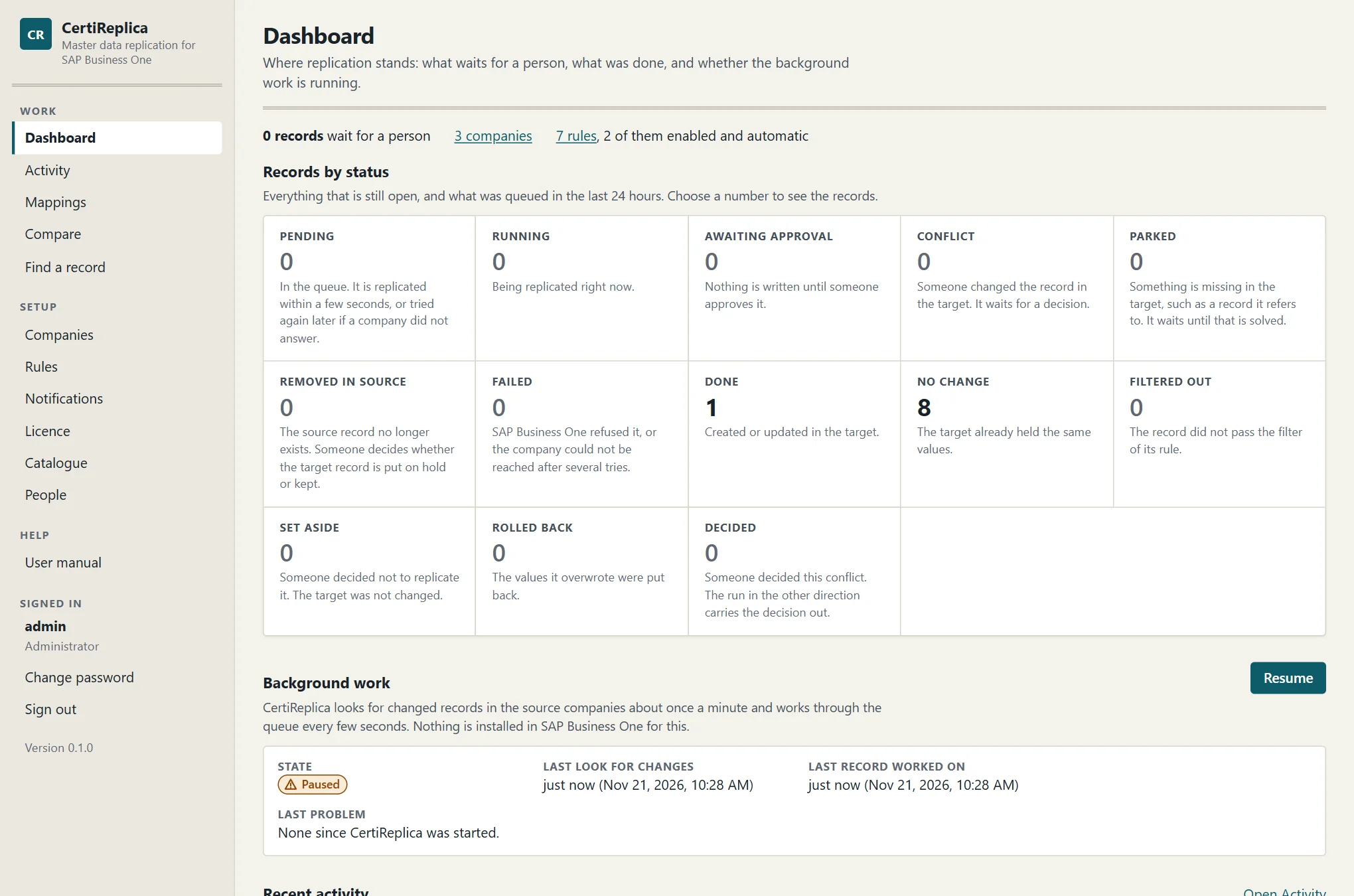
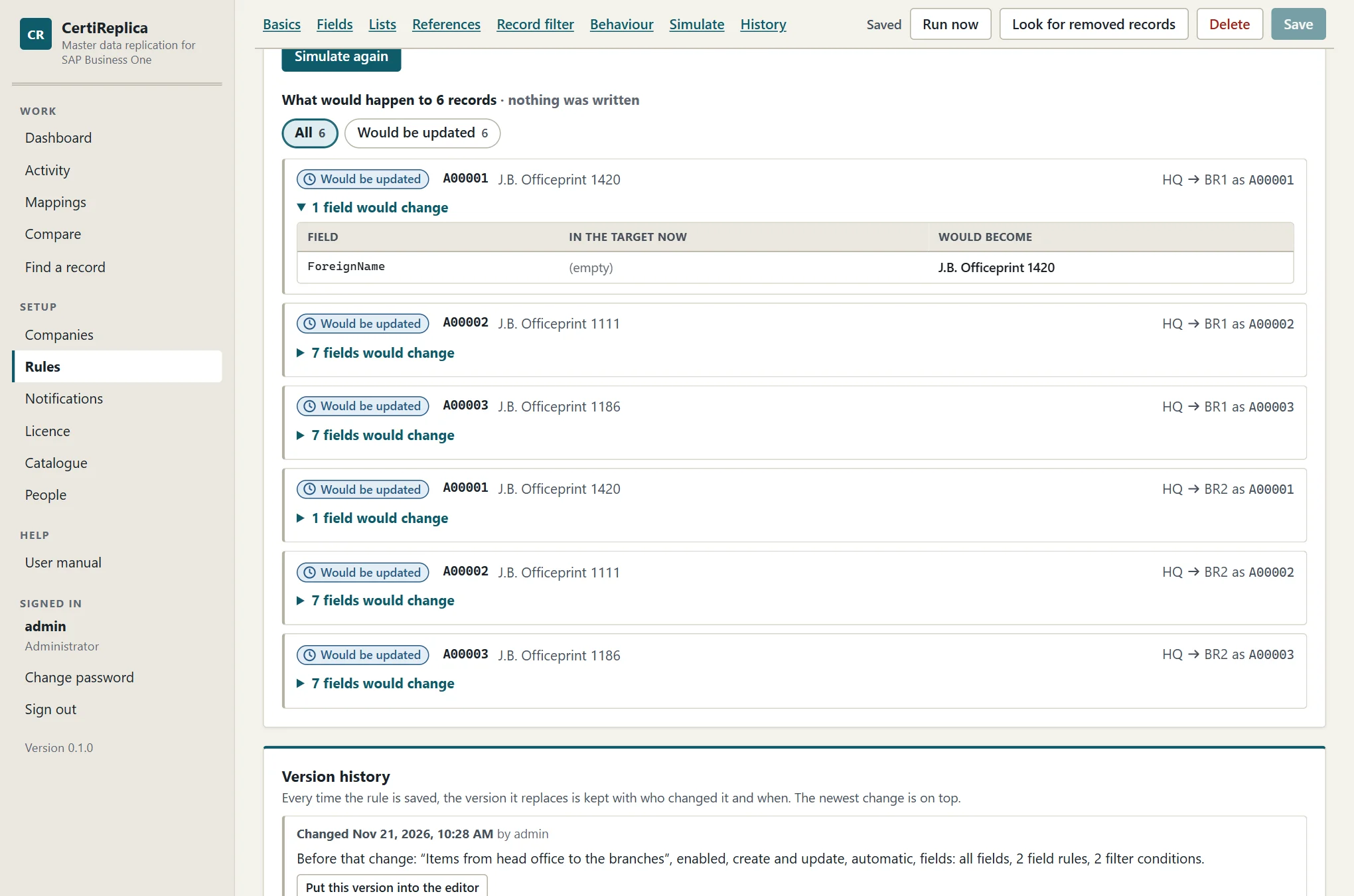
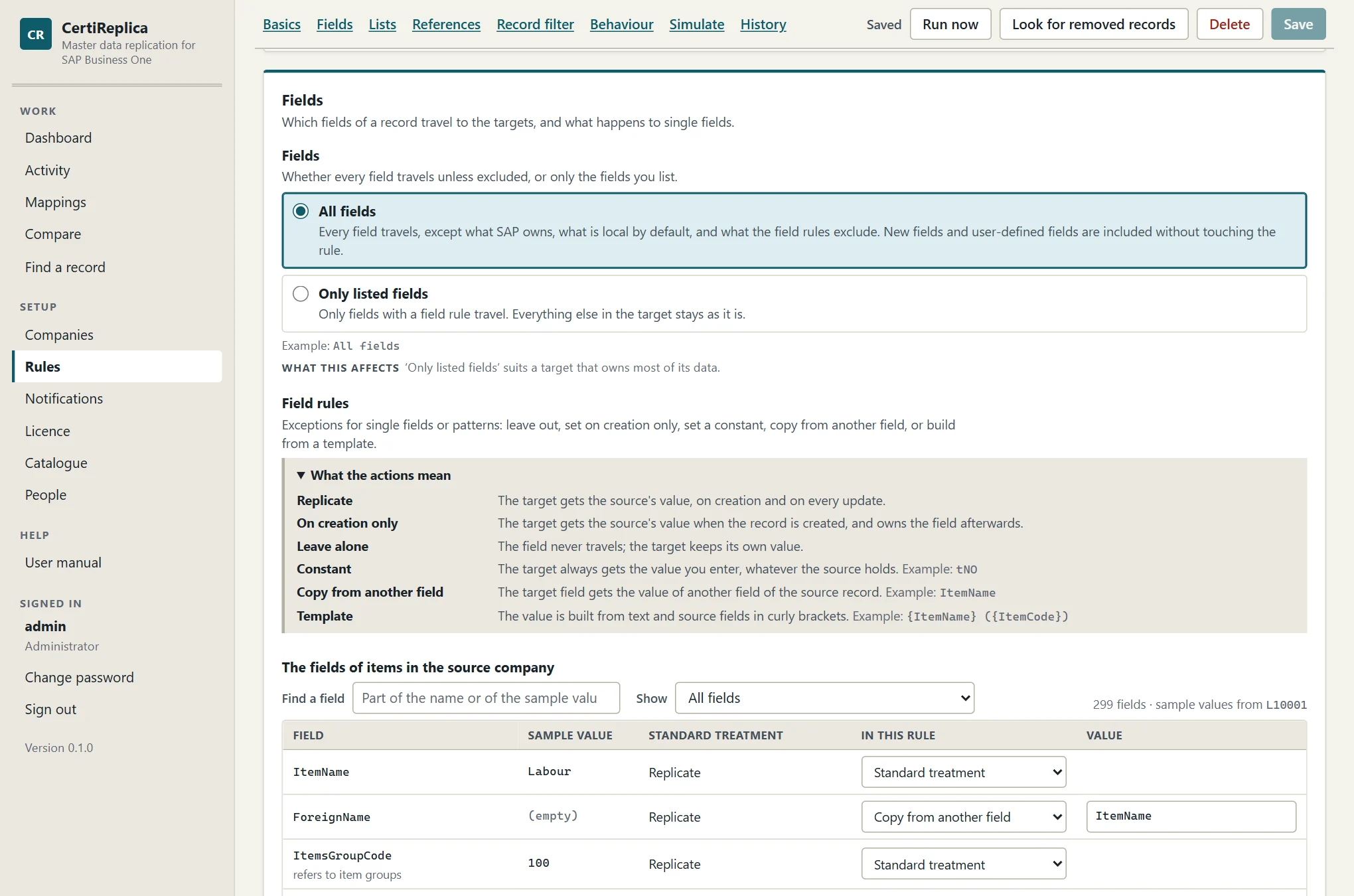
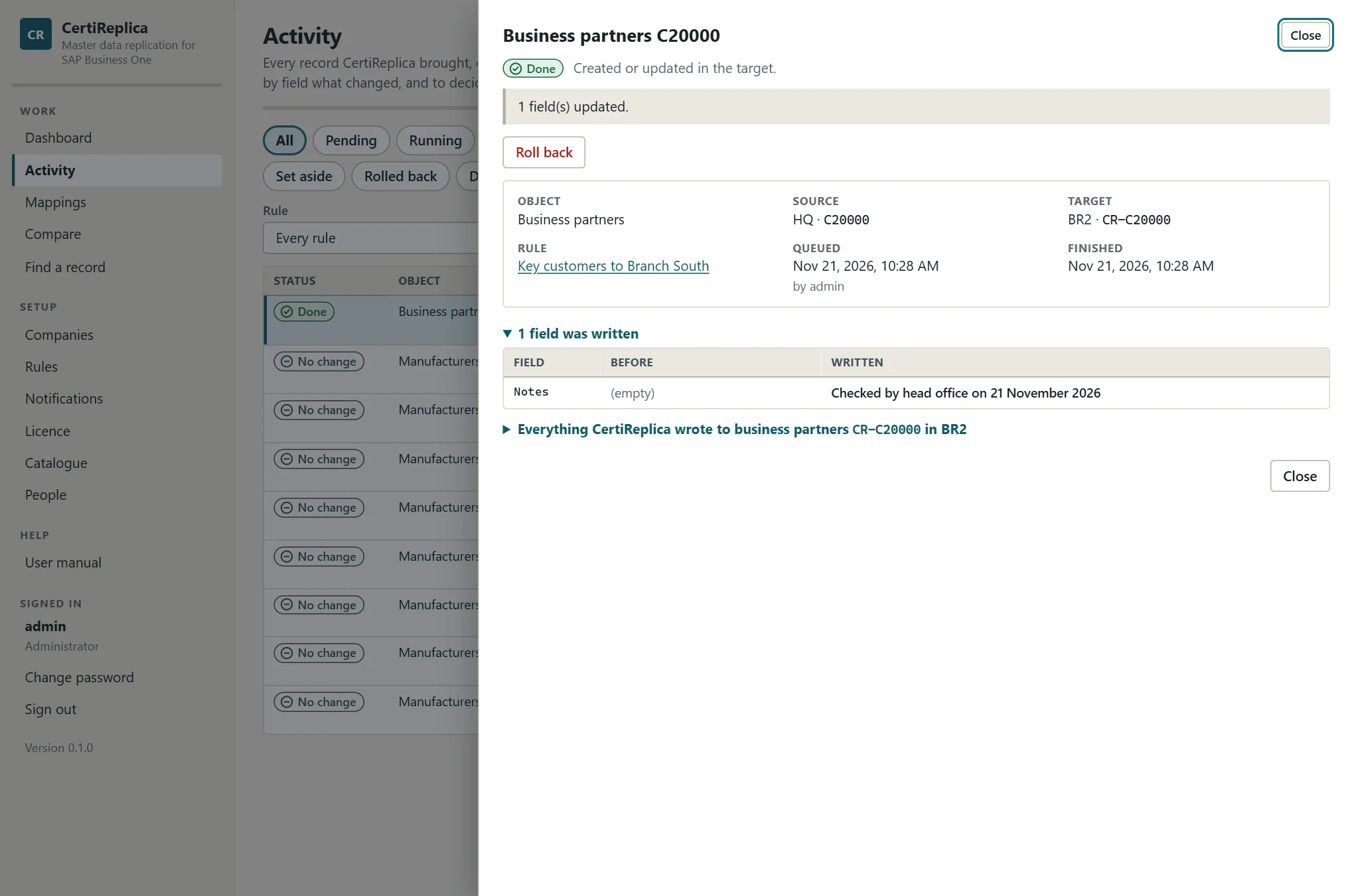
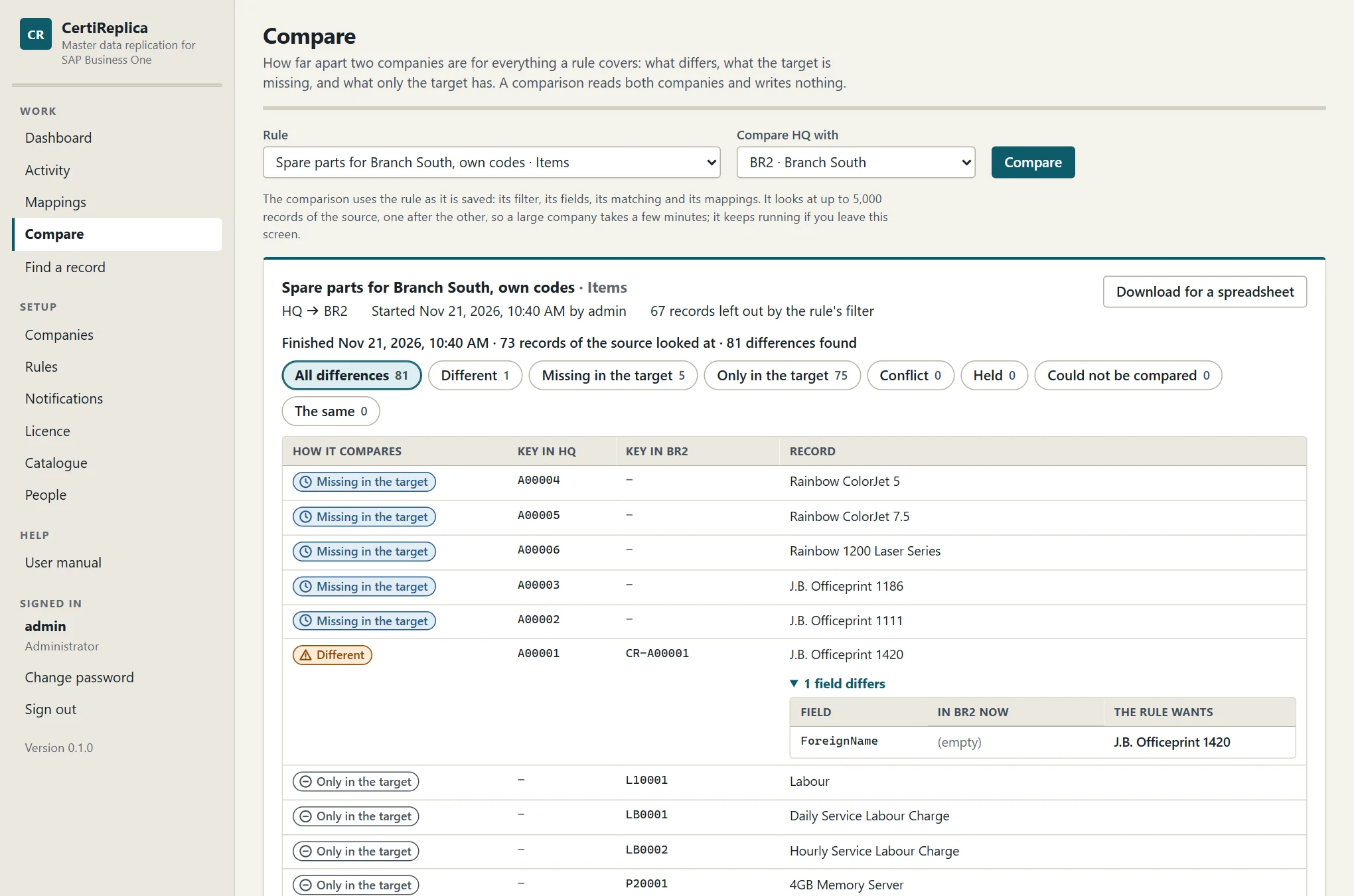
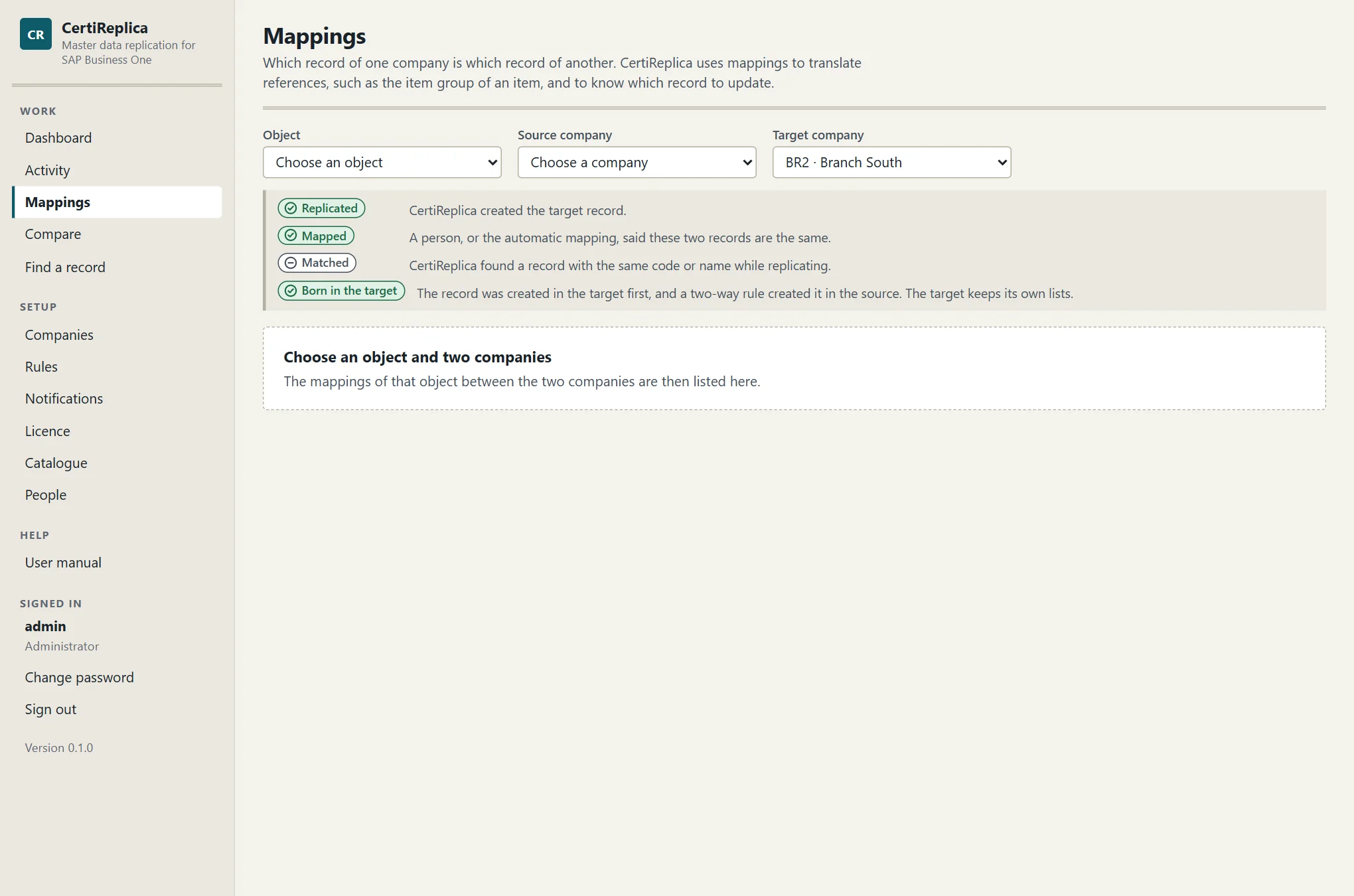
Click a screen to enlarge it.
How it starts
From the setup to the first simulated rule in an afternoon
CertiReplica is one setup program for a Windows server that can reach the Service Layer of your companies. It installs one Windows service with its own web app and keeps its own data in one file, or in a database on Microsoft SQL Server if you prefer.
Install
The wizard asks for the folders, the port, HTTP or HTTPS and the certificate, the service account and the first administrator, lists what it will do, and does it.
Add the companies
Each company needs its Service Layer address, its database name and a dedicated SAP user. Test sign-in proves all four; a certificate that is not trusted is refused until you pin it.
Write a rule and simulate it
Choose the object, the source and the targets. Leave the standard treatment of fields or change it. Simulate a few records and read what would be written.
Enable it and watch Activity
Run now for a first load, then automatic or scheduled. Activity lists every record with its status and one sentence; records that wait say what they wait for.
For groups and SAP Business One partners
Any mix of servers. Test and production side by side.
Each company only needs a Service Layer address, so companies on different servers, on premise and hosted, can be sources and targets of the same rule. Companies belong to a landscape, such as Production or Test, and a rule can never cross landscapes.
- One rule feeds many targets; any company can be a source
- Codes may differ:
B-{key}as a template, or a mapping per record {target}in a record filter lets one field on the record decide which companies get it- One dedicated SAP user per company, whose authorisations are the limit of what can be written
- Every version of a rule is kept, with who changed it and when
A rule, as you would read it out
Rule       Items from head office to the branches
Object     Items
From, to   HQ  →  BR1, BR2
When       Automatic · checked about once a minute
Records    ItemCode starts with A0, and Valid = Yes
Fields     all · U_* left alone
           ForeignName copied from ItemName
Lists      Prices: merge · Bar codes: merge
Missing    item group, manufacturer: create it
New        created on hold, for a review
Target     changed since the last run:
           hold for a decision
Every line is a setting on the rule's screen, with its description and an example next to it. No script, no SQL.
Licensing
Licensed by company and by module. Tried in full for 30 days.
A licence names the number of companies that may be active and the modules: replication, two-way, structure and notifications. CertiReplica checks it on your server and needs no connection to us. Without a licence everything works for 30 days from the first start.